A new layout: a new Home, one menu for AI Visibility, and Cowork beside every page
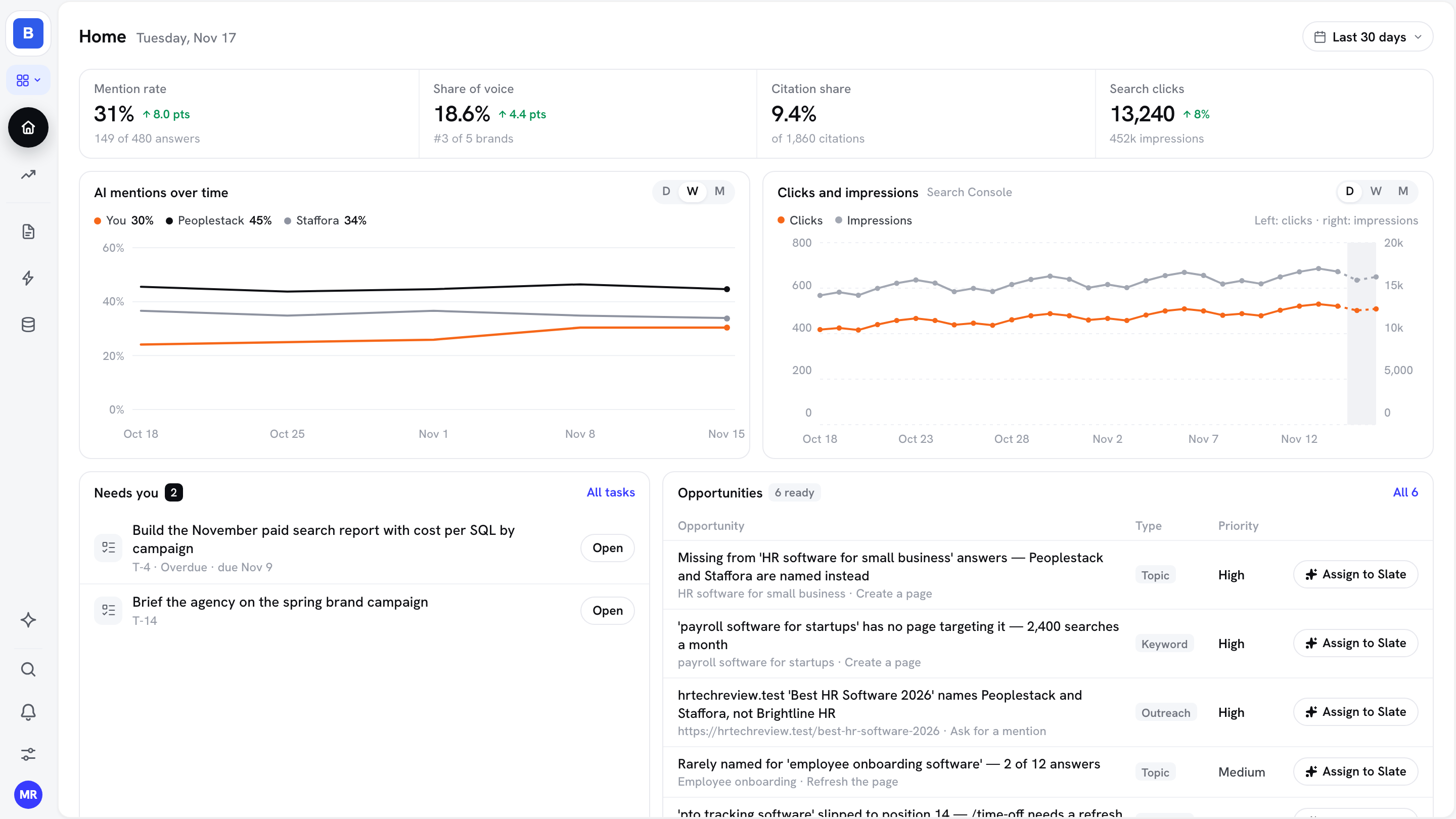
Slate has a new layout. Home shows your key numbers and what needs you, AI Visibility and Organic Search each get a page menu with new pages, and Cowork opens beside whatever page you're on.
Home: mention rate, share of voice, citation share and Search clicks, AI mentions over time, what needs you, and your top five opportunities
AI Visibility in one menu, with three new pages for everyone: Objections, Discover new prompts and Gap analysis
Keywords is now Organic Search, with a new Search Console page
One filter bar across AI Visibility, with Save as default
Ask Cowork from the pill under any page (⌘I) and keep the page open beside it
An icon sidebar with a View menu: AEO for AI search work, or All for every tool
Pull keyword ranks, AI answers and tasks through the Slate API
Create an API token in Settings and read your Slate data from your own sheets, BI tools and scripts. You can also run a tracked prompt on demand and act on Opportunities and Tasks.
Keyword Tracker: tracked keywords with current and average rank, a rank summary, and each keyword's daily history
AI Visibility: every AI answer as a row, fanout queries, and citations in full or as a CSV export
Run a tracked prompt now, for example right after a page goes live
Opportunities and Tasks: list and read them, accept or snooze an opportunity, create tasks and add comments
Share a session so teammates can follow it as it runs, or let named teammates send messages into it. Slate asks you before each sensitive step they trigger.
Choose Only me, Specific people or Anyone in this workspace; for people you name, pick Can view or Can collaborate
Sessions others share with you appear under Shared with you
House rules: Slate remembers how your team wants work done
Tell Slate how work should be done from now on, and it saves a house rule, shows you the exact line it saved, and follows it in every later session, for everyone in the workspace. Read and edit the rules in Assets → Memory.
Improvements and fixes
ImprovedClickUp sync keeps assignees and keeps due dates on the same day, and a task that can't be copied to ClickUp says so.
FixedWhen a task assigned to Slate is waiting for your answer, Slate now moves on to its next task, and the task chips show what it's doing.
FixedA page's detail chart on Pages shows its Search Console and GA4 data for the dates you pick.
FixedCowork: Word copies keep every image, and a refreshed article keeps its images.
Run your team's work in Slate the way you already talk about it: your own statuses and fields, filters with real conditions, and saved views in List, Table or Board.
Add your own statuses, like In review or Ready to publish, and custom fields such as Channel or Budget
Filter by tags, dates or custom fields, then save it as a view for yourself or the whole workspace
A shared "assigned to me" view shows each person their own tasks
New tasks created inside a view pick up its filters, so nothing falls out of the list