

Why it matters
Health shows which clients are slipping and why, before a renewal is at risk. Every point up or down links to its evidence, such as a call quote or an overdue task.Health bands
Scores update once a day at 06:00, in the time zone set in Agency settings → Weekly brief. Slate uses UTC until you set one. Retainer and renewal date don’t affect health. They only decide which clients appear first.
What each pillar looks at
Each pillar starts at 70. Signals add or take away points, and each one shows up as a driver.- Relationship (35%) — sentiment on recent client calls, and risk signals raised on calls, such as a budget pause or talks with another agency. It also counts whether the decision maker has been absent for 30 days and whether someone new joined a call. Other signals: no client touch within the check-in cadence, no meeting booked, and items waiting on the client.
- Delivery (35%) — overdue tasks, tasks blocked on your agency for 5 days or more, failed runs in the last 14 days, and tasks done in the last 30 days.
- Results (30%) — organic clicks from Search Console over the last 28 days compared with the 28 days before, and how often AI answers mention the client’s brand.
See health on the Clients tab
The Health column shows each client’s band, and the Why column gives the top reasons. Hover over a band to see the score, the three pillars, and the top driver.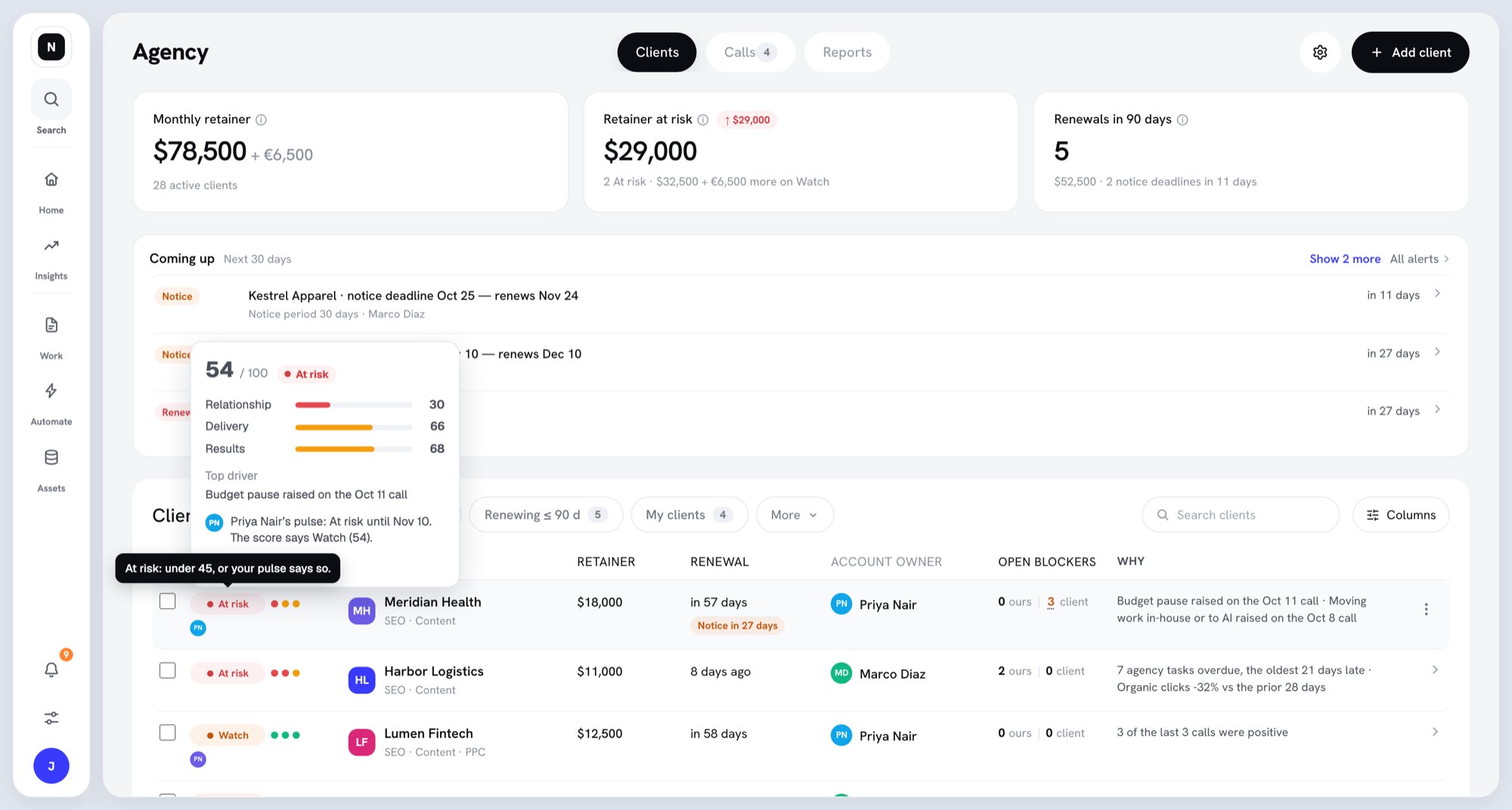
The health hover card
The Health tab
Open a client and click Health to see:- Overall — the score, its band, and the trend over the last 12 weeks.
- A short summary written from the top drivers.
- Your read — the account manager’s pulse, if one is set.
- Pillars · top drivers — each pillar’s score and the drivers that moved it. Click a driver’s link, such as Call · 10:29, to see the evidence.
- Waiting on the client — tasks waiting on the client. They count against Relationship, never against Delivery.
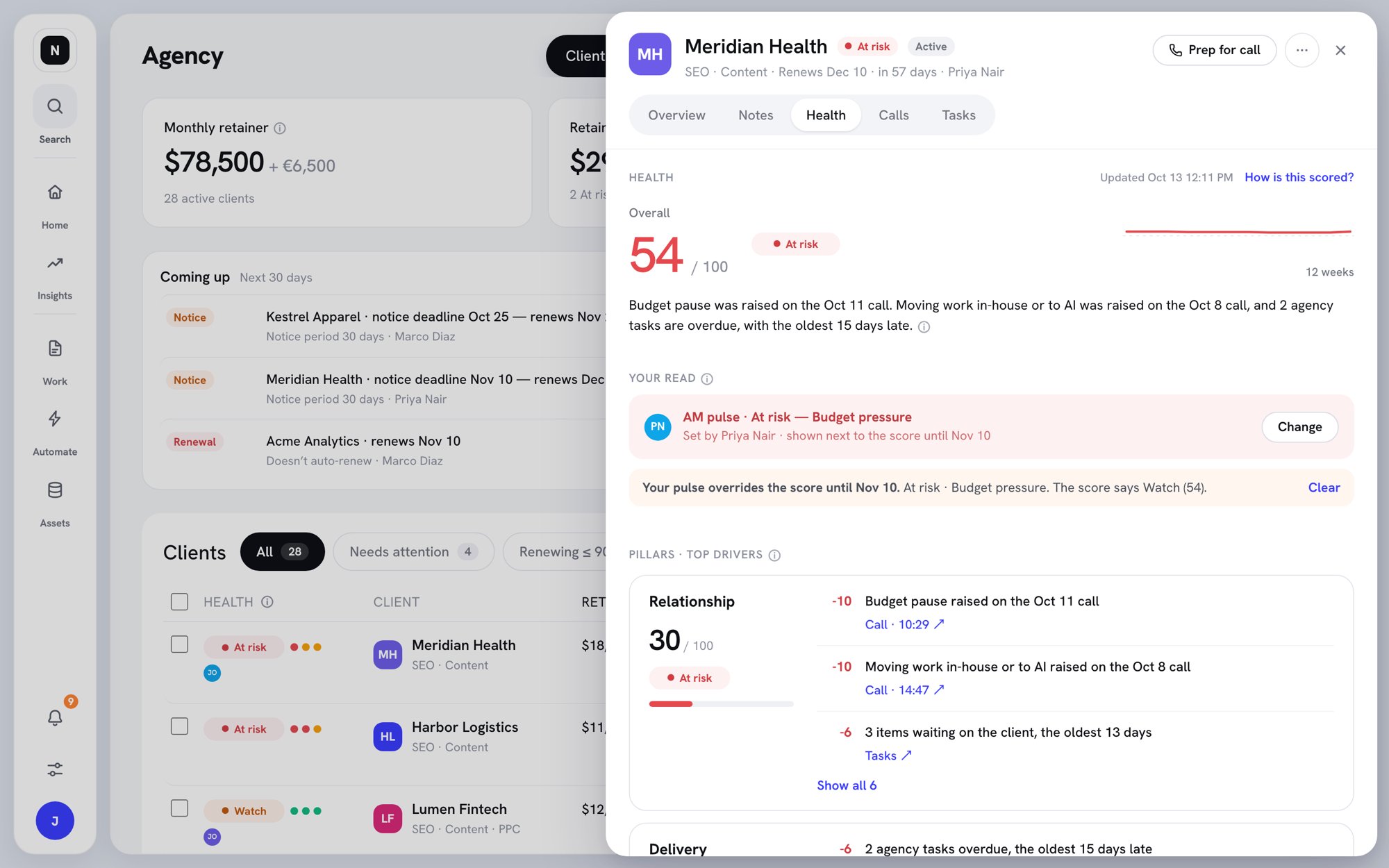
The Health tab in a client record
Set a pulse
A pulse is your own read of the relationship. While it lasts, the band shows your read instead of the score. The score stays visible.- On the Health tab, click Set pulse, or Change to edit an existing one.
- Under How is it going?, pick Good, Concerned, or At risk.
- Optional: pick a Reason and add a note. A note is required when the reason is Other.
- Under Keep it for, pick 7, 14, or 30 days.
- Click Save pulse.
Alerts
Slate sends client alerts to your inbox, and by email or Slack. To choose which alerts are on:- On the Agency page, click the gear icon (Agency settings).
- Open the Alerts tab.
- Turn each alert on or off, then click Save.
Clients with no account manager send their alerts to admins. Each person chooses email or Slack for alerts in Notifications → Preferences. See Notifications.
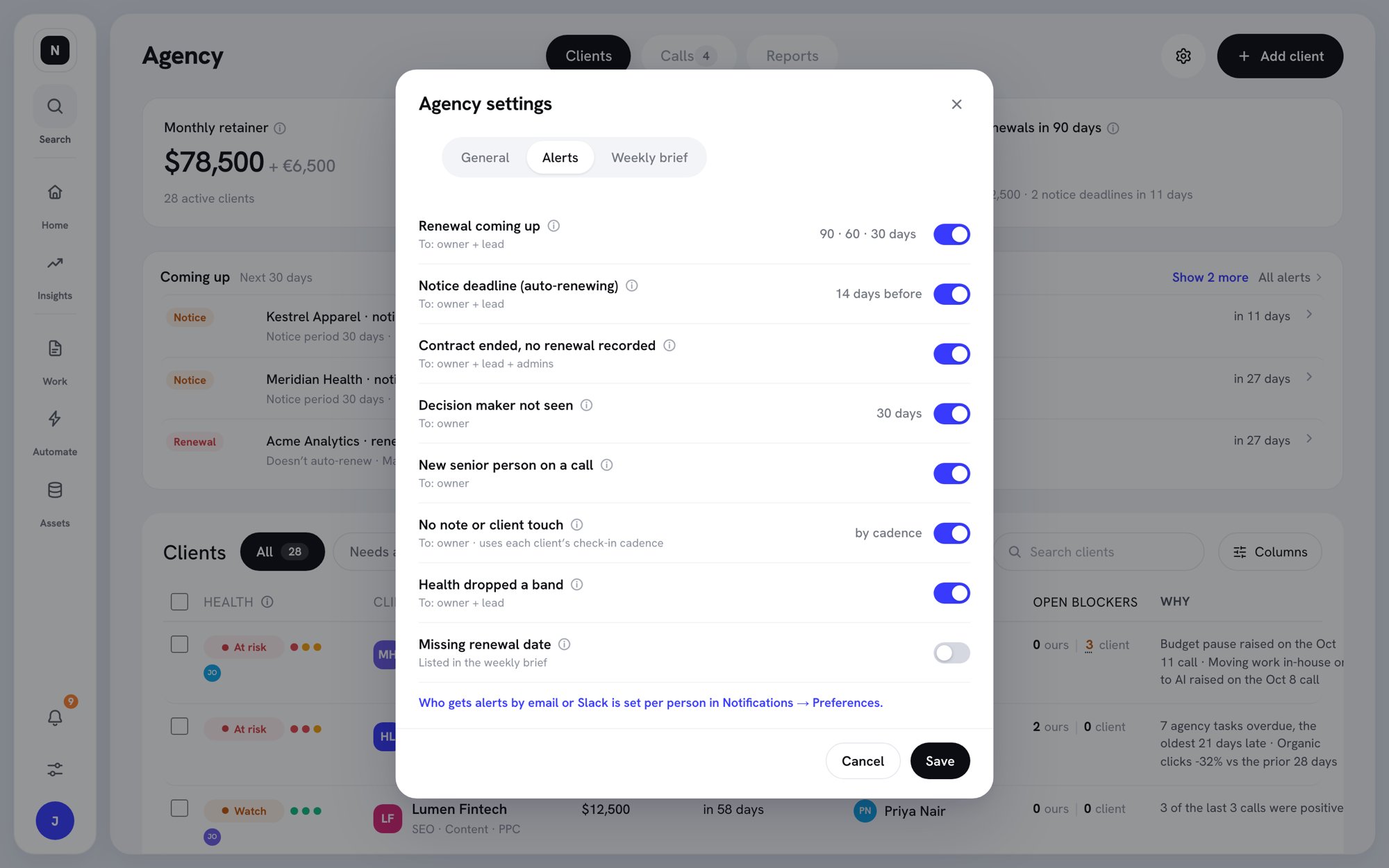
Agency settings, Alerts tab
Weekly brief
The weekly brief is a short summary: money at risk, who needs attention, and what to do next. By default it goes out on Monday morning.- Leadership version — every Owner and Admin gets the whole portfolio, with money.
- AMs get their own version — each account manager gets only their clients.
Agency settings
Click the gear icon on the Agency page. Owners and Admins can change these settings.- General — the HQ workspace, Agency email domains, and Staff connections: whether staff can connect their own call recorders and Google Calendar.
- Alerts — see Alerts.
- Weekly brief — see Weekly brief.
Client health report
The Reports tab on the Agency page holds the Client health report.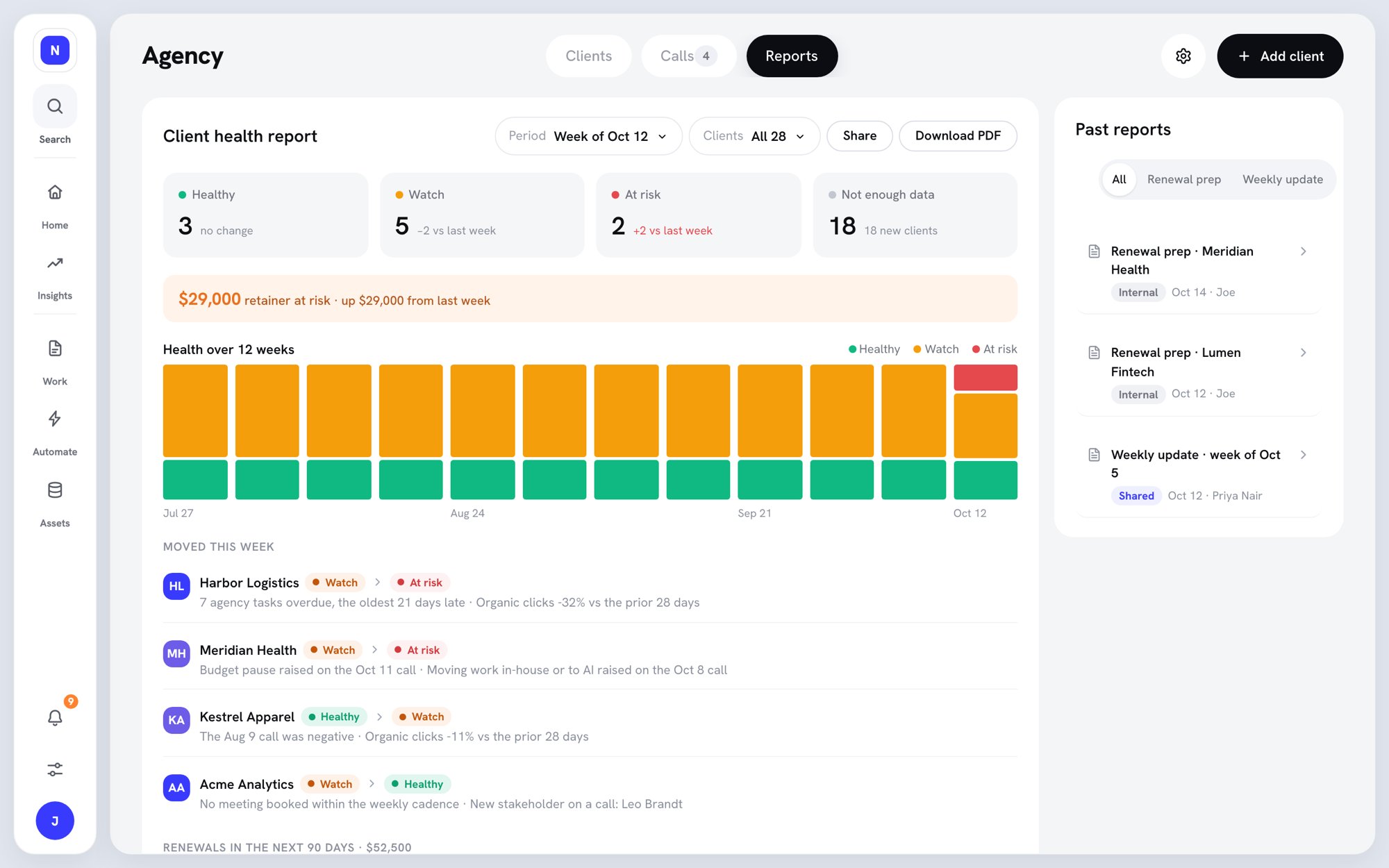
The Reports tab
- Pick a Period: This week, Last week, Last 4 weeks, Last quarter, or Pick dates….
- Pick Clients to narrow the report.
- Click Share, then Copy link to share it inside your agency. Each person sees only the clients they can see, and client users can’t open the link.
- Click Download PDF for a file copy.