

Why It Matters
- LLM Search uses your brand name, URL, and competitors to track visibility, citations, and sentiment.
- Workflows can pull Brand Kit data into prompts, so generated content matches your brand voice and positioning.
- Agents read Brand Kit context to keep reports and pages on-brand.
Where to Find It
Go to Assets → Brand Kit in the sidebar. The page shows a file rail on the left with five groups:
Click a file in the rail to open its editor. Each file saves on its own: edit a field and a Save / Discard bar appears at the top of the file. Nothing autosaves — click Save to keep your changes.
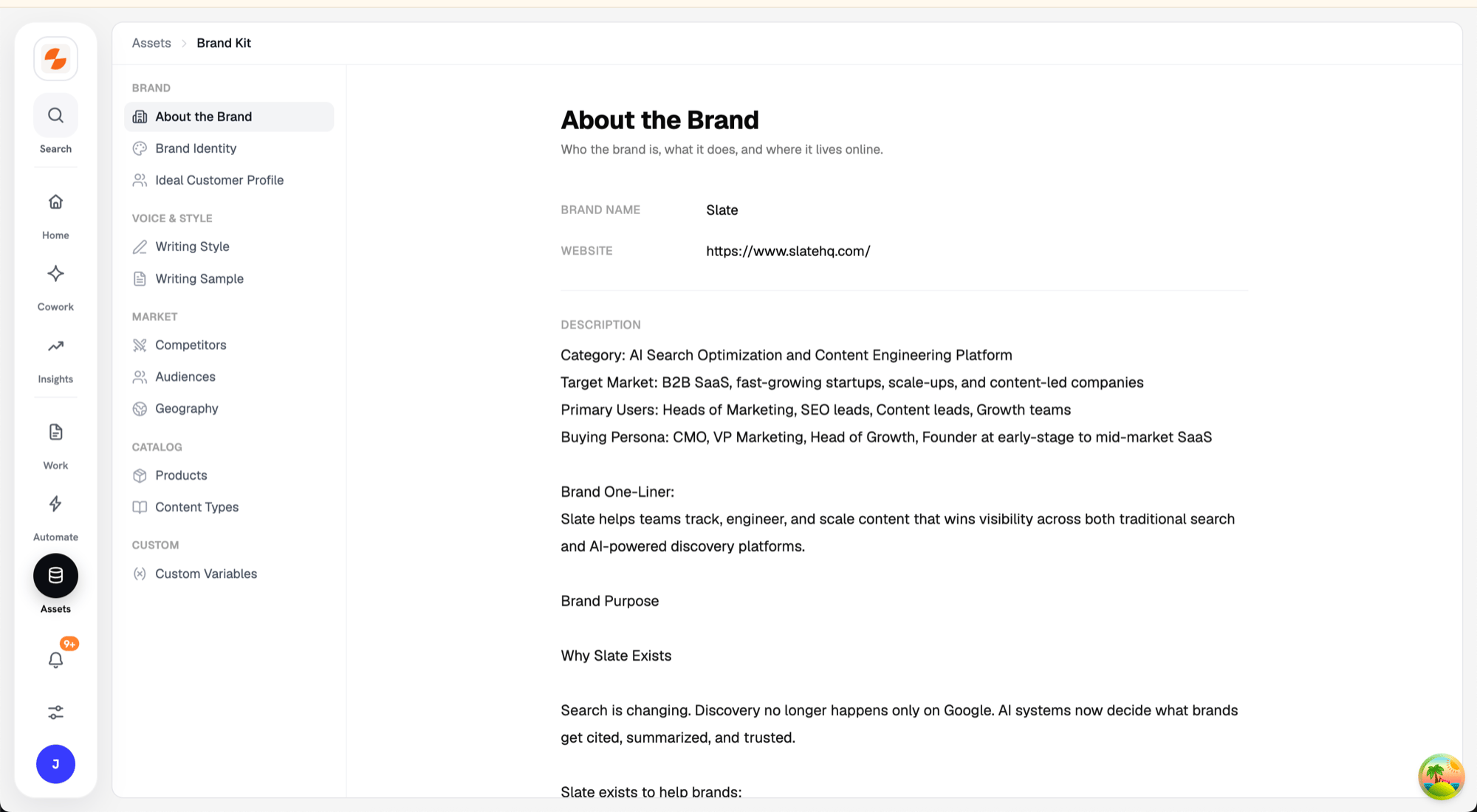
Brand Kit under Assets, with the file rail on the left
Quick Setup
- Go to Assets → Brand Kit.
- Open About the Brand and enter your Brand name, Website, and a short Description. Click Save.
- Open Competitors, click Add competitor, and add at least one competitor with its Name and Website. Click Save.
- Add details to the other files (Audiences, Products, Content Types, Geography) as you need them.
Brand
About the Brand
Who the brand is, what it does, and where it lives online.Brand Identity
Logo, icon, and brand colors — agents use these to keep reports and pages on-brand.- Click Fetch brand identity to pull the logo, icon, and colors from your brand’s website automatically.
- Use Replace on the Logo (full logo, used on wide layouts) or Icon (square mark, used in small spaces) cards to upload your own image. PNG, JPEG, WebP, and SVG are supported, up to 5 MB.
- Edit Colors manually: each color has a name and a hex value, ordered by importance. You can add up to six colors.
- Refetch updates from the website again. Uploaded assets and manually edited colors are kept.
Ideal Customer Profile
A freeform profile of who buys: their role, company size, pains, and buying triggers.Voice & Style
Writing Style
The author persona and the calls to action your content should drive.Writing Sample
A reference outline and sample content the voice is modeled on.Market
Competitors
Who the brand competes with and how they differ. Click Add competitor and fill in:Audiences
Audience segments content is written for. Each audience has: Name, Description, Role, Industry, Pain points, Goals, and Objections.Geography
Markets and languages the brand operates in. Click Add market and fill in: Name, Description, and Language.Catalog
Products
Products and services with features and differentiators. Each product has: Name, Description, Key features, Differentiators, Ideal customer, Pricing, and Competitors.Content Types
Content formats with outlines, samples, and CTAs. Each content type has: Name, Outline, Samples, CTA text, CTA link, and Writing style.Custom
Custom Variables
Extra key/value details agents and workflows can reference. Click Add variable and enter a Key and Value per row.Using Brand Kit in Workflows
When you create a workflow input with the Brand Kit type, the person running the workflow selects a Brand Kit and, optionally, specific items from it.- In the Input block configuration, select Brand Kit as the input type.
- Under Include Sections, Core is always included. Check the additional sections (Products, Content, Audiences, Geography) you want to expose as selectable inputs at runtime.
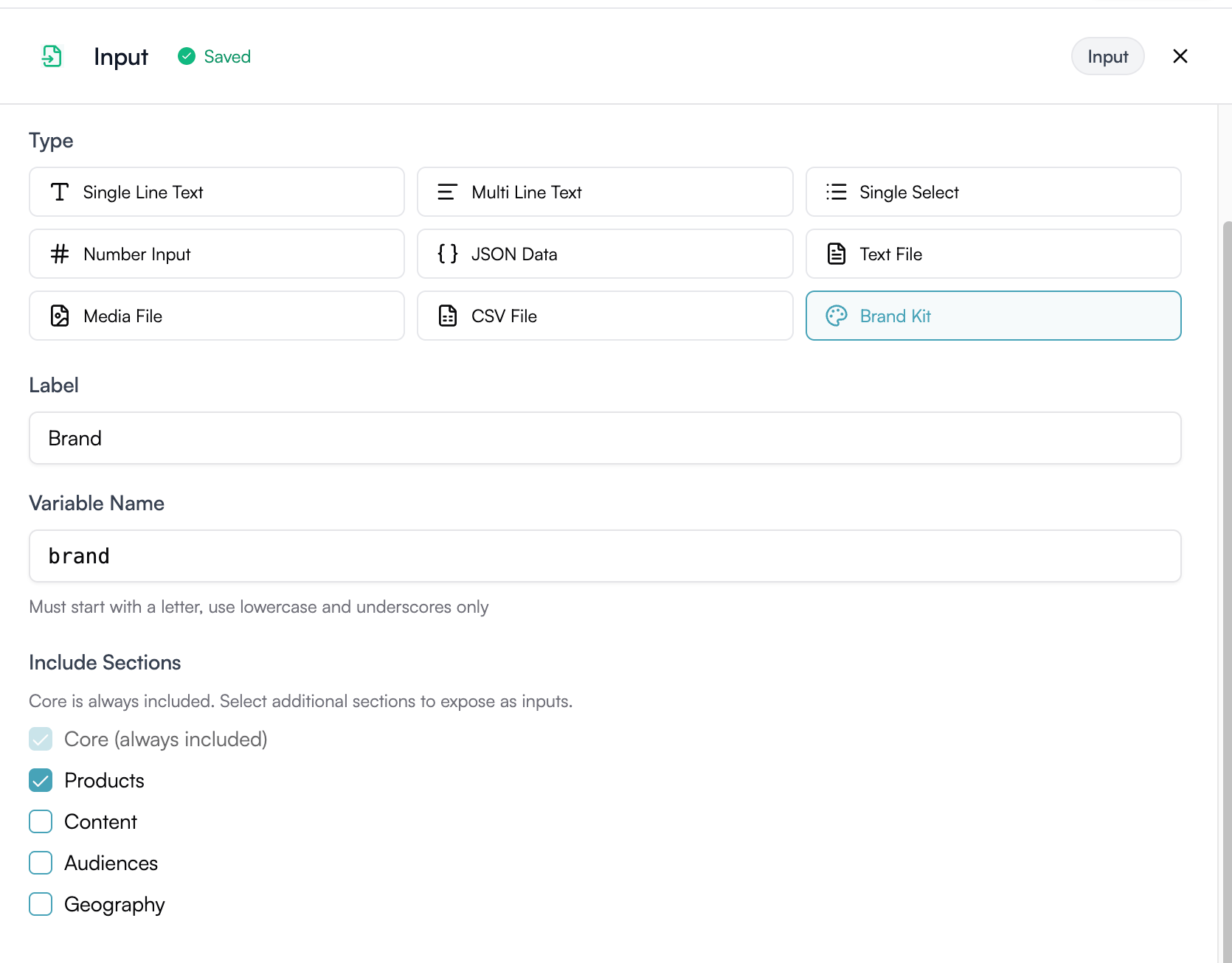
Brand Kit input configuration in the workflow builder
Core covers your brand details, competitors, writing style, and writing sample. Only Products, Content, Audiences, and Geography are separately selectable at runtime.
brandkit):
selected.* refers to the item the runner picked for that section at runtime.
What’s Next
- Setting Up LLM Search — use your Brand Kit to start tracking AI visibility
- Placeholder Referencing — reference Brand Kit fields in workflow blocks
- Building Workflows — create workflows that use Brand Kit inputs