

Agency mode is available to selected organizations. Ask your Slate contact to turn it on for your organization.
Why it matters
Agencies lose clients when relationships, delivery, or results slip without anyone noticing. Agency mode shows which clients need attention and why. It also keeps every client’s data in that client’s own workspace.How Agency mode is organized
Client statuses
Every workspace except HQ has one status:- Active client — uses one of your client workspaces. Gets client records, health, alerts, and call routing.
- Inactive — uses no client workspace. For churned or paused clients. Notes, health history, and calls are kept. Alerts and call routing stop.
- Not a client — uses no client workspace. For test, internal, or demo workspaces. No agency features.
What you get
The Agency page has three tabs:- Clients — every client with its health, retainer, renewal date, account manager, and open blockers. Click a client to open its record. See Manage clients and Client records.
- Calls — client calls from your agency’s call recorder, routed to the right client. See Client calls.
- Reports — the client health report, plus saved renewal preps and weekly updates. See Client health and reports.
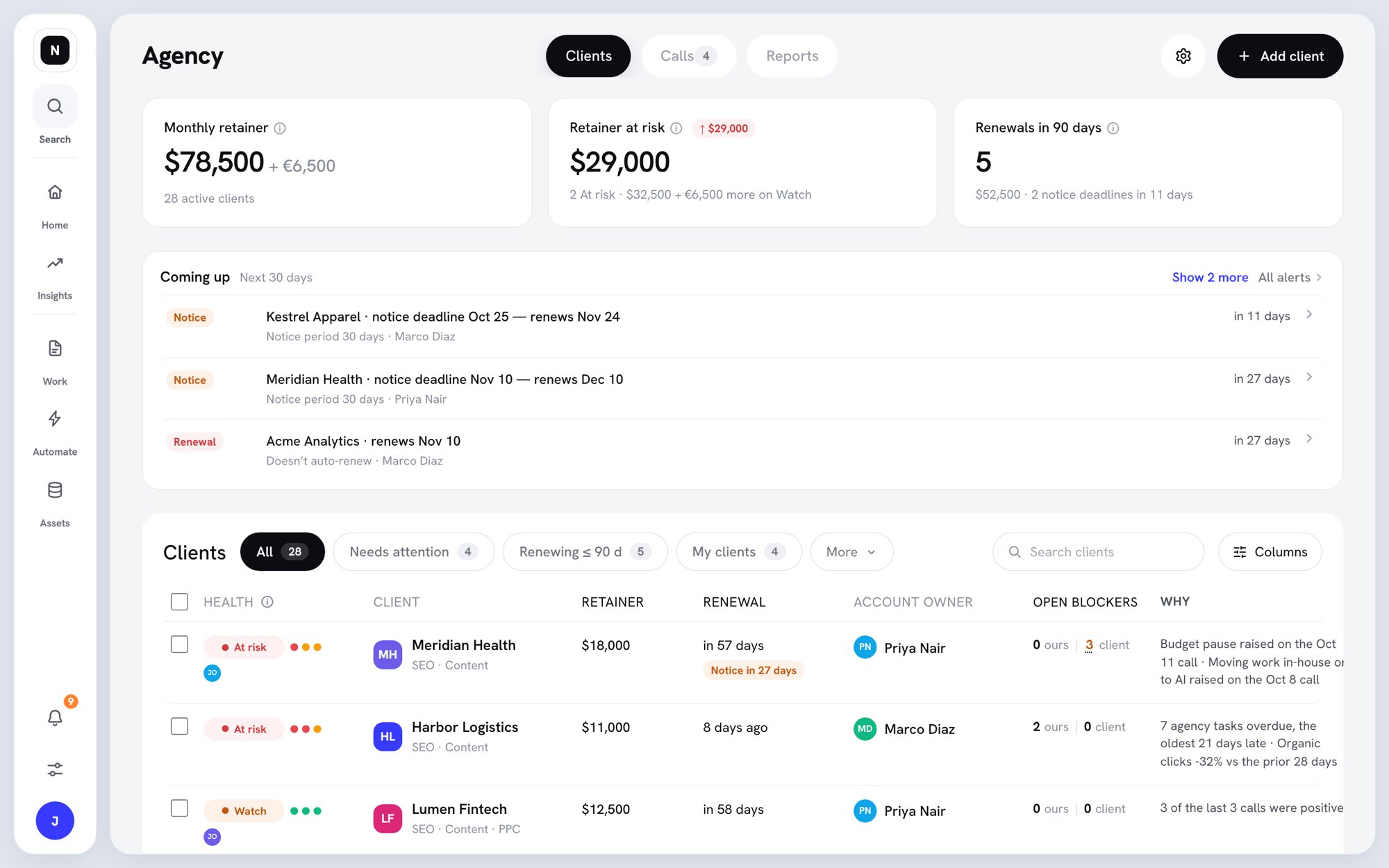
The Agency page, Clients tab
Open the Agency page
Agency isn’t in the sidebar. To open it:- Click your workspace logo at the top of the sidebar to open the workspace switcher.
- Click Agency (“Clients, health, calls”).
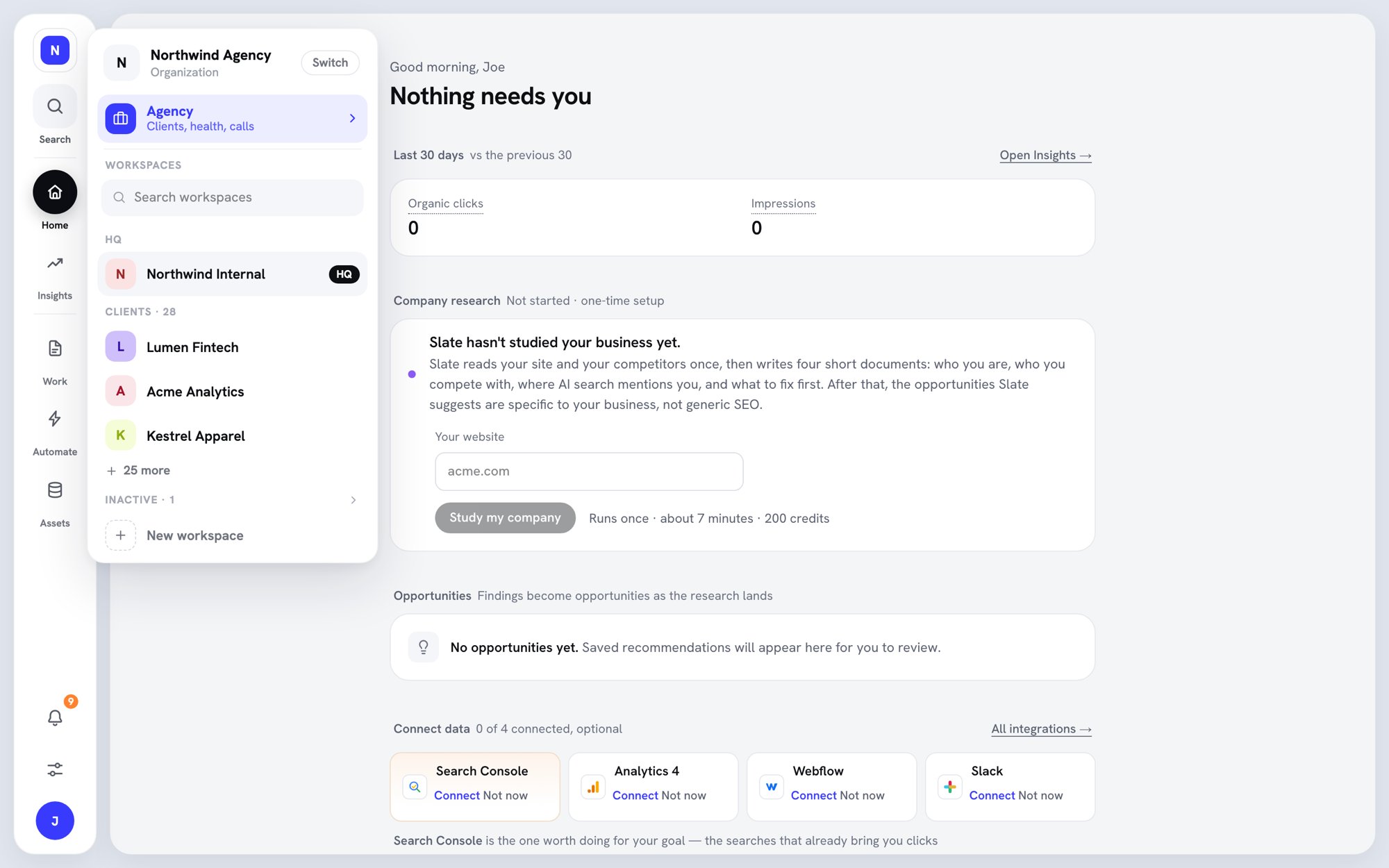
Agency in the workspace switcher
Who can do what
See Client users and permissions for details.