

Where to Find It
Go to Work → Artifacts in the sidebar.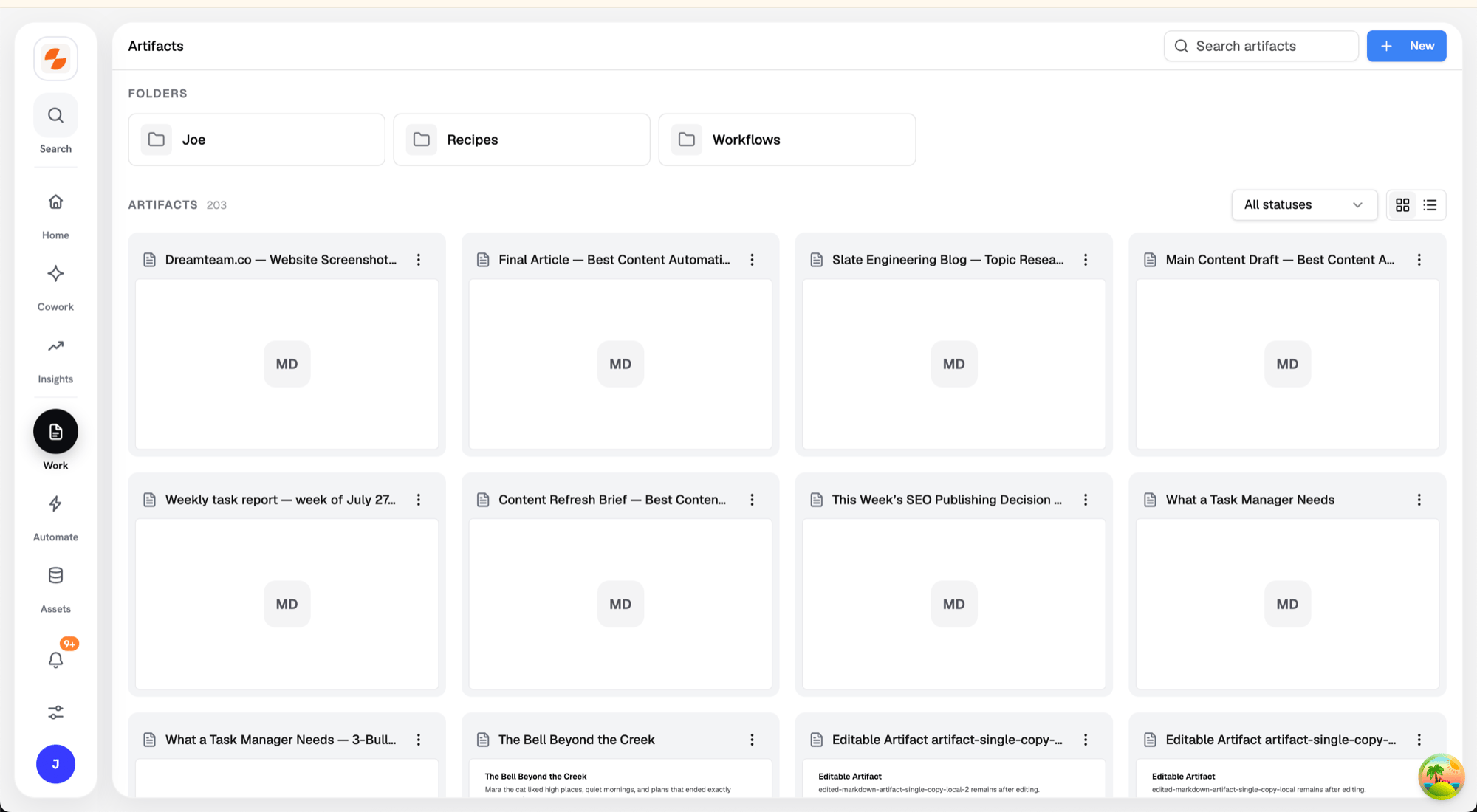
The Artifacts library
What an Artifact Is
An artifact is a stored document or file with a lifecycle status: Draft, In review, Approved, Scheduled, Published, or Archived. Each artifact records its source — Cowork, Recipe, Workflow, or Manual — and supports formats like Markdown, HTML, JSON, CSV, PDF, DOCX, and spreadsheets.Browsing
- Folders organize artifacts; open the New menu to create a New folder or a New artifact (a blank markdown document).
- Search with the Search artifacts box, filter by status, and switch between Grid view (live content previews) and List view.
- In List view, select multiple artifacts to Move or Delete them together.
Artifact Actions
Each artifact’s menu offers:Editing an Artifact
Open an artifact to edit it in place:- Edit the document; Save / Discard appear when you have changes.
- Set the status from the header as it moves through review.
- Use Copy content, Download, or Share from the header. Share here copies a public link. See Public share links.
- Open the More menu (⋯) to Move to folder… or Revert latest. Revert latest restores the artifact’s previous revision.
- Click Open Cowork to slide in the agent alongside the document and ask for edits in chat.
- Discuss in the Discussion panel; resolved threads can be shown or hidden.
Public Share Links
Click Share in an artifact’s header to copy a public link. Anyone with the link can view the artifact and comment on it without a Slate account. Clicking Share again copies the same link.- Visitors can’t edit the content.
- The first time a visitor comments, Slate asks them to Enter your name so people can see who left the comment. Their browser remembers the name for that link.
- Visitors can click Sign in to log in. Signed-in members of your workspace go straight to the artifact inside Slate.
Where Artifacts Come From
- Cowork — files the agent generates in a conversation appear in the preview panel and are saved as artifacts.
- Recipes — run outputs defined as artifacts in the Recipe.
- Workflows and Sheets — outputs exported as documents.
- Manual — blank markdown artifacts you create here.