I've spent the better part of a decade building content programs first as a one-person team at a startup nobody's heard of, then leading operations at companies where the content calendar alone could make you weep. Through all of it, I've been chasing the same thing: a way to produce genuinely good content at a pace that actually moves the needle, without burning out my team or drowning in spreadsheets.
Two years ago, drafting a single thousand-word article took my team four to six hours. Last year, with ChatGPT projects and custom GPTs, we got it down to about 3 hours per article. It still required a lot of hand-holding.
I have been seeing a lot of Claude Code content engineering posts, and they are great. Ryan Law's article from Ahrefs is the best one I have read. But every time I read one of these, I think the same thing: this is the hard way.
Skill files in markdown. Repos to fork. Local environment to set up. A team that can read a config file. None of that is happening at most marketing teams.
So I want to show you the easier way. The way we actually do it. With real screenshots from the SlateHQ workspace, real workflows that are running right now, and the same step-by-step honesty that Ryan brought to his post.
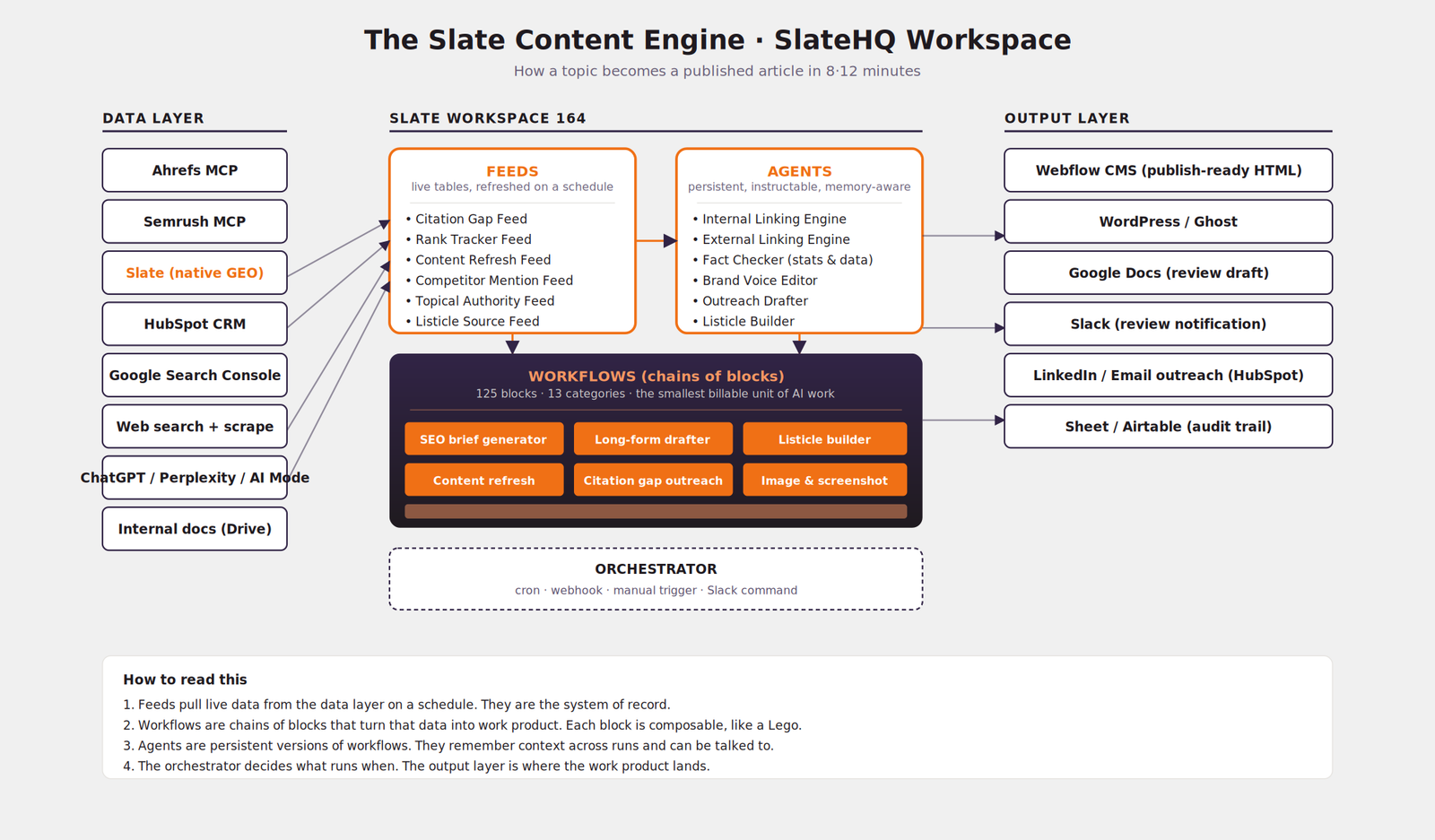
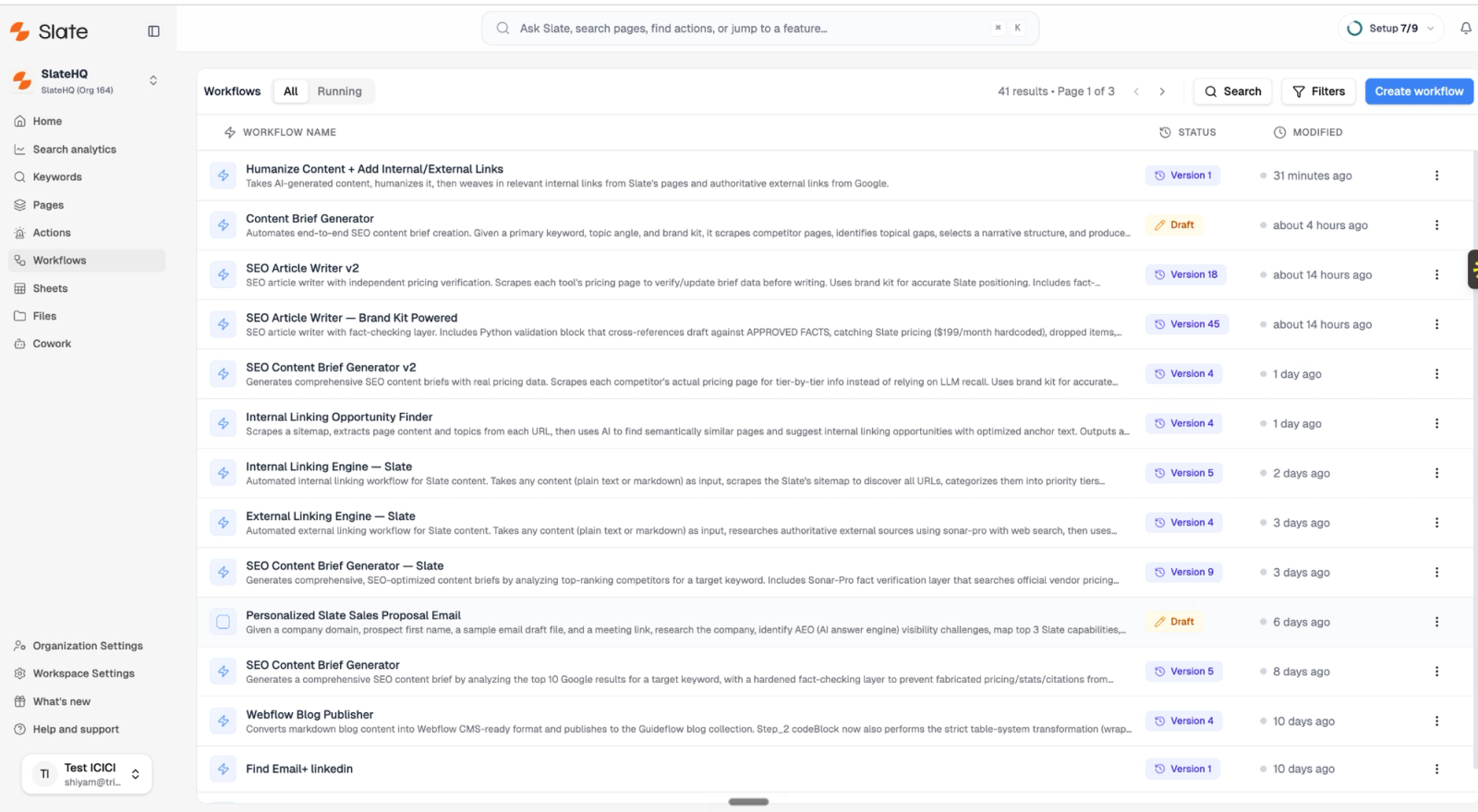
Here is what the workspace looks like when I open it on a Monday morning:
Three caveats before we start
Experience is the secret ingredient. Slate is just the kitchen.
Before I walk you through any of this, I want to be honest about why our content engine works. It works because we have spent thirteen years building inbound SaaS companies. We know what a good outline looks like. We know which topics our buyers actually search for. We know how Razorpay's tone differs from Cognizant's, even though we work with both.
Tools amplify the operator. A bad operator with a great tool produces faster bad work. The thing to invest in first is the operator.
Topic selection still matters more than the system
We only run our content engine on topics where two things are true. One, we already have an opinion. Two, we can validate the output ourselves before we publish.
If I do not have a strong point of view on a topic, I do not want a thousand-word article on it. Even if Slate can produce one in ten minutes. The internet has enough articles. It does not have enough articles by people with skin in the game.
We are not using this to scale slop
I could use this engine to publish five hundred articles a month. I will not. Nothing kills a domain faster than treating Google like a vending machine.
What we do instead: we use Slate to maintain a tight, evergreen library of content on the topics our buyers care about. About eight to twelve articles a month for our own brand. Maybe twenty to thirty for clients. The rest of the team's energy goes into the parts of marketing that are still hard. Original research. Founder interviews. Webinars. Anything that requires a human in the room.
Every piece of content I produce starts with a question: Will this earn its place in the ecosystem?
With that out of the way, here is the engine.
1. The Slate workspace is the operating system for our content
Most marketing teams are running their content operations across seven or eight tools. Ahrefs in one tab. ChatGPT in another. Google Docs for drafts. Webflow for publishing. Notion for briefs. Slack for review. Sheets for tracking.
Every handoff between those tools is a place where work gets lost or duplicated.
Slate is one workspace that connects to all of them. We have one workspace per brand. SlateHQ has its own. TripleDart has its own. Each client we work with gets their own. Inside each workspace, we wire in the integrations we need. For the SlateHQ workspace, that is:
- Ahrefs MCP for keyword research, SERP analysis, and rank tracking
- Semrush MCP for backlinks and competitor intelligence
- Slate's native GEO tracker for citations across ChatGPT, Perplexity, Claude, Gemini, Google AI Overviews, and Google AI Mode
- Google Search Console for our own performance data
- HubSpot for the CRM side, so content can map back to pipeline
- Webflow for publishing, so output goes straight to the CMS
- Slack for review and notification
- Google Drive for our brand voice docs and editorial guidelines
Setup took about an hour. Most of it was clicking through OAuth flows. After that, every workflow I build can read from any of these sources without me thinking about it.
If you have used Zapier, this might sound familiar. It is not. Zapier connects tools so they can hand data to each other. Slate uses those connections as data sources for the actual work, which is reasoning, writing, and judgment.
2. Workflows are chains of blocks. Like Lego, but for marketing.
Inside the workspace, the unit of work is a block. A block does one thing. Generate an outline. Read a URL. Score a draft for readability. Push to Webflow. We have one hundred and twenty-five blocks across thirteen categories.
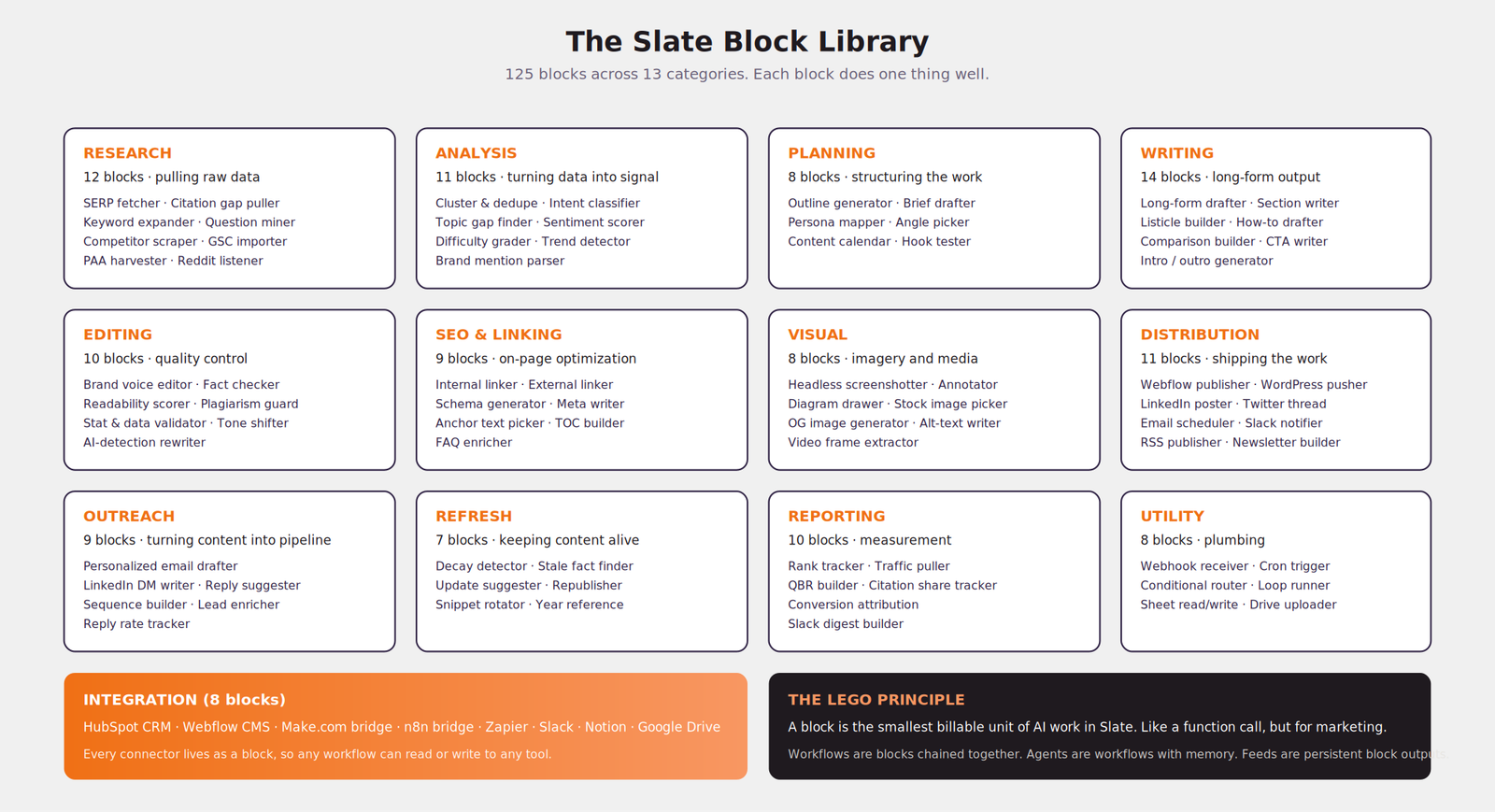
A workflow is a chain of blocks pointed at each other. Output of block one becomes input of block two. The thing we built for the Slate blog, our Listicle Builder, has eleven blocks in it.
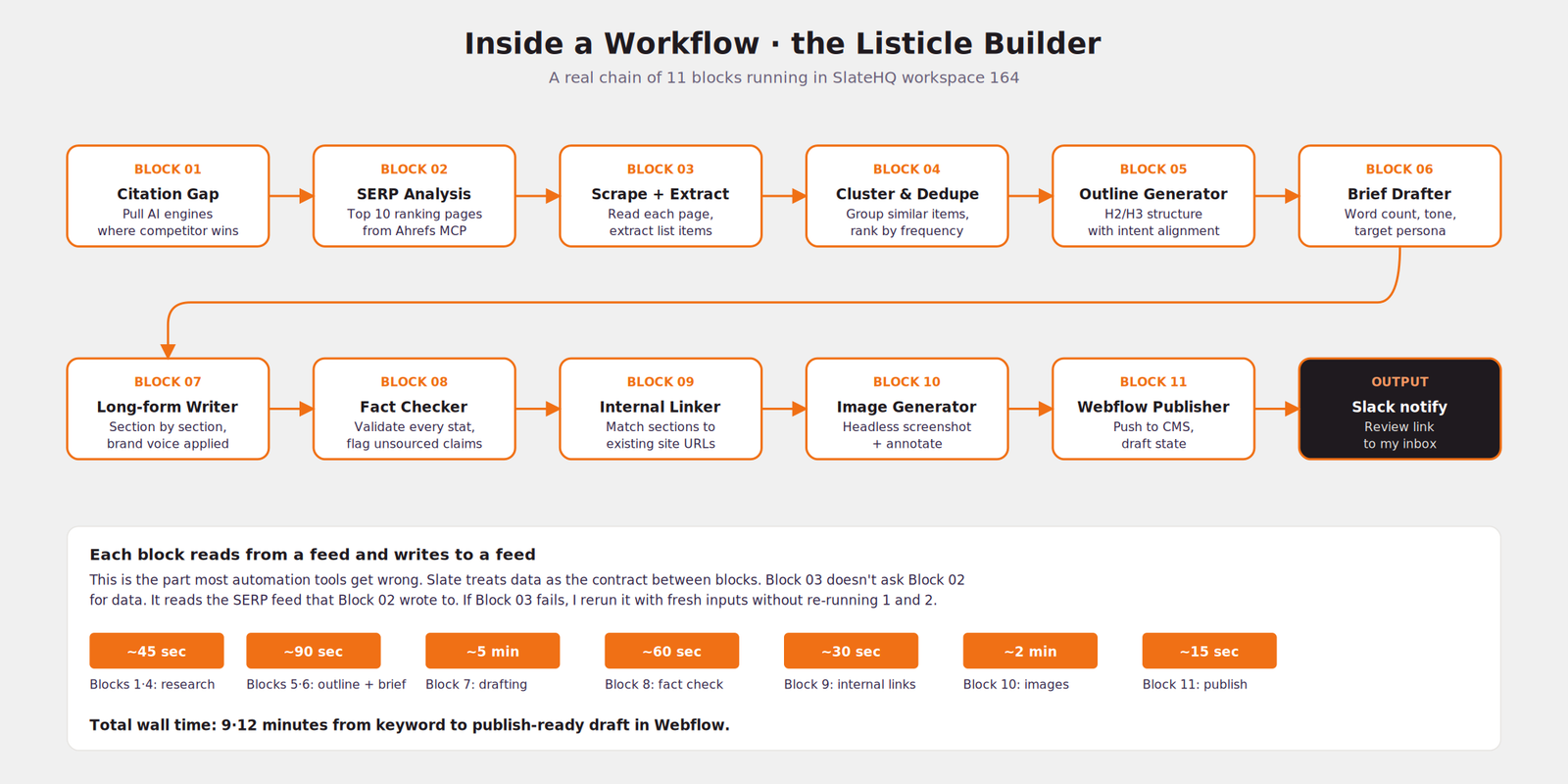
The reason this matters: every block is replaceable.
If our drafting block (Block 7) gets better next month because OpenAI ships a new model, I swap it. The other ten blocks do not change. If I find a better screenshot tool than the one we wired into Block 10, I swap that one. Nothing else cares.
When you build content automation in Claude Code with skill files, you are writing one big monolith. When you build it in Slate, you are wiring up modules. This is the difference between writing a script and engineering a system.
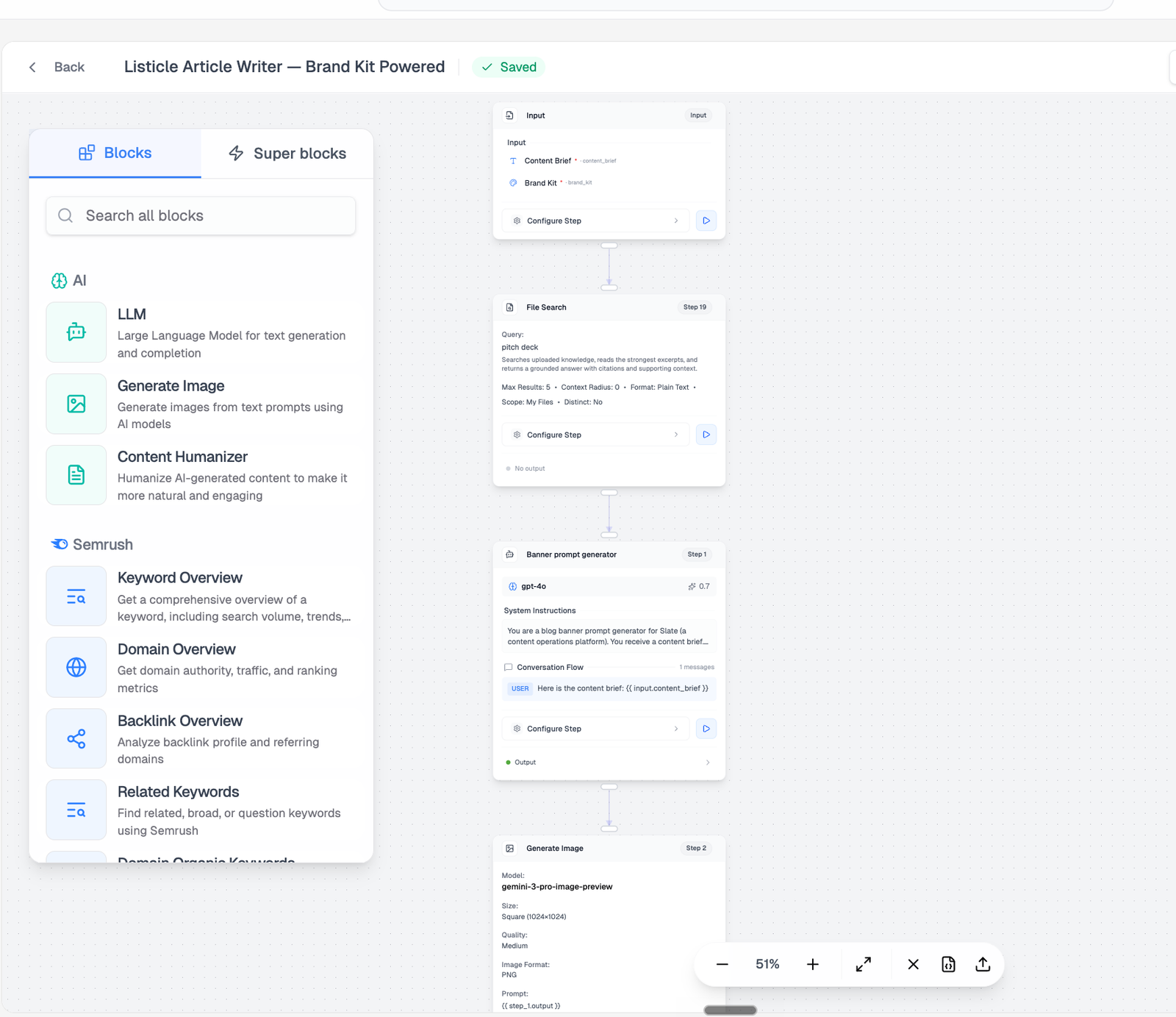
3. Agents are workflows with memory
A workflow runs once and forgets. An agent runs many times and remembers. That is the only difference. Same blocks. Same architecture. The agent layer just keeps state across runs.
We have six agents running in the SlateHQ workspace right now:
- Internal Linking Engine. Crawls our site weekly, builds a graph of every page and its current backlinks, then suggests internal links for any new article we publish. It remembers the link equity of each page, so it does not over-link a page that is already a hub.
- External Linking Engine. Same idea, but for outbound citations. Knows which sources we trust and which ones we have already linked to recently.
- Fact Checker. Reads every draft we produce, pulls out every statistic, and validates it against the original source. If it cannot find the source, it flags the stat for me to check.
- Brand Voice Editor. We fed it about twenty-five of my own LinkedIn posts and our best-performing blog posts. It rewrites drafts to sound like me.
- Outreach Drafter. When the citation gap feed surfaces a listicle we should be on, this agent drafts the outreach email to the publisher.
- Listicle Builder. The Listicle Builder workflow, but as an agent. It remembers which listicles we have already produced and what angles we have covered.
The reason to use an agent instead of a workflow: agents can be talked to.
I can open the Brand Voice Editor in chat and tell it: "This week I want a slightly punchier tone. More LinkedIn-style hooks." It will hold that direction for the next ten drafts I run through it. A workflow cannot do that. A workflow does what it is told, exactly, every time.
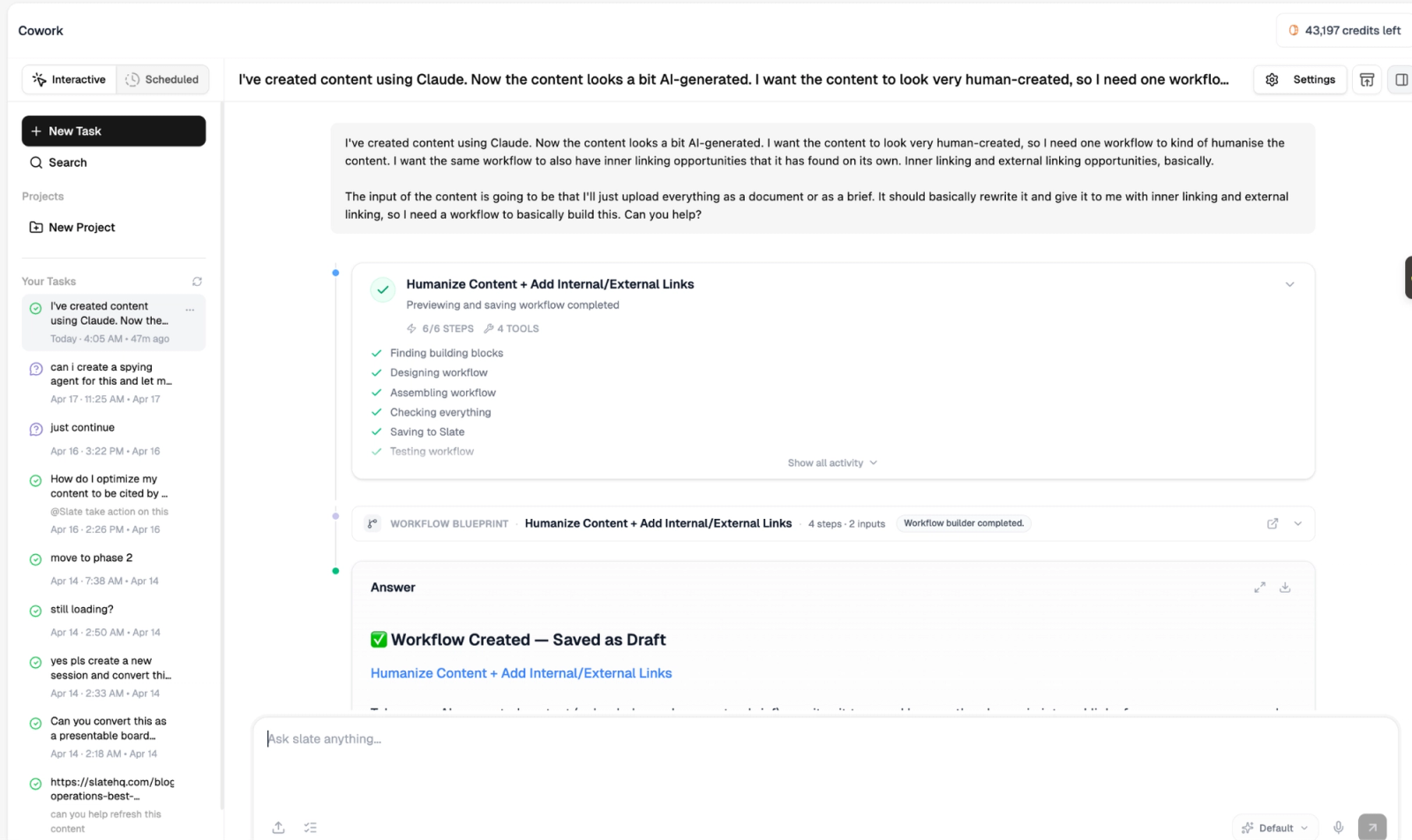
4. Feeds are the system of record
If workflows are how the work gets done, feeds are where the work lives. A feed is a live table of structured data, refreshed on a schedule. Think of it as a Google Sheet that fills itself in automatically.
Every block in a workflow reads from feeds and writes to feeds. This is the part that makes Slate fundamentally different from a chatbot or a one-shot AI tool. Data has a home. State persists. You can audit what happened.
Six feeds run our content engine in SlateHQ workspace 164:
- Citation Gap Feed. Every Sunday night, this feed scans ChatGPT, Perplexity, Google AI Mode, and Claude for the queries our buyers ask. It logs which competitors are getting cited and which articles those citations are coming from. Slate's native GEO tracker writes directly into this feed.
- Rank Tracker Feed. Pulls our keyword positions from Ahrefs every Monday. Flags any that dropped more than three positions week over week.
- Content Refresh Feed. Looks at every article we have published in the last twenty-four months and grades it on a decay score. Articles that are losing traffic or rank get queued for refresh.
- Competitor Mention Feed. Tracks where our competitors are getting mentioned in newsletters, podcasts, and listicles. We are not on most of those lists. The feed surfaces the gap.
- Topical Authority Feed. Maps every keyword cluster we cover and how thoroughly we cover it. Tells me where we are dense and where we are thin.
- Listicle Source Feed. The hardest one to build. It scrapes every listicle that ranks for our target keywords, parses the entries, and tells me which products get listed and which do not.
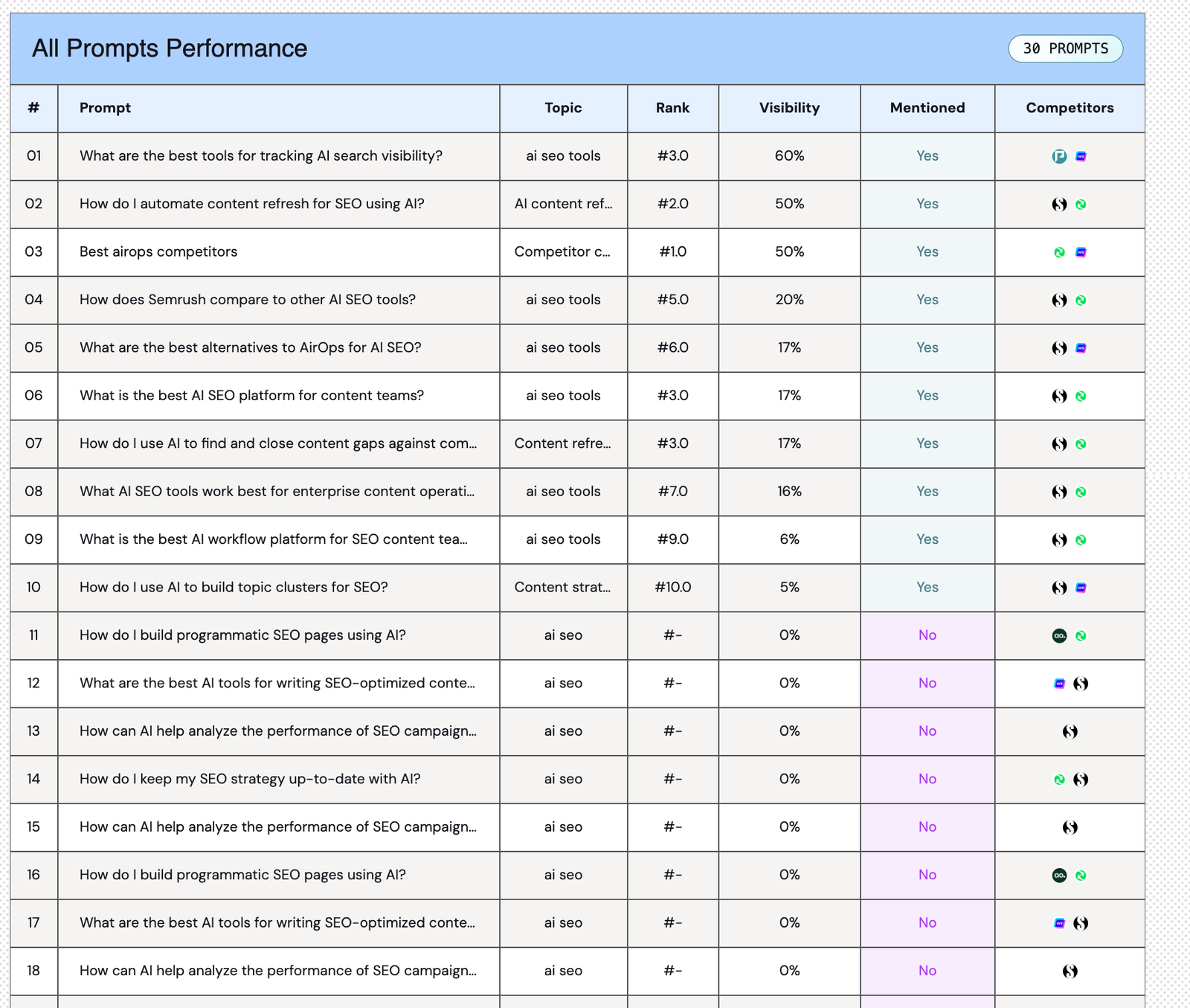
5. Six workflows we have built. With actual outputs.
I want to give you concrete examples instead of hand-waving. Here are six workflows that are running in the SlateHQ workspace right now, what they do, and what they have produced in the last sixty days.
a. Listicle Builder
Inputs: a target keyword. Outputs: a publish-ready listicle in Webflow draft, with annotated screenshots, internal links, and external citations.
Volume: twelve listicles in the last sixty days. Average rank within four weeks: position eight.
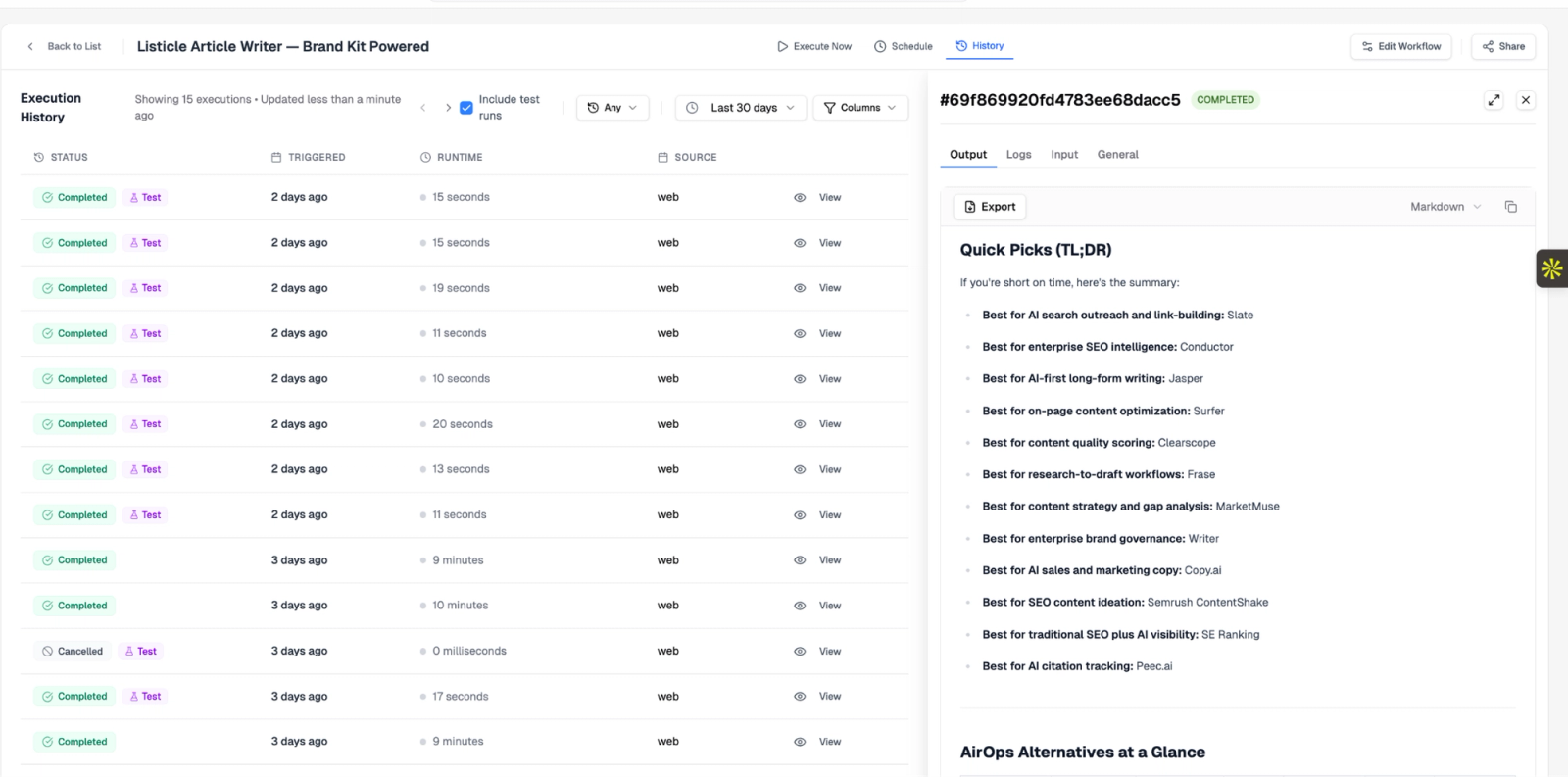
b. Long-form drafter
Inputs: a brief from the Brief Generator. Outputs: a 1500 to 2500 word article with hero image, internal links, and FAQ schema.
Volume: eight long-form articles for SlateHQ in the last sixty days. We use this for thought leadership pieces, not just SEO.
c. Content Refresh
Inputs: a URL from the Content Refresh Feed. Outputs: an updated version of the article with stale stats replaced, new sections added for any topical gaps, and a republish action.
Volume: nineteen articles refreshed in the last sixty days. Traffic on refreshed pieces is up forty-two percent on average.
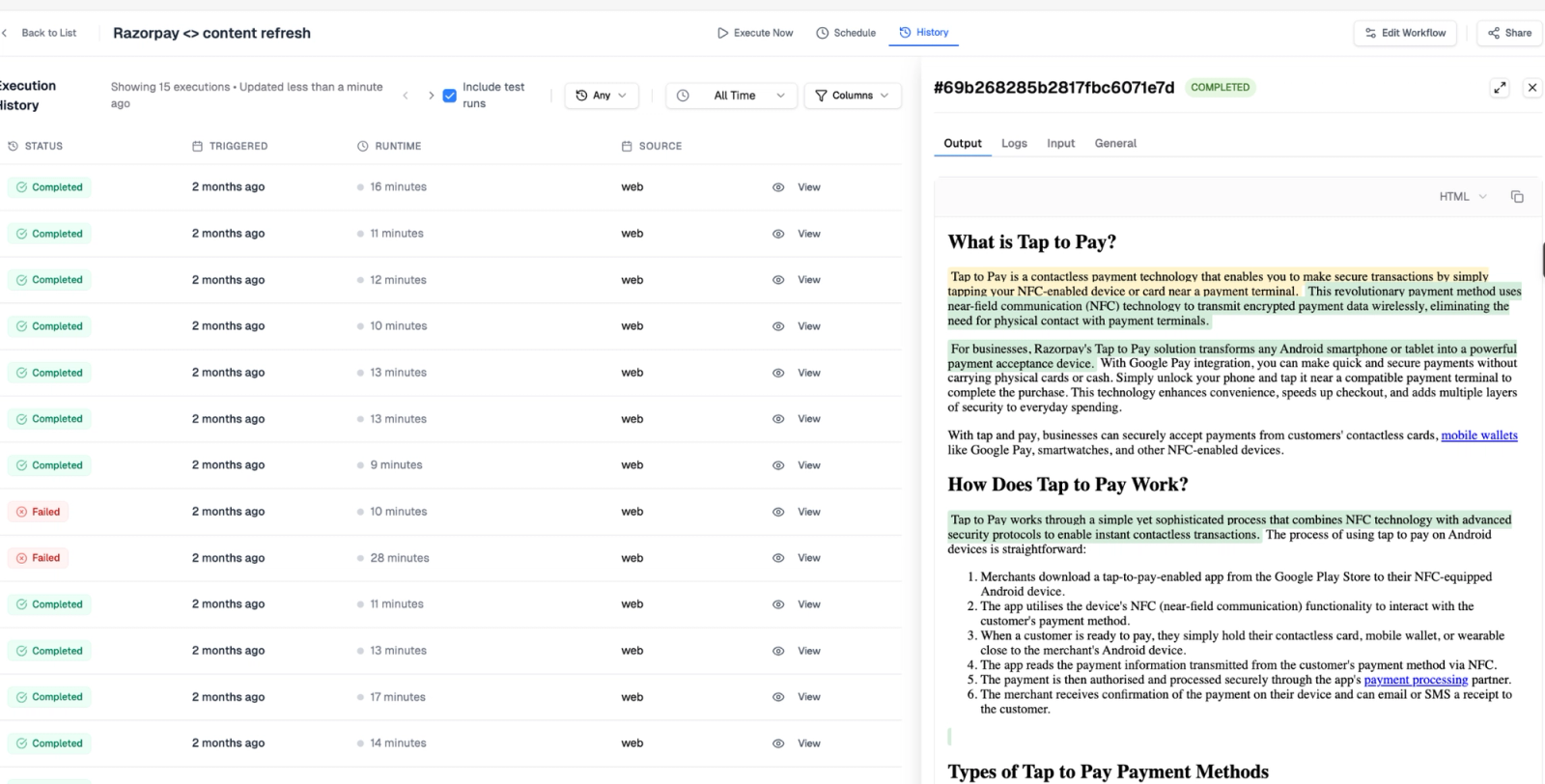
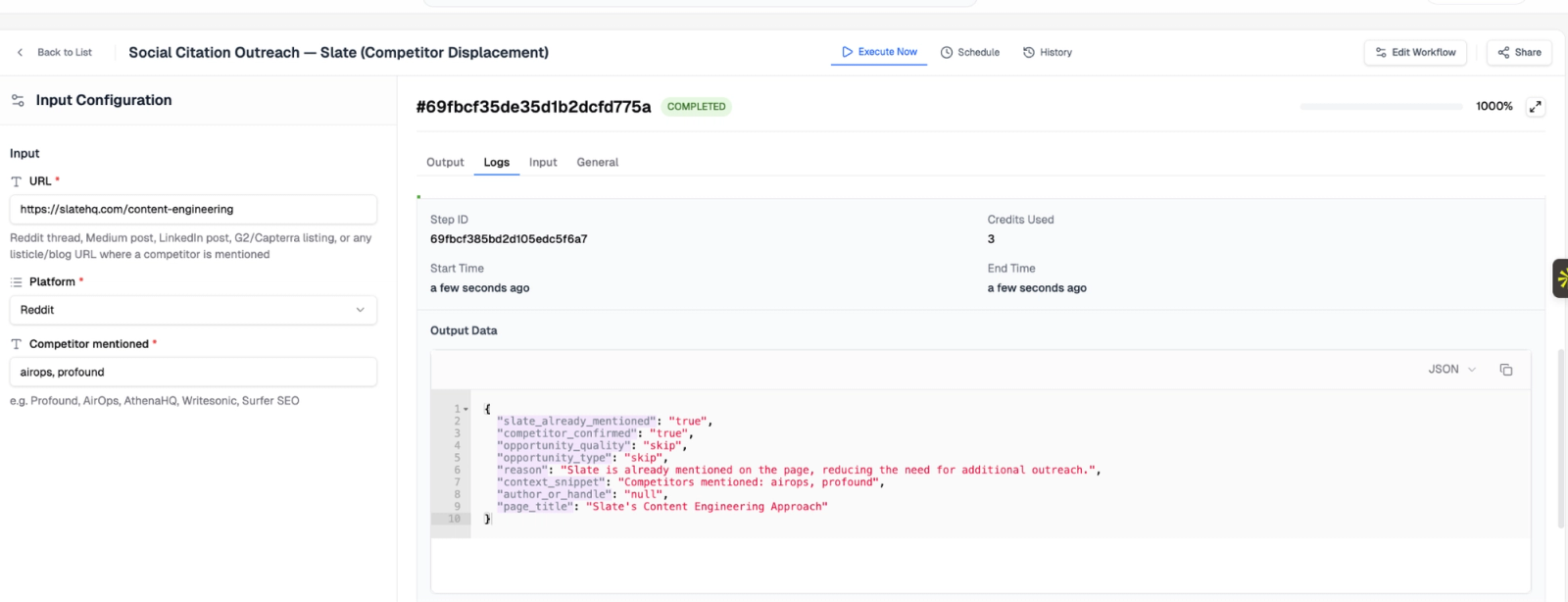
d. Citation Gap Outreach
Inputs: a row from the Citation Gap Feed where we are missing. Outputs: a personalized email to the publisher, including a one-paragraph value proposition, a link to our most relevant existing content, and a soft ask.
Volume: eighty-three outreach emails sent in the last sixty days. Reply rate: twenty-one percent.
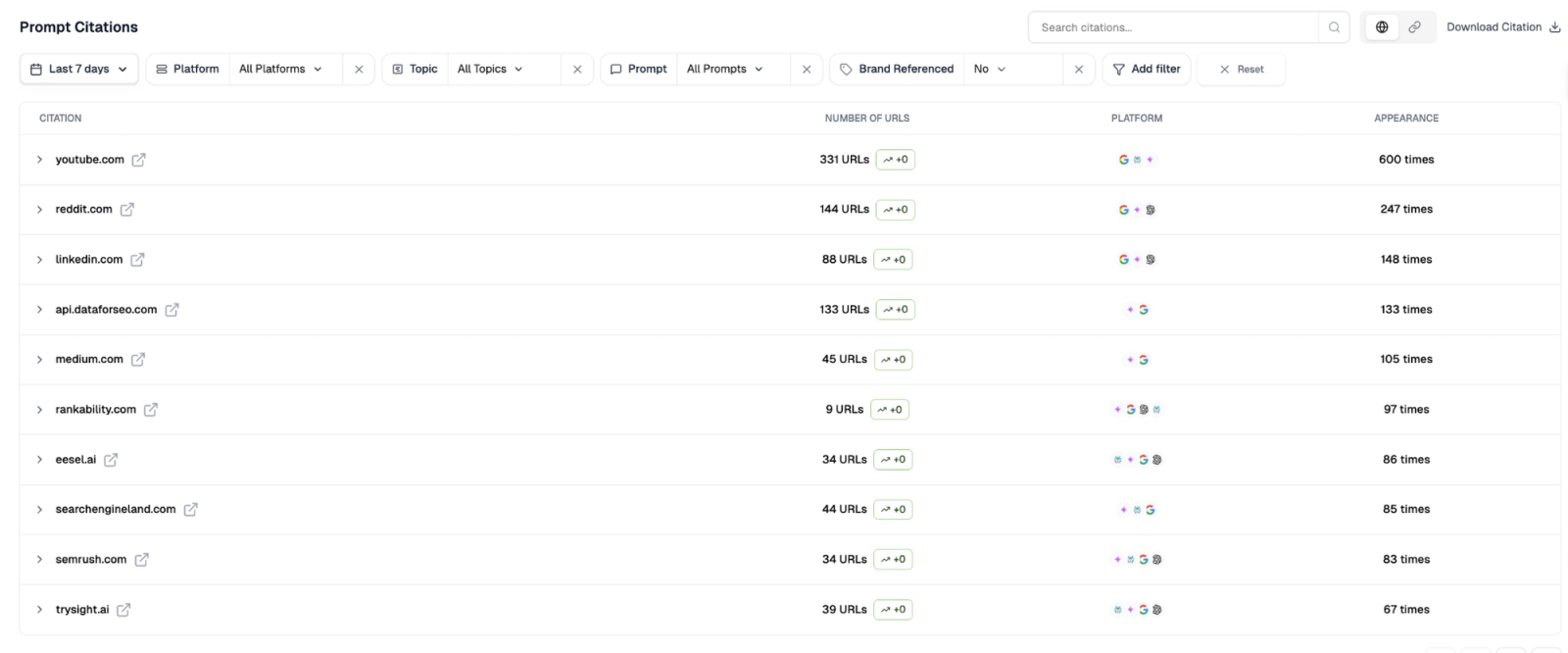
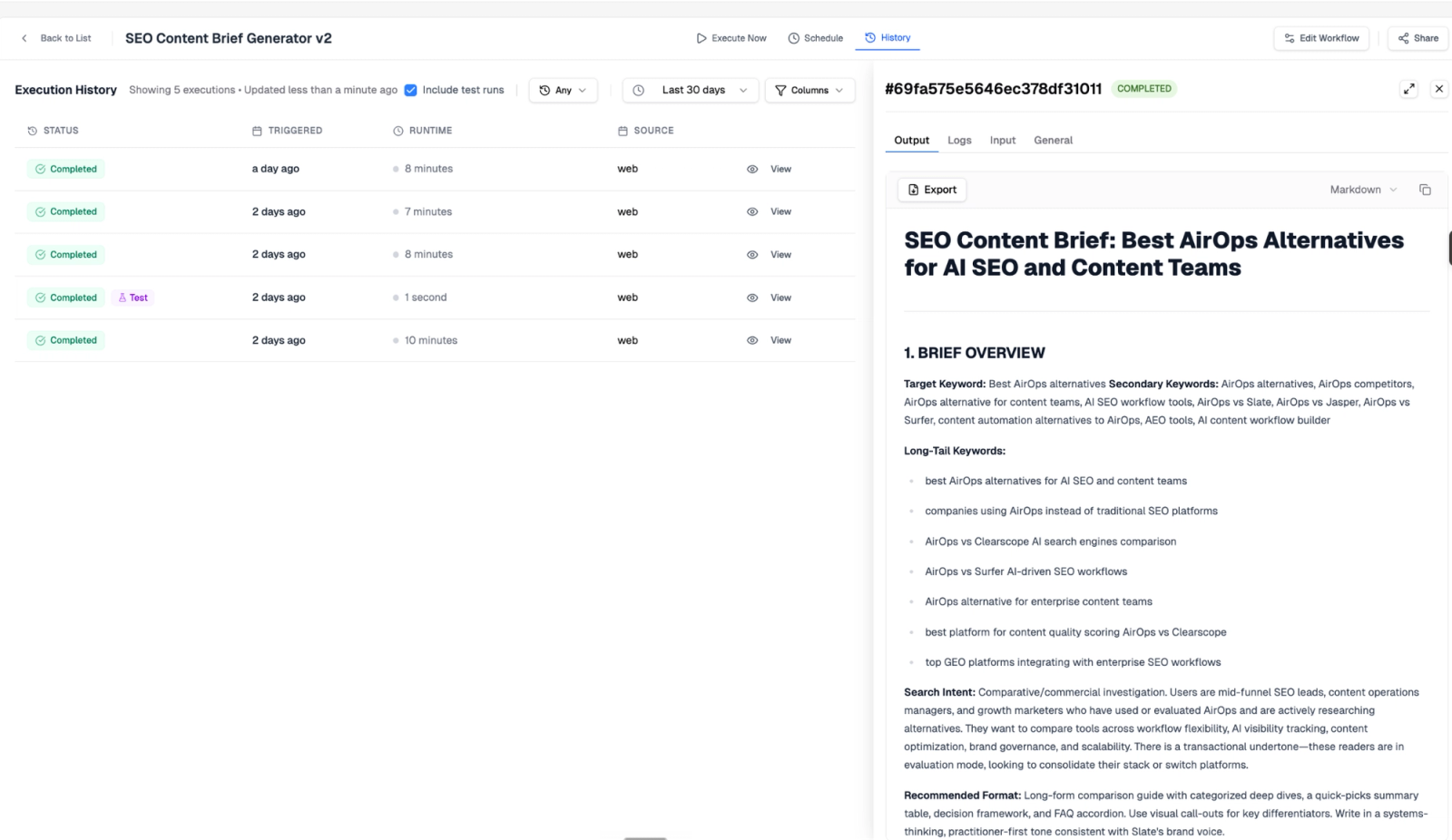
e. SEO Brief Generator
Inputs: a keyword. Outputs: a complete brief including search intent, top-ten SERP analysis, suggested H2 and H3 structure, target word count, internal linking suggestions, and a list of stats to include.
Volume: forty briefs in the last sixty days, used to seed the Long-form Drafter and the Listicle Builder.
f. Image and screenshot pipeline
Inputs: a draft article with image slots marked. Outputs: the same draft with all images generated, annotated, and embedded.
Volume: every article that goes through the engine. Average images per article: six.
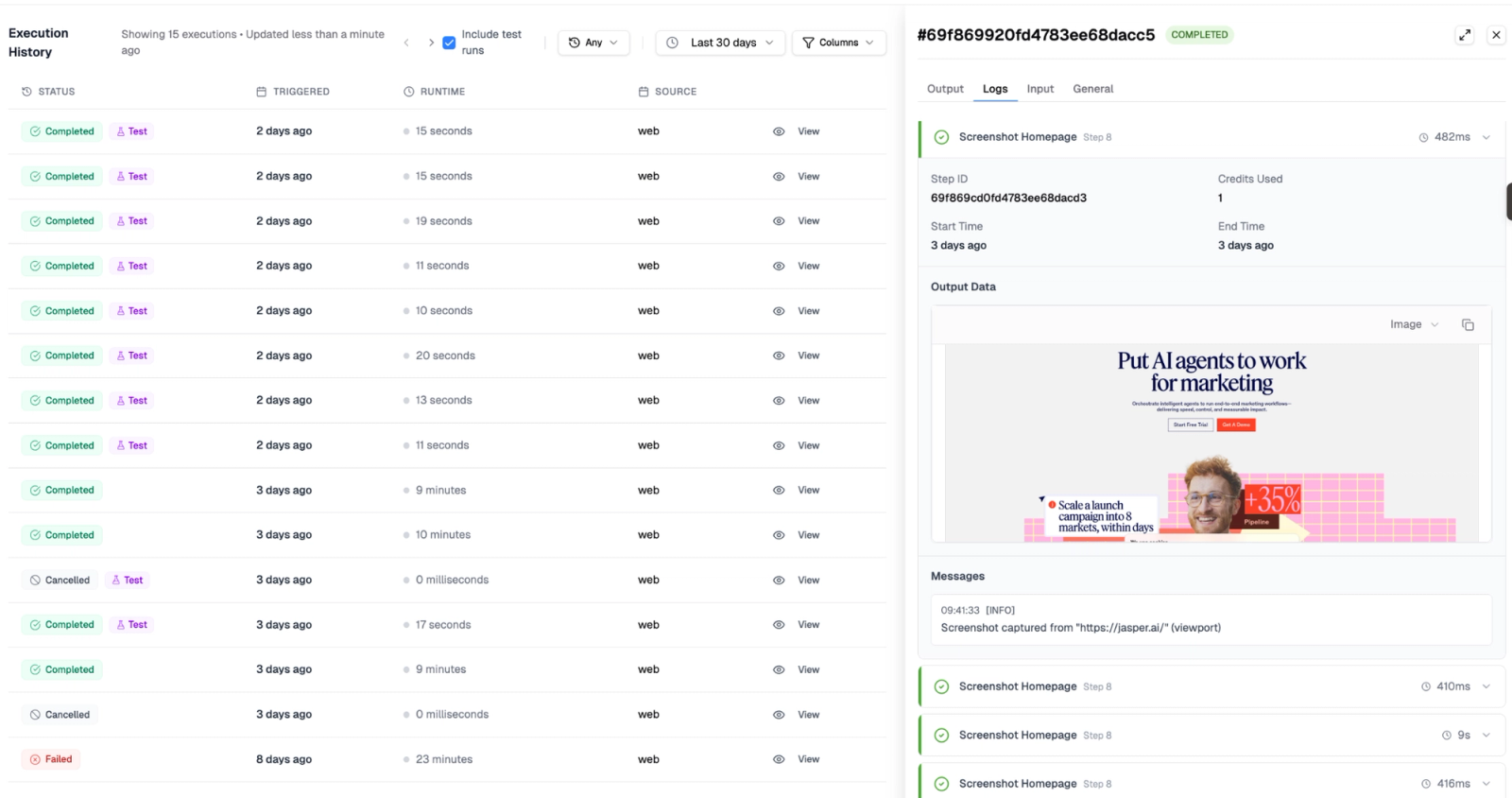
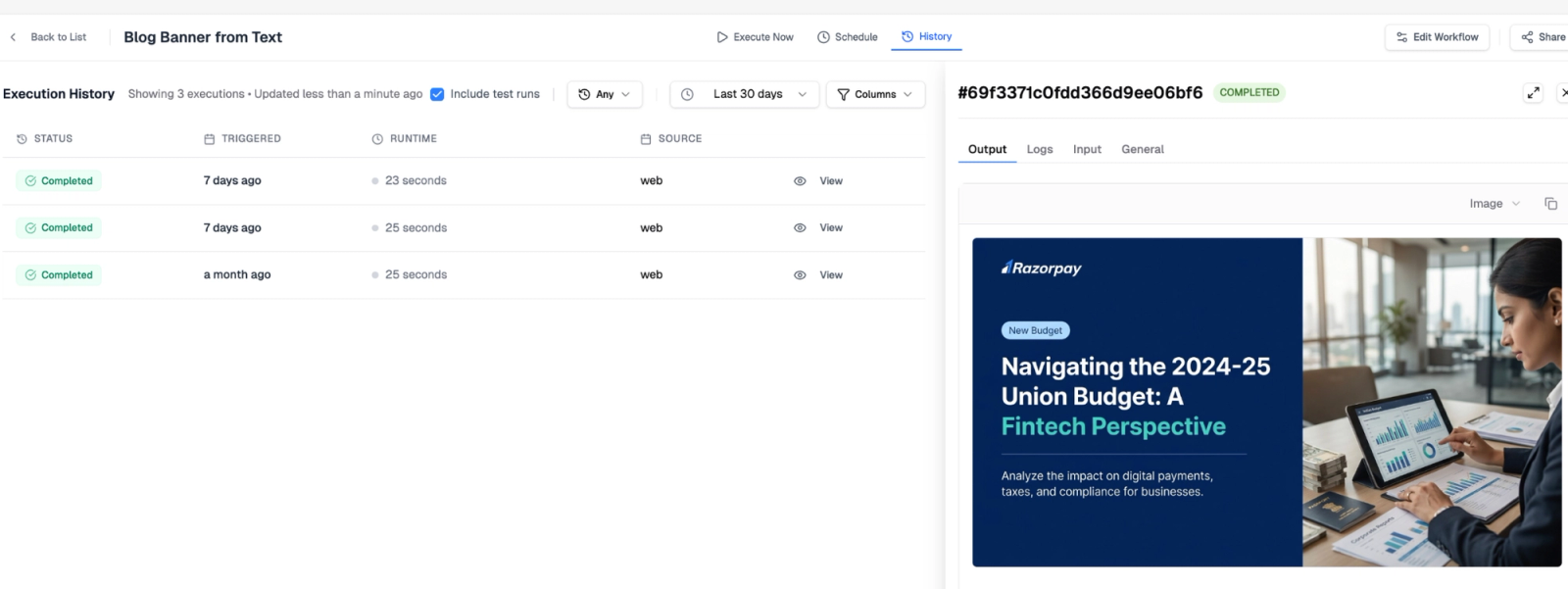
6. We automate image creation with headless browsers, not generative AI
This is the section I am most proud of, because it is the one most teams get wrong.
Most content workflows that claim to automate images use generative AI. Midjourney. DALL-E. Stable Diffusion. The output is always the same: bland, generic, instantly recognizable as AI-generated. The kind of hero image that makes a reader think "this article was not written for me."
We do something different. The Slate image pipeline picks the right tool for each image type, and falls back to generative AI only when nothing else fits.
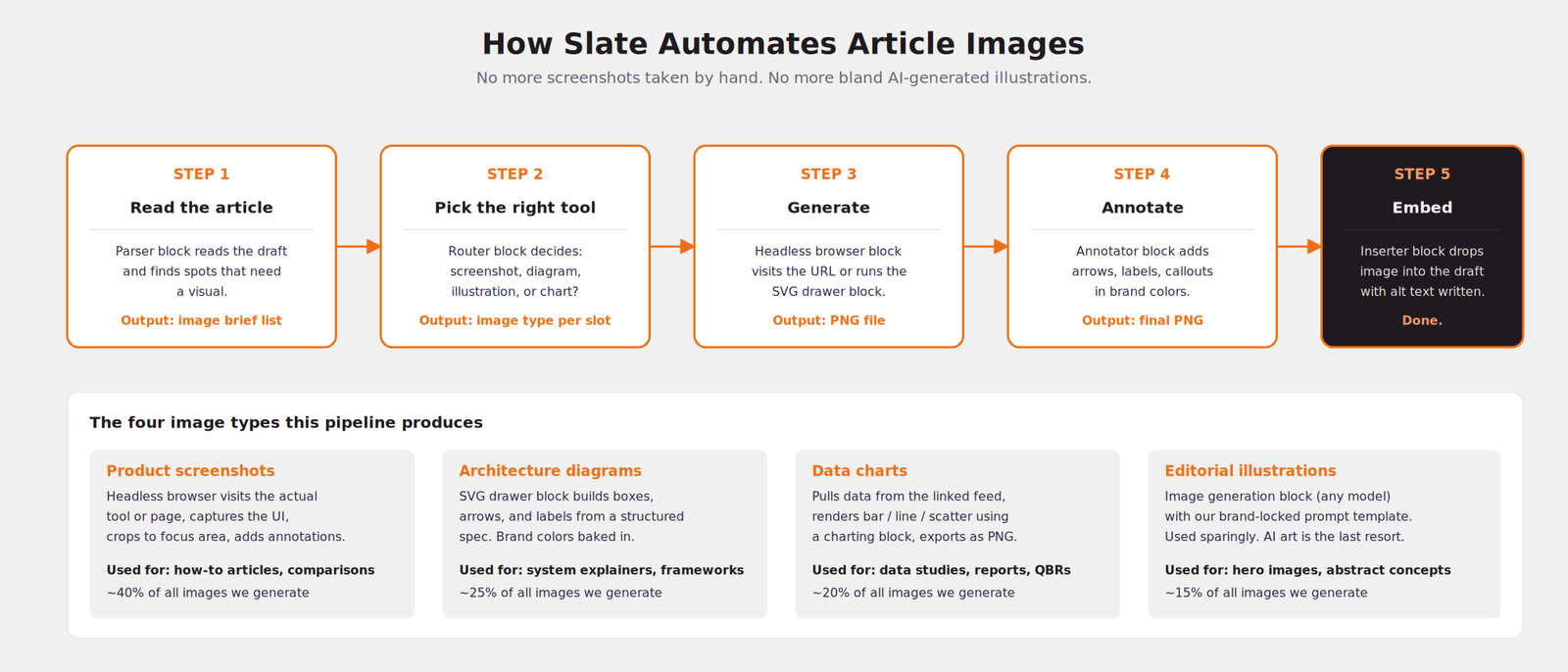
Here is what each image type looks like in practice:
- Product screenshots. The headless browser block opens the actual tool, navigates to the right view, and captures it. The annotator block adds arrows and callouts in our brand colors. This is how we produce screenshots for how-to content. About forty percent of our image volume.
- Architecture diagrams. The SVG drawer block builds the diagram from a structured spec. The diagrams in this article were built by it. Twenty-five percent of our volume.
- Data charts. The chart block reads the relevant feed and renders the chart. Twenty percent.
- Editorial illustrations. The fallback. Generative AI, but with a brand-locked prompt template so the output looks consistent. Fifteen percent.
The reason this is interesting: by the time the article reaches the human reviewer, every image is already in place. No more "I will add the screenshot later." No more drafts that sit in review for two weeks waiting for the design team to ship visuals.
7. The whole engine runs on a weekly cron
Now the part that makes everything above worth it. None of these workflows are run manually anymore.
Every Monday at 8 AM IST, a cron trigger kicks off the entire content loop. From topic mining all the way through to distribution. I am in the loop in two places. Brief approval and final review. Everything else runs without me.
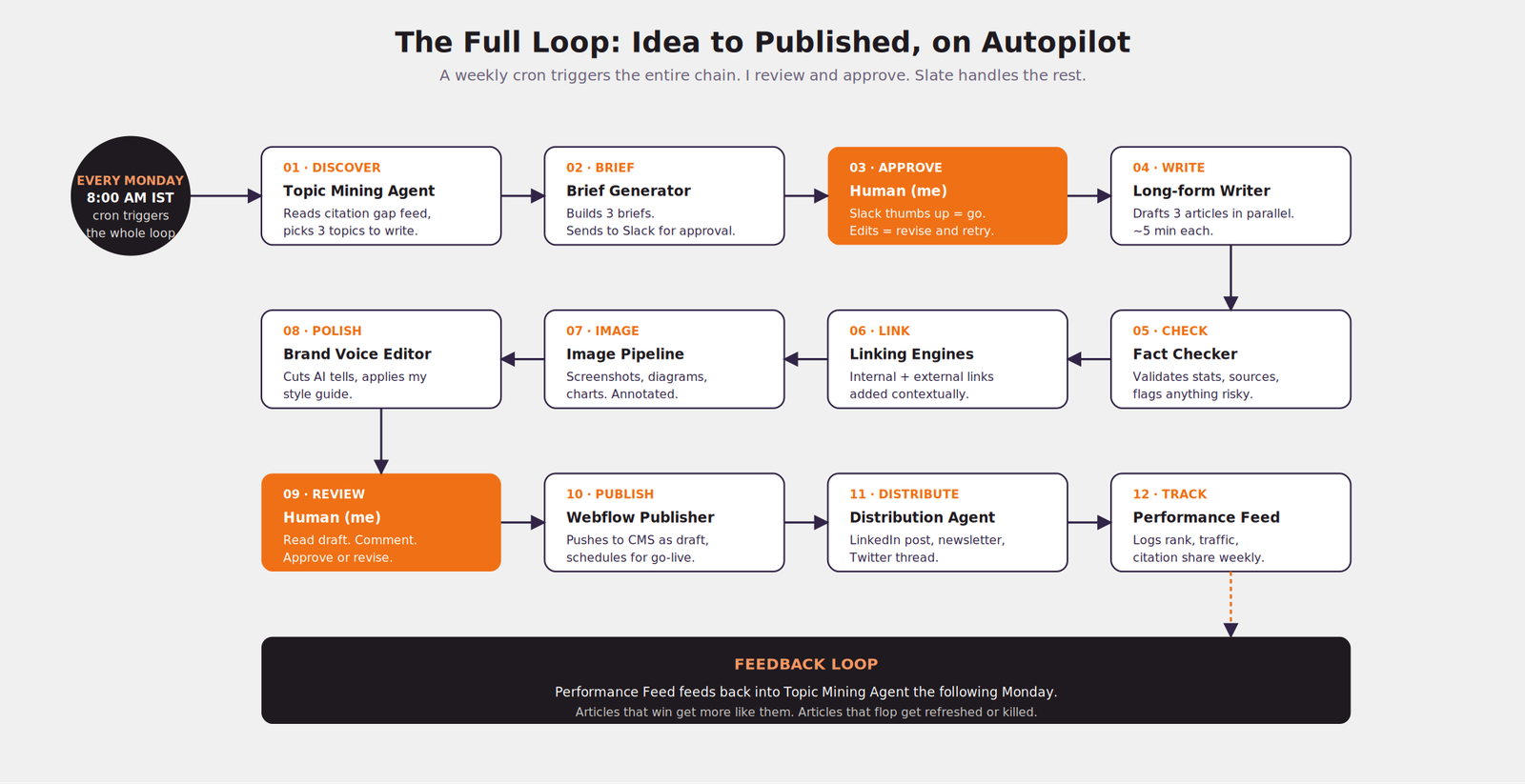
The full Monday morning loop. I show up to a Slack message asking me to approve three briefs. By Friday, three articles are live.
The total human time from me, per article, on this weekly cycle:
- Brief approval: 2-3 minutes per brief, so 6-9 minutes total
- Final review: 8-12 minutes per article, so 24-36 minutes total
- Plus whatever time I spend tweaking the workflows that produced anything I did not love
Call it forty-five minutes a week, on the high end. For three articles published, complete with images, internal links, fact-checked stats, and brand voice. Plus distribution to LinkedIn and email.
The previous workflow, with a human writer and editor, was about fifteen hours of team time per week for the same output. We did the math one Saturday and it was almost embarrassing.
Why Slate, not Claude Code
I want to be specific about this, because the comparison is fair and people are going to ask.
Claude Code is brilliant for engineers who already think in markdown and skill files. Ryan's setup at Ahrefs is a beautiful piece of work. If you have a content director who can write a SKILL.md file and a team that can fork a repo, Claude Code is a great choice.
But here is what most marketing teams actually need:
- A visual canvas where they can see what is happening
- Connections to the tools they already use, without writing API code
- A way to debug a single step without rerunning everything
- Persistent state, so the system remembers what it learned last week
- A way to onboard a junior marketer without teaching them Git
Claude Code does not do those things. Slate is built for those things. The pipeline architecture, the feed system, the visual workflow canvas, the persistent agents. Every design choice in Slate is in service of marketers, not engineers.
This is not a knock on Claude Code. It is a different tool for a different audience. The question is not which one is better. It is which one fits the team you are actually trying to enable.
Ryan's piece is for the 5% of marketing teams who can ship code. Slate is for the other 95%.
The future
If you read SlateHQ's blog, you might not have noticed how much of our content is now produced this way. That is the point. We are not trying to publish a thousand articles a month. We are trying to free our team from formulaic work so they can do the parts of marketing that still need a human.
Original research. Founder interviews. Webinars. Live events. The conversations on LinkedIn that turn into pipeline. None of that is automated. None of it should be.
We are using Slate to handle the parts of content that are infrastructure: the SEO articles, the listicles, the content refreshes, the link maintenance, the distribution. The boring, important, repeatable work. The part that, if I am being honest, kills morale on a content team when a human has to do it ten times a week.
If you want to see how this works in your own setup, the Slate workspace I described in this article is real and you can copy most of it. We have a public template for the SlateHQ content engine that includes the workflows, the feeds, the agents, and the brand voice docs. Fork it, point it at your own data sources, and you have a starting point.
I will be writing more of these as we keep building. The next post is going to be about how we use Slate for the same job at three different client workspaces, and what changes between them. If you want it in your inbox, the SlateHQ newsletter is the best way.
Now go build something.