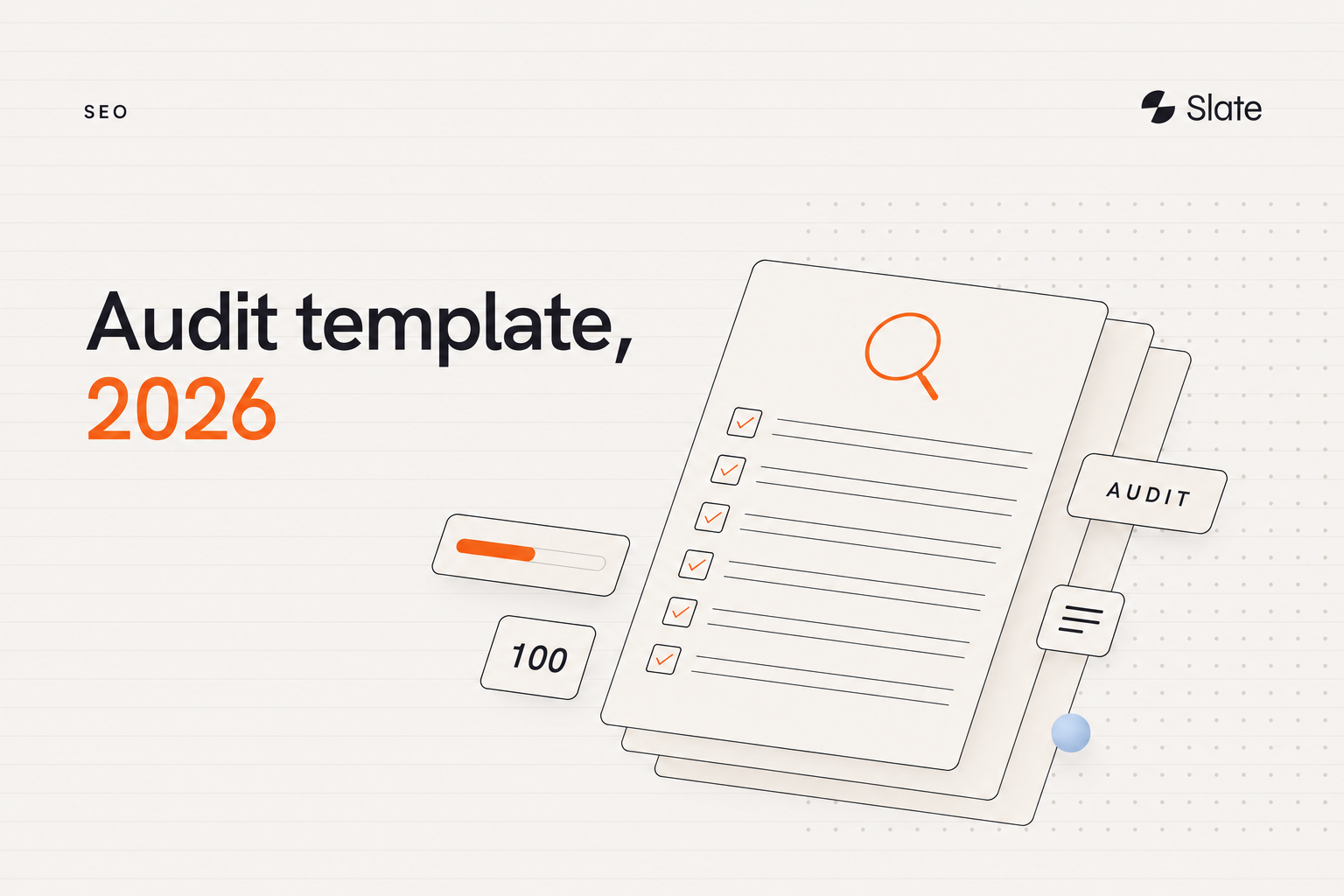
Many SEO audits fall short not because teams check the wrong things, but because they stop at diagnosis. They produce a long list of issues, share a screenshot, and then nothing ships. This template fixes that by turning audit findings into a prioritized action plan covering both traditional search and AI search readiness, in plain language you can hand to any stakeholder.
An SEO audit in 2026 should cover technical health, crawlability, indexability, Core Web Vitals, on-page SEO, content quality, internal linking, schema, and AI search readiness. It should also include prioritization so teams know which issues to fix first based on impact, effort, and business importance. The most useful output is not a report. It is a working system.
Key takeaways
- A 2026 SEO audit must cover technical health, crawlability, indexability, Core Web Vitals, on-page SEO, content quality, internal linking, schema, analytics validation, and AI search readiness.
- An SEO audit is narrower than a full website audit. The former focuses on discoverability and visibility; the latter also reviews UX, accessibility, analytics, and conversion paths.
- The highest-value output is not a long issue list. It is a prioritized action plan based on impact, effort, business importance, and ownership.
- A useful template includes fields such as page URL, page type, issue found, severity, business impact, recommended fix, owner, evidence, status, and AI visibility relevance.
- AI search readiness now belongs inside the audit itself, not as an optional add-on at the end.
- This guide serves non-expert to mid-level marketers, founders, agencies, and B2B SaaS teams that need a repeatable system rather than a one-time report.
What an SEO audit template includes in 2026
An SEO audit is a structured review of how well a website can be discovered, understood, and ranked across search engines and AI answer systems. Think of it less as a technical inspection and more as a visibility health check: where can search engines and AI tools find you, where do they get confused, and where are you losing ground you should own.
An SEO audit in 2026 should cover technical health, crawlability, indexability, Core Web Vitals, on-page SEO, content quality, internal linking, schema, and AI search readiness. It should also include prioritization so teams know which issues to fix first based on impact, effort, and business importance.
This template covers eleven core components:
- Technical health and site performance
- Crawlability (can engines and bots reach your pages?)
- Indexability (can those pages get indexed?)
- Core Web Vitals
- On-page SEO (titles, metadata, headings, URLs)
- Content quality and search intent match
- Internal linking and site structure
- Schema, canonicals, redirects, and broken links
- AI search readiness and citation readiness
- Analytics and measurement validation
- Prioritization and ownership
What changed for 2026? Two things matter most. First, INP (Interaction to Next Paint) is now the responsiveness metric inside Core Web Vitals, having replaced FID. Second, discovery no longer happens only on Google. AI systems like ChatGPT, Perplexity, and Google AI Overviews increasingly influence which pages get cited and summarized, which means a modern audit has to test whether your content is extractable and citable, not just rankable. For teams new to this shift, an AI SEO checklist is a useful companion to this template.
The old SEO playbook was built for links and rankings. The new discovery layer runs on answers, citations, and extractable content. If your audit ignores AI SEO, it is auditing for a search experience that is already changing.
SEO audit vs website audit: what's the difference?
An SEO audit focuses on how well a site can be crawled, indexed, understood, and ranked across search and AI answer systems. A website audit is broader and also reviews UX, analytics, accessibility, and conversion paths. SEO audits are usually a subset of a full website audit.
The distinction matters because teams often confuse the two and then wonder why their "SEO audit" turned into a six-week project touching design, dev, and product. Keep the scope clean. An SEO audit answers one question: can search engines and AI systems find, understand, and recommend our pages?
If you want to extend this template into a fuller website audit vs SEO audit review, add UX and conversion fields to the same sheet. The structure holds; you are just widening the lens.
How to use this SEO audit template
This is a working system, not a static checklist you tick once and archive. The goal is to capture every issue as a row you can sort, assign, and close, so the audit lives on as your team's remediation backlog.
Copy it in two steps:
- Open the downloadable SEO audit template and duplicate it into your own Google Sheets or Notion workspace.
- Decide your audit categories up front (Technical, On-page, Content, Internal linking, Schema, Analytics, AI readiness) so every row is filterable later.
Each issue gets a severity tag in plain English:
- High: Blocking discovery, indexing, or a high-intent page from ranking. Fix first.
- Medium: Hurting performance but not blocking it. Schedule soon.
- Low: Worth fixing, but batch these into a cleanup sprint.
Here is the difference worth naming. A checklist tells you what to look at. A template captures what you found and who owns it. A full audit runs that template across your priority pages and ends with a ranked action plan. This guide gives you all three.
This template uses a four-part framework: technical access, content quality, authority signals, and AI extractability. Every step below maps back to one of those four pillars.
The 8-step SEO audit process (step-by-step)
Run the audit as a workflow, not a pile of topic buckets. Each step uses the same mini-structure so the process stays predictable: what to check, why it matters, how to verify, who owns it, and the fix-first signal that tells you an issue is urgent.
Step 1 - Check crawlability and indexability
Start here, because nothing else matters if engines and AI bots can't reach your pages. Crawl your site, then cross-check against Google Search Console's index status (Pages) report to see what is indexed, what is excluded, and why.
A few specifics worth knowing. Robots.txt controls crawling, not indexing, so a URL blocked in robots.txt can still appear in results if it's discovered another way. Sitemaps help Google find URLs but don't guarantee indexing, and they should list only canonical, indexable pages. Submit and monitor sitemaps under Indexing → Sitemaps in Search Console.
Common false positive: A noindex tag on a page you intended to keep out of search (a thank-you page, an internal tool) is not an issue. Confirm intent before flagging.
Don't forget AI crawler access. Pages that block AI crawlers in robots.txt, or that don't render fully for headless browsers, can be under-represented in AI answers even when they rank well in traditional results. For deeper coverage, pair this with a technical SEO audit checklist built around access and indexation.
Step 2 - Review site performance and Core Web Vitals
Core Web Vitals measure real-world loading, responsiveness, and visual stability. In plain English: does the page show up fast, react quickly when tapped, and stay still while it loads.
Google's current thresholds give you a clear pass mark:
- LCP (loading): Good is 2.5 seconds or under.
- INP (responsiveness): Good is 200 milliseconds or under. INP replaced FID as a Core Web Vital in March 2024.
- CLS (visual stability): Good is 0.1 or under.
Audit by template, not by individual URL. If your blog template fails CLS, pages using that template can inherit the problem, so fixing the template fixes hundreds of pages at once.
Step 3 - Audit on-page SEO elements
On-page SEO is where your keyword targeting and intent match live. This is your on-page SEO audit checklist: the elements on the page that tell engines and AI systems what it's about.
Run through this list per priority page:
- One clear, intent-matched title tag, ideally under 60 characters.
- A meta description that earns the click without keyword stuffing.
- A single H1, with H2s that mirror how people actually phrase the question.
- A clean, readable URL.
- Descriptive image alt text.
- Correct Open Graph and social preview tags.
Then ask the harder question: does the page format match search intent? A "best tools" query wants a comparison, not a 2,000-word essay. For a workflow that ties on-page checks to AI extractability, see Slate's on-page SEO audit checklist approach.
Step 4 - Review content quality and search intent match
Most "update your content regularly" advice is useless because it's vague. Turn freshness into measurable rules instead, and you'll know exactly which pages to refresh.
Use concrete decay triggers rather than gut feel:
- Ranking decline over the last 90 days.
- Traffic decay versus the prior period.
- Outdated screenshots, pricing, or product references.
- A competitor now covers the topic more completely.
Then check topic completeness. AI systems often surface pages that resolve a question fully, covering the related entities and sub-questions a reader would expect, not just the main keyword. A thin page that ranks today is a refresh candidate tomorrow. Slate's perspective: pages refreshed with clearer structure and explicit definitions have tended to see faster AI citation pickup than brand-new pages, which suggests recency alone is not the driver.
Filter this template by audit category "Content" and it doubles as a content SEO audit template. For the decay side of the work, this SEO website audit guide on detecting decline pairs well.
Step 5 - Audit internal linking and site structure
Internal linking is not a cleanup task; it's how authority flows through your site and how engines understand which pages matter. Most audits treat it as "fix broken links and move on." Go deeper.
Look at three things together. Depth: important pages should sit within two or three clicks of the homepage. Orphans: pages with no internal links in are invisible to authority flow. Clusters: related pages should link to each other so engines read them as a coherent topic surface, not scattered posts. The right AI tools for topic clusters can speed this up considerably.
AI search doesn't reward individual blog posts. It rewards systems that consistently produce clear, referenceable answers across a topic. Strong internal linking is how you build that surface. Treat it as a system with this copyable SEO audit checklist for internal links.
Step 6 - Check schema, canonicals, redirects, and broken links
Schema is a validation workflow, not a checkbox you tick. The question isn't "do we have schema?" but "does it validate, match the page, and produce the right rich result?"
Work through it in order:
- Validate structured data (Article, FAQPage, HowTo, BreadcrumbList) with the Rich Results Test, then monitor at scale via Search Console's Enhancements reports.
- Confirm canonicals point to the intended URL, with www versus non-www and HTTP versus HTTPS handled consistently.
- Find and flatten redirect chains and loops.
- Fix broken internal links and audit status codes for stray 404s and 500s.
schema.org defines the vocabulary; Google's structured data docs tell you which types are eligible for rich results and what each requires. Markup must match the page content, or it won't qualify.
Step 7 - Audit AI search and citation readiness
This is a step many checklists still skip, and it increasingly shapes whether content is read and cited. AI search readiness measures whether your content is easy for search engines and answer systems to access, interpret, and cite. It includes clear structure, factual accuracy, strong source signals, extractable answers, schema, and pages that resolve user questions without ambiguity.
Score each priority page against a simple AI-readiness rubric:
Slate's category-level observation is consistent here: across the pages it has tracked, content with explicit direct-answer paragraphs and FAQ schema is more likely to be paraphrased or surfaced in AI overviews than similar content without that structure. Pages that restrict AI crawlers or don't load fully for headless browsers are under-represented in AI answers, even when they rank strongly in traditional results. The right AEO tools can help you measure and improve this systematically.
The takeaway is structural. Citation presence is not a setting you toggle. It's the result of clarity, authority, and extractable structure working together.
Step 8 - Validate analytics and measurement
An audit is only as trustworthy as the data behind it. If your tracking is broken, every "this page lost traffic" conclusion is suspect. This step often gets skipped, which is exactly why it belongs in yours.
Confirm the basics: GA4 is firing across every key template, pipeline-relevant conversions are configured as key events, the site is verified in Search Console, and the preferred canonical domain is represented. If impressions show in the Performance report for your priority pages, your measurement foundation is sound enough to trust the rest of the audit. To go further, explore the best AI search analytics tools for tracking visibility across answer systems.
How to prioritize SEO audit findings
A 200-row issue list is not an action plan; it's a way to feel busy without shipping. The highest-leverage move in any audit is deciding what to fix first, and that decision runs on two axes: impact and effort.
Sort every row into one of those four quadrants. High impact, low effort gets done this week. High impact, high effort gets scoped and resourced. Low impact, low effort gets batched into a cleanup sprint. Low impact, high effort gets deferred or dropped.
Impact, for a SaaS team, isn't just traffic volume. A fix on a solution page or comparison page that influences pipeline outranks a fix on a low-intent blog post, even if the blog post gets more visits. Tie severity to business importance, not raw numbers.
Fix first if: The issue blocks indexing or crawling, affects a revenue or high-intent page, or removes a page from AI answers entirely. Everything else can wait its turn.
Separate growth-blocking issues from noise. A broken canonical on a pillar page is growth-blocking. A missing alt tag on a footer icon is noise. The template's severity column exists precisely so you can sort signal from noise in one click.
How SaaS teams should audit high-intent pages differently
Not every page deserves the same scrutiny. For a B2B SaaS site, a handful of page types carry most of the pipeline, and they need stricter audit rules than a typical blog post.
Prioritize these:
- Solution and use case pages: They map directly to buyer problems and intent.
- Product pages: They convert; technical or content issues here cost revenue.
- Comparison pages: High purchase intent, and increasingly surfaced in AI answers.
- Integration pages: Often overlooked, but strong for long-tail, high-intent queries.
- Docs and help center: They build authority and can be cited by AI systems.
The logic is simple: a small set of pages influences the deals that matter, so they get audited more often and held to a higher bar on AI readiness, schema, and content completeness.
Scale changes the approach too. What works for a 50-page SaaS site fails for a 5,000-page documentation-heavy company. On a small site, audit every page. On a large one, audit by template and by priority page type, then sample the rest, because fixing a template fixes thousands of pages at once. Build that prioritization into your simple SEO audit checklist so the right pages always get attention first.
Turning your audit into a repeatable system (not a one-time report)
The audit that lives in a slide deck is the audit that never gets fixed. The point is to convert findings into recurring operations: assign, ship, validate, repeat.
Most teams should run a light SEO audit monthly and a deeper audit quarterly. You should also audit after major site changes, migrations, traffic drops, indexing issues, or content refresh cycles. The right cadence depends on site size, publishing volume, and how often technical changes ship.
Make ownership explicit, because unowned issues never close:
Then close the loop. Batch issues by severity, assign owners with due dates, validate each fix against evidence, and re-run the relevant checks on a cadence. The "date validated" field exists so nobody marks a fix done that was never confirmed.
Running many updates at once is where quality usually breaks. Maintaining brand voice and factual accuracy across dozens of refreshes is its own discipline, which is why teams increasingly route this work through structured workflows rather than ad-hoc edits. The best content automation tools are designed for exactly this. For a deeper look at making this scale, see how to do an SEO audit step by step inside a repeatable system.
See where you stand in AI search and turn audit findings into a repeatable workflow. Book a demo.
The SEO audit template fields to copy (Sheets or Notion)
Yes. A useful free SEO audit template should include sections for technical checks, on-page reviews, content quality, internal linking, schema, analytics validation, and a prioritization column. The best templates are simple to copy, easy to update, and designed to turn findings into an action plan.
Here is the full field list to copy into your sheet:
- Page URL
- Page type
- Audit category
- Issue found
- Severity (High/Medium/Low)
- Business impact
- Recommended fix
- Owner
- Evidence/source
- Status
- Date found
- Date validated
- AI visibility relevance
One filled-in row shows how it works in practice:
Grab the downloadable SEO audit template and start filling rows against your priority pages today.
Recommended tools and platforms for each audit step
You don't need a dozen subscriptions to run a credible audit. You need one place to capture and act on findings, plus a few free tools to verify specific checks. The table below maps the workhorses to the steps they cover.
Slate
Many tools tell you what's wrong. Slate is built to help teams act on it, which is a gap that sinks many audits. It tracks visibility across both traditional search and AI platforms like ChatGPT, Perplexity, Google AI Mode, and AI Overviews, then turns those findings into structured, repeatable content workflows.
Best for: B2B SaaS teams that need an SEO audit tied to execution and AI search visibility, measuring rankings and citation readiness, then running repeatable fix workflows.
Key features: AI search analytics across major platforms, Power Sheets for bulk refreshes and optimization audits across thousands of URLs, workflow automation, a brand kit and knowledge base for brand-safe output, and direct CMS publishing to Webflow and WordPress.
Integrations: Webflow, WordPress, and Claude via MCP, sitting alongside the GA4, Search Console, Ahrefs, and Semrush stack most teams already run.
Pricing: See Slate for current pricing.
The complementary tools are deliberately simple. Google Search Console handles index status, Core Web Vitals, sitemaps, and performance for free. PageSpeed Insights diagnoses LCP, INP, and CLS for specific URLs. The Rich Results Test validates structured data. A dedicated crawler simulates a search engine sweep to surface status codes, redirects, and orphan pages at scale.
For a wider view of the category, this roundup of the free SEO audit template tools, this guide to the SEO audit checklist 2026 tools, and this breakdown of technical SEO audit checklist platforms all go deeper.
Common SEO audit mistakes to avoid in 2026
The mistakes below are predictable, which means they're avoidable. Each one turns a useful audit into wasted effort.
- Auditing everything instead of prioritizing: A flat issue list with no impact ranking guarantees the wrong things get fixed first. Sort by impact and effort before you touch anything.
- Treating the audit as a report: Diagnosis without a fix plan, owners, and due dates is theater. The template's status and owner fields exist to prevent this.
- Ignoring AI search readiness: Optimizing only for blue links in 2026 means leaving citations, and increasingly clicks, on the table.
- Skipping ownership assignment: Unowned issues don't close. Every row needs a name next to it.
- Acting on false positives: A deliberate noindex or an intentional redirect is not a problem. Confirm intent before flagging.
- Using outdated checklists: A checklist that still lists FID instead of INP, or has no AI readiness section, is auditing for a search experience that's already changing.
FAQs
What should an SEO audit include in 2026?
An SEO audit in 2026 should cover technical health, crawlability, indexability, Core Web Vitals, on-page SEO, content quality, internal linking, schema, and AI search readiness. It should also include analytics validation and prioritization, so teams know which issues to fix first based on impact, effort, and business importance.
Is there a free SEO audit template?
Yes. A useful free SEO audit template should include sections for technical checks, on-page reviews, content quality, internal linking, schema, analytics validation, and a prioritization column. The best templates are simple to copy into Sheets or Notion, easy to update, and designed to turn findings into an action plan rather than a static report.
How do you do a technical SEO audit step by step?
Start by crawling the site and reviewing Google Search Console. Then check indexability, robots.txt, XML sitemaps, status codes, canonicals, redirects, internal links, mobile usability, and Core Web Vitals. After that, group issues by severity and assign owners so the audit becomes a fix plan, not just a report.
What is the difference between an SEO audit and a website audit?
An SEO audit focuses on how well a site can be crawled, indexed, understood, and ranked across search and AI answer systems. A website audit is broader and also reviews UX, analytics, accessibility, and conversion paths. SEO audits are usually a subset of a full website audit.
How often should you run an SEO audit?
Most teams should run a light SEO audit monthly and a deeper audit quarterly. You should also audit after major site changes, migrations, traffic drops, indexing issues, or content refresh cycles. The right cadence depends on site size, publishing volume, and how often technical changes are shipped.
What is AI search readiness in an SEO audit?
AI search readiness measures whether your content is easy for search engines and answer systems to access, interpret, and cite. It includes clear structure, factual accuracy, strong source signals, extractable answers, schema, and pages that resolve user questions without ambiguity, plus open access for AI crawlers.
How do I run an SEO audit if I'm not technical?
Use the template's plain-English checks and free verification tools for each step: Search Console for indexing, PageSpeed Insights for performance, and the Rich Results Test for schema. Tag issues High, Medium, or Low, fix high-impact ones first, and route technical fixes to the right owner instead of attempting them yourself.