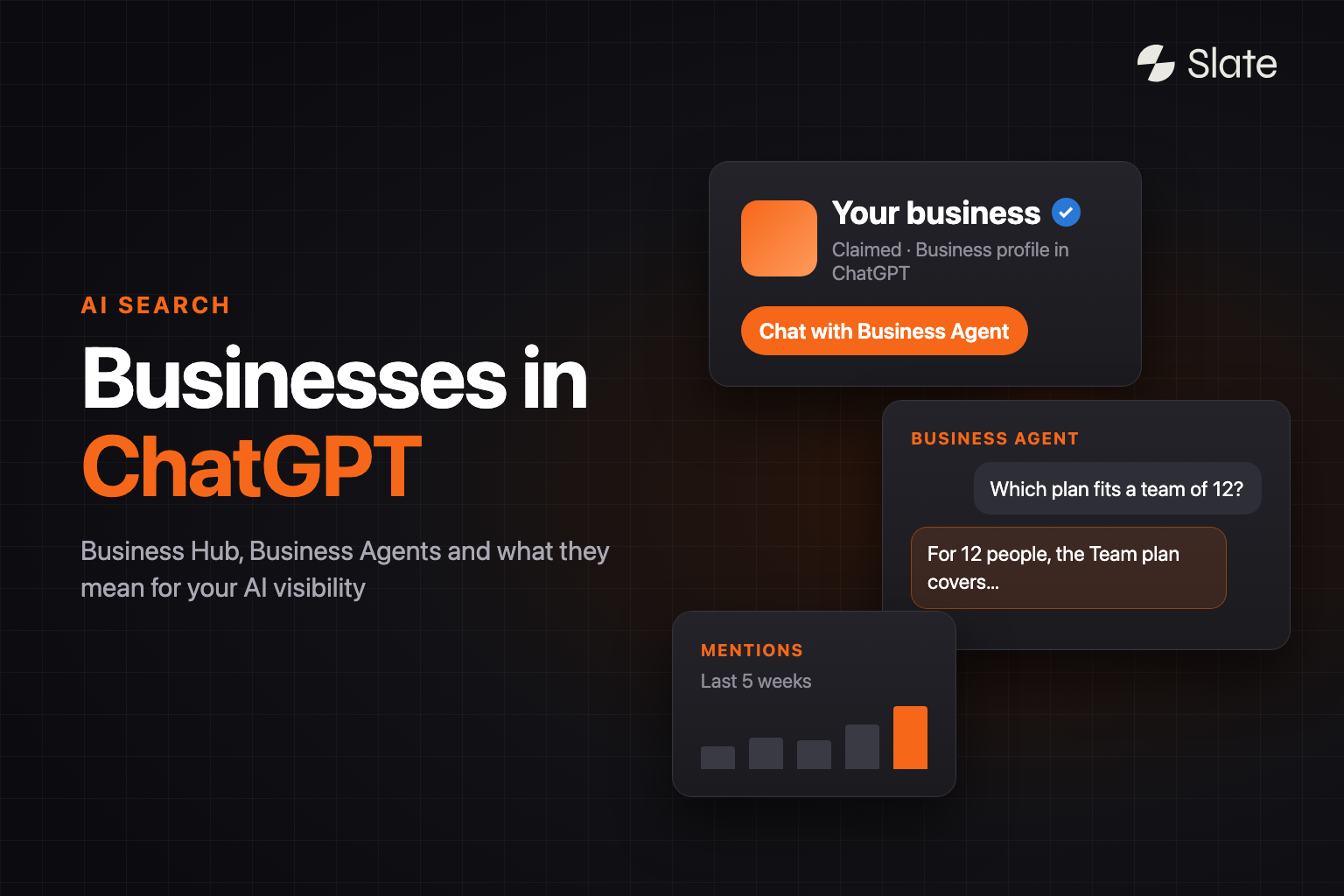
On November 10, 2026, OpenAI announced Businesses in ChatGPT.
For the first time, a company can log in, claim its business inside ChatGPT, correct its details and see how often ChatGPT mentions it. Some can also put an AI agent in front of the 1.2 billion people who use ChatGPT every week.
If you work in SEO, marketing or ecommerce, you probably have the same questions everyone else has right now.
How do I claim my business? Will it make ChatGPT recommend us more? Is this Google Business Profile for ChatGPT? Is it ChatGPT's version of Search Console? And what happens to everything we have been doing for AI search?
This guide answers all of them. It is built from OpenAI's announcement, the Businesses in ChatGPT page, the OpenAI Help Center article on setting up your business on ChatGPT, the two new policies, and the first day of press coverage.
What is Businesses in ChatGPT?
Businesses in ChatGPT is OpenAI's program that lets companies claim and verify their business inside ChatGPT, manage the information ChatGPT can use about them, connect product feeds, see insights on how people engage with them, and (for eligible US businesses) launch an AI Business Agent that customers can chat with. It launched in beta on November 10, 2026.
Everything runs through one dashboard called Business Hub. You open it from the ChatGPT sidebar or at chatgpt.com/business-hub.
Business Hub has four parts:
- Claim and verify. Prove you own or are authorized to represent the business, then pass an identity check. Verified profiles show a blue check.
- Business information and product feeds. Edit your website, description, category, logo, cover photo, delivery policy and return policy. Retailers can add a product feed with pricing and availability.
- Insights. See how often ChatGPT mentions your business, how many clicks it sends to your website, and the "discovery topics" where you appear.
- Business Agents. Build, test and publish an AI agent that answers customer questions using your product and policy information. You can also sponsor it through ChatGPT Ads.
Is this the same as the ChatGPT Business plan?
No. The names are confusing, so it is worth being clear.
ChatGPT Business is a paid subscription for companies whose employees use ChatGPT at work. Businesses in ChatGPT is about how your company appears to the people using ChatGPT. OpenAI's Help Center states you don't need an Ads account or a ChatGPT Enterprise agreement to claim an eligible business.
Why OpenAI launched this now
Businesses in ChatGPT is the latest step in a two-year push to turn ChatGPT into a place where people find and choose products and providers.
- October 2024: ChatGPT search launches, answering questions with links to web sources.
- September 2025: Instant Checkout and the Agentic Commerce Protocol launch with Stripe, starting with Etsy sellers.
- November 2025: Shopping research helps people compare products in a guided flow.
- February 2026: OpenAI starts testing ads in ChatGPT in the US, on the Free and Go plans.
- March 2026: OpenAI scales back Instant Checkout. Merchants now send buyers to their own checkout, and OpenAI focuses on product discovery.
- September 2026: OpenAI tests Sponsored Agents, where clicking an ad opens a labelled chat with a business's agent.
- October 2026: Ads reach 89 countries and more than 100,000 advertisers.

Seen in that order, Business Hub gives OpenAI something it was missing: a direct, verified relationship with the businesses its answers talk about. TechCrunch described the launch as making ChatGPT "a little bit more like Google." Digiday pointed out that Google Business Profile and Search Console also brought many businesses into Google's ads products, and that a claimed profile gives OpenAI a route to businesses that have never bought ads.
How Businesses in ChatGPT works, step by step
Here is what the experience looks like from a customer's side.
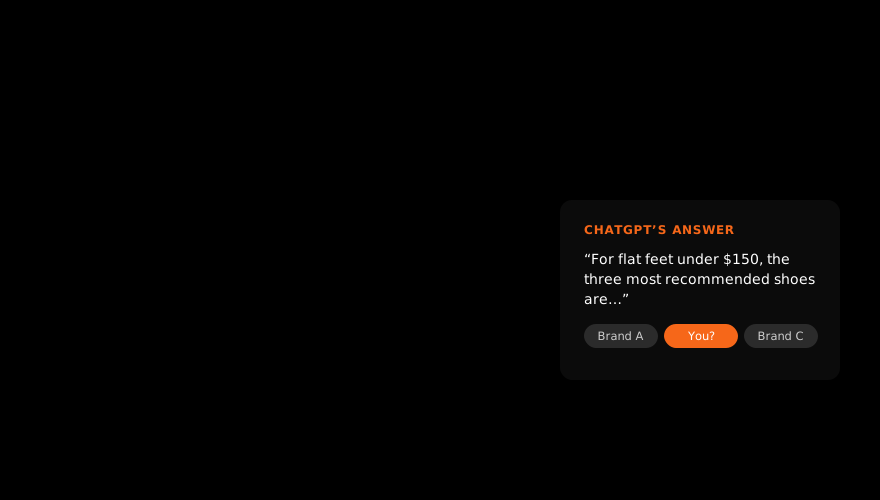
- Someone asks ChatGPT a question. For example, "Which running shoes are best for flat feet under $150?"
- ChatGPT writes its own answer. It names brands and products. OpenAI says ChatGPT "continues to make independent recommendations and comparisons."
- The person clicks a business in the answer and sees that business's ChatGPT profile. Verified profiles show a blue check.
- If the business has a Business Agent, the person can start a chat with it to ask follow-up questions, such as how two models differ. That chat is clearly labelled, separate from their original ChatGPT conversation, and kept apart from ChatGPT's own answers.
- The person clicks through to the website to buy or sign up. Business Hub counts those mentions and website clicks and shows them to the business in aggregate.
There is also a paid route. A business can sponsor its agent and use it as the destination of a ChatGPT ad. Sponsored placements are labelled and kept separate from ChatGPT's responses.
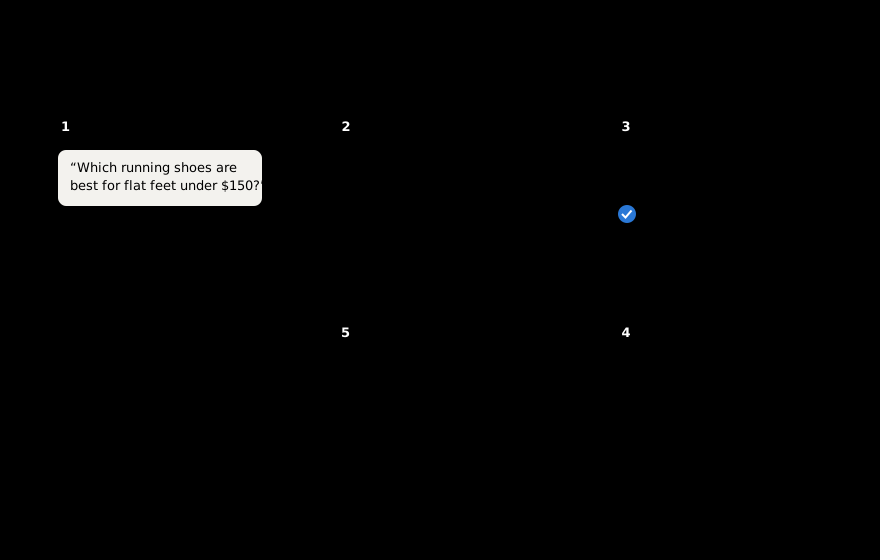
The important detail is in steps 1 and 2. Claiming your business gives you more control over what happens after someone clicks on you. Whether ChatGPT names you in the first place is still decided by ChatGPT.
How to claim your business in ChatGPT
Claiming takes two separate checks. Most of the confusion on launch day came from people who passed the first one and wondered why nothing changed.
Stage 1: Claim the listing
- Open Business Hub from the ChatGPT sidebar.
- Search for your business by name and select the listing.
- Confirm the ChatGPT account that will manage it.
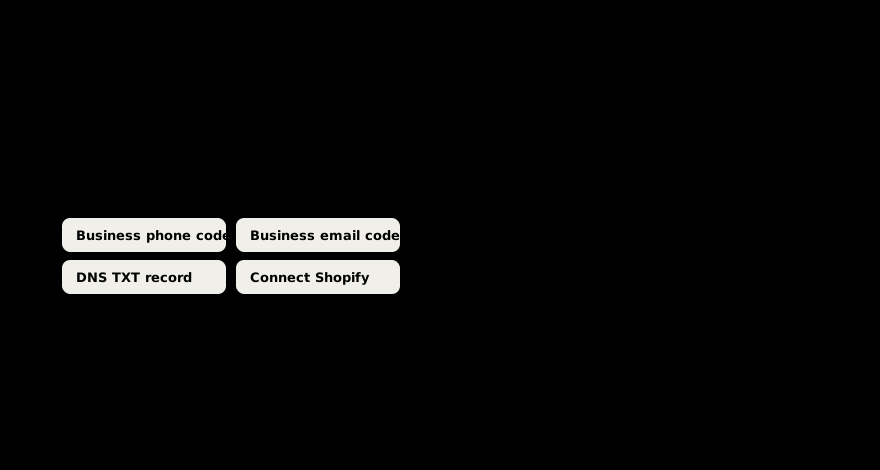
- Verify that you control the business, using one of four methods:
- Business phone: a code by SMS or automated call.
- Business email: a code sent to an email address associated with the business.
- Website domain: add a DNS TXT record, then select "Verify domain".
- Shopify store: select "Connect Shopify" and log in to your store.
- OpenAI reviews the claim and emails you its decision.
If a listing shows "Contact support", it is locked and you will need to go through OpenAI support.
Stage 2: Verify your identity with Persona
After the claim, you verify your identity through Persona, OpenAI's identity partner. The Help Center says you "may need a government-issued ID, business registration information, and proof that you're authorized."
This second check is what unlocks the useful parts. Until Persona approves you, you cannot publish changes, connect a product feed, view insights or create an agent. It is also where the blue check comes from. In OpenAI's words: "Claiming your business alone doesn't give its profile a verified badge."
Shortcuts for Shopify merchants and existing OpenAI customers
Shopify merchants can connect their store from Business Hub or from the Shopify admin, which also handles the claim check. OpenAI notes that eligible products from Shopify merchants are already in ChatGPT through Shopify Catalog, so connecting mainly speeds up verification and lets you manage your profile and agent. You don't need Shopify to build an agent.
OpenAI Enterprise customers and ChatGPT advertisers can also claim through their OpenAI account team.
Managing access, brands and disputes
- Teammates and agencies: the admin can add teammates and give an agency access. Each person uses their own ChatGPT account.
- Multiple brands and locations: each brand is managed separately, and claiming a main brand does not claim its locations. There is no central dashboard for a parent company yet.
- Disputes: if someone else has claimed your business, use "Dispute ownership" in the profile's menu. It goes through Persona.
- Deleting a profile: only unpublished drafts can be deleted. OpenAI support cannot delete, unpublish or hide a published profile.
Does it cost anything?
None of OpenAI's pages list a fee for claiming a business, using Business Hub or creating a Business Agent, and you don't need an Ads account to claim. The paid part is sponsoring an agent through ChatGPT Ads.
Who can use Businesses in ChatGPT?
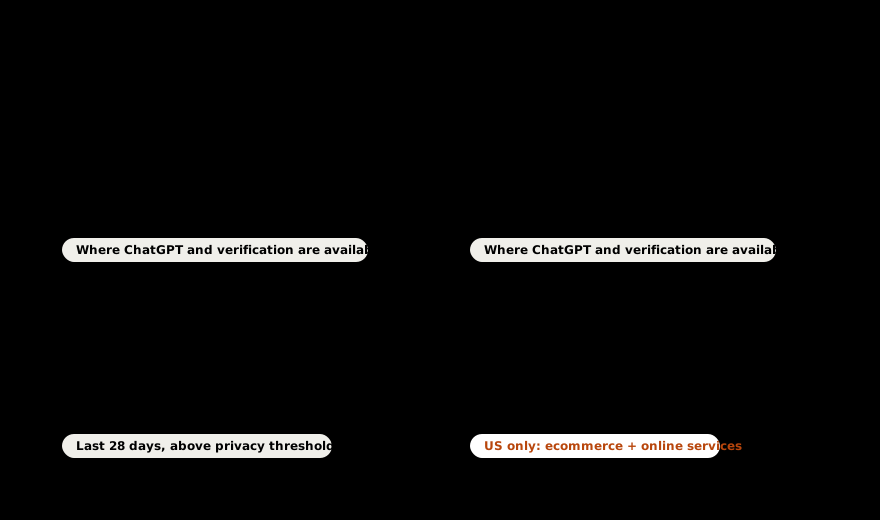
Availability is different for each part. This table pulls together what OpenAI has published.
| Feature | Who is eligible | Where |
|---|---|---|
| Claim your business | Businesses you own or are authorized to represent, that pass OpenAI's checks | Where ChatGPT is available and verification is supported |
| Local stores and restaurants | Can claim an existing listing only | United States only for now |
| Edit details, product feeds, insights | Businesses that pass the Persona identity check | Same as claiming |
| Business Agents | Eligible ecommerce and online service businesses with a website | United States only |
| Sponsored Business Agents | Advertisers in ChatGPT Ads Manager, rolling out "over the coming weeks" | Where ChatGPT Ads run |
OpenAI says eligibility "depends on factors including industry, location, and our verification and integrity checks," and that verification "does not guarantee agent eligibility." Some categories are excluded outright. The Commerce policies that apply to product feeds rule out, among others, supplements and prescription drugs, alcohol, tobacco and nicotine, firearms, gambling, adult products and crypto. The full rules are in the Businesses in ChatGPT policy and the Business Agents policy.
OpenAI plans to expand to more markets and categories and to build tools "for organizations with more complex needs," but has given no dates.
How product feeds work
If you sell products, the product feed is where pricing and availability come from.
You can add one in three ways:
- Upload a file in Business Hub that follows OpenAI's product feed spec.
- Give a hosted URL that Business Hub reads from.
- Connect Shopify, which shares your catalog automatically.
The spec accepts CSV, TSV or JSONL. Nine fields are required for each product: item_id, title, description, url, brand, seller_name, image_url, availability and price. Availability must be one of in_stock, out_of_stock, pre_order, backorder or unknown.
Large retailers can push full catalogs over SFTP through OpenAI's direct feed program, which expects a full snapshot at least once a day.
Two notes from OpenAI's Help Center are worth keeping in mind:
- "Connecting a feed doesn't publish an agent or guarantee that ChatGPT recommends your products."
- In shopping results, OpenAI ranks merchants on availability, price, quality and whether they are the maker or primary seller, and says these results "are not ads."
What is a ChatGPT Business Agent?
A Business Agent is an AI agent a business builds inside ChatGPT that answers customer questions using the business's own product and policy information, under guidelines the business controls. Customers open it from the business's ChatGPT profile, or from a sponsored ad.
Think about the questions a good salesperson or support rep answers all day. Which size should I get? Does this work with my setup? What is your return policy? A Business Agent is meant to handle those inside ChatGPT, at the moment a customer is comparing options.
Here is what it can and cannot do at launch:
- It explains your products, services and policies, and answers follow-up questions.
- It links people to your website.
- It cannot complete purchases, make bookings or check orders. The buying still happens on your site.
- It does not use data from your ChatGPT app or plugin, if you have one.
- You never see the chats. OpenAI does not share Business Agent conversations with businesses.
The rules your Business Agent has to follow
The Business Agents policy is short, and it tells you a lot about how OpenAI wants this to work. A Business Agent:
- Must say it is AI representing your business. It cannot pose as a human, an independent adviser or something OpenAI endorses.
- Must use accurate, current information. You cannot tell it to invent offerings, prices, availability, credentials, reviews, guarantees or results, or hide fees and conditions that matter to the question.
- Cannot pressure people. No false urgency, no exploiting vulnerability, no pushing a sale after someone says no.
- Can offer an optional follow-up and collect contact details, but only through an approved feature and only when the person chooses to share them.
- Cannot ask for high-risk personal information such as health details, government IDs or financial credentials.
- Cannot give advice that legally needs a professional license or claim professional credentials.
OpenAI reviews agents when you create them and every time you update them. It can pause or remove an agent, and repeated problems can cost a business the ability to create agents.
Tip: Write your agent's information the way you would brief a new sales hire: accurate prices, real limitations, clear policies and honest comparisons. The policy requires it, and customers comparing you with competitors in the same chat will notice anything less.
Sponsored Business Agents and ChatGPT Ads
Businesses can sponsor an agent and make it the destination of a ChatGPT ad. Someone sees a labelled ad below a ChatGPT answer, clicks it and goes straight into a conversation with your agent.
The details, from OpenAI's Ads Manager help article:
- It is rolling out to eligible advertisers "over the coming weeks."
- You build the sponsored agent in Ads Manager, and it only runs on campaigns using the Conversion objective with agent chats turned on.
- Agents built in Business Hub and in Ads Manager don't sync yet. OpenAI says it is "working on linking Business Hub and Ads Manager."
- There is no extra charge per agent chat. Your normal campaign billing applies.
- You get no transcripts. Pattern insights appear once an agent has more than 25 conversations.
A few facts about ChatGPT Ads more broadly: ads appear only for users on the Free and Go plans (Plus, Pro, Business, Enterprise and Edu have none), they are not shown near health, mental health or political topics, and they are ranked on relevance and advertiser bids.
The most important line for anyone worried that ChatGPT's answers are now for sale is in OpenAI's Business Hub FAQ: "Advertising doesn't influence ChatGPT's independent answers." Paying buys a labelled placement and a direct route into your agent. ChatGPT's recommendations sit outside it.
What do Business Hub insights show?
Once your identity is verified, Business Hub shows aggregated insights for the past 28 days:
- Mentions. For an online business, a mention counts when ChatGPT references your website. "The brand name alone doesn't count." For a local business, a mention counts when ChatGPT shows a result for your location.
- Website clicks from ChatGPT to your site.
- Discovery topics: themes in answers that mentioned or cited your business. OpenAI notes they "don't reveal individual prompts or directly measure customer intent."
OpenAI does not share user conversations or Business Agent chats. A blank metric may mean you have not reached the reporting threshold yet, so it does not always mean zero.
This is the first first-party data OpenAI has given businesses about their presence in ChatGPT, and it is useful. Discovery topics in particular tell you which subjects already connect your website to real conversations.
It also has clear limits:
- It covers only your own business. There is no competitor view or share of voice.
- It covers only ChatGPT. Google AI Overviews, AI Mode, Gemini, Perplexity, Claude and Copilot are not included.
- It shows themes only. You will not see which exact questions mention you, which ones recommend a competitor, or what ChatGPT said.
- It shows no sentiment or accuracy. A mention where ChatGPT recommends you and a mention where it warns people away count the same.
- Brand mentions without a website reference don't count, so the mention number can undercount how often ChatGPT talks about you.
Juozas Kaziukėnas of Marketplace Pulse, who spotted the tool before launch, summed up the gap: "it won't help understanding why mentions/clicks are increasing or decreasing."
If you want to know which numbers actually move buying decisions, our breakdown of AI search metrics ranks them by business impact.
Will claiming your business make ChatGPT recommend you more?
Not by itself, and OpenAI says so directly. Its Help Center states that claiming "doesn't guarantee increased visibility," and that "claiming a profile or disputing ownership doesn't change its visibility in ChatGPT." The launch FAQ adds: "ChatGPT continues to make independent recommendations and comparisons. Claiming does not guarantee higher placement or sales."
OpenAI also says ChatGPT "may show information about your business whether or not you have an agent," and "may also use other sources when answering questions about your business." Your business is already in ChatGPT's answers, or missing from them, whether you claim it or not.
What claiming does change:
- ChatGPT has accurate, current details about you to work with, such as correct policies, prices and stock.
- Your profile shows a blue check.
- You get a measurement view you did not have before.
- Eligible US businesses get an agent that can turn a curious click into a real conversation.
How does ChatGPT decide which businesses to recommend?
OpenAI has not published a ranking formula, and this launch does not add one. What it has published is where ChatGPT gets the material for its answers.
When ChatGPT answers a question about your category, it draws on several inputs:
- Business information you provide (new, through Business Hub).
- Product feeds with prices and availability (through Business Hub, Shopify Catalog or direct feeds).
- Your website content. When ChatGPT searches the web, it sends rewritten queries to third-party search providers and cites the pages it uses. Your site must allow OpenAI's OAI-SearchBot crawler to appear in those answers.
- Third-party sources: reviews, comparisons, "best of" lists, forums and publications. Some are licensed directly. Yelp, for example, licenses reviews and business information to OpenAI.
- What the model already knows about your brand from its training.
Business Hub gives you a direct line into the first two. The other three are earned, and they are where most recommendations are decided. A product feed tells ChatGPT a pair of shoes costs $129 and is in stock. Whether ChatGPT calls them the best option for flat feet depends on what reviewers, comparison sites and your own pages say about them.
For the full playbook on influencing those inputs, start with our generative engine optimization guide and the AI SEO checklist.
Businesses in ChatGPT vs. Google Business Profile
Many people are calling this "Google Business Profile for ChatGPT." The comparison is useful, with some important differences.
| Businesses in ChatGPT | Google Business Profile | |
|---|---|---|
| What you manage | Website, description, category, logo, policies, product feed, Business Agent | Name, address, hours, photos, posts, reviews, products |
| Verification | Claim (phone, email, DNS or Shopify) plus Persona identity check | Postcard, phone, email or video, depending on the business |
| Badge | Blue check after identity verification | Verified listing in Search and Maps |
| Best fit at launch | Ecommerce and online service businesses | Local and physical businesses |
| Customer conversations | Business Agent chats (US, eligible categories) | Business messaging was retired in 2024 |
| Data you get | Mentions, website clicks, discovery topics (28 days) | Views, searches, calls, direction requests, website clicks |
| Paid option | Sponsored Business Agents through ChatGPT Ads | Google Ads and Local Services Ads |
| Who decides placement | ChatGPT's independent answers | Google's local ranking (relevance, distance, prominence) |
The biggest practical difference is the starting point. Google Business Profile was built around maps and local searches. Businesses in ChatGPT starts with online stores and online services, where the question is "which product or provider should I choose?" and the answer is a written recommendation.
Is it ChatGPT's Search Console?
Partly. SEOs have asked for a "ChatGPT Search Console" for a long time. Glenn Gabe's wish list for an AI search console asked for 12 features. PPC Land counted that Business Hub covers about three of them: mentions, clicks and trends. There are still no queries, no page-level data and no crawl reports.
What it means for your type of business
Ecommerce brands
You get the most out of this launch today. Claim your business, pass the identity check, connect Shopify or a product feed, and build a Business Agent. Make sure your feed's prices and stock match your site, because ChatGPT may use them to answer customer questions directly. Then look at the categories you sell in and check which brands ChatGPT already recommends. Our guide to AI SEO tools for ecommerce covers the tracking side.
SaaS and B2B companies
You can claim your profile, fix your details and see insights now. Agents are limited to "online service businesses" in the US, so check whether your category qualifies. For most B2B buyers, ChatGPT's recommendation comes from comparison pages, review sites, analyst coverage and community threads, and that is where most of your effort should stay. Our piece on how challenger brands win with AI search is a good place to start.
Local businesses
US local stores and restaurants can claim an existing listing. Agents are not available for local categories yet. Claim your listing so your details are correct, and keep your Google Business Profile, Yelp and other review profiles current, since those remain major sources for local answers.
Agencies
Clients can give your team access to their Business Hub, so you can manage profiles for them with your own ChatGPT account. Expect two questions from every client: "Do we need this?" (yes, claim it) and "Does this replace our AI visibility work?" The next section answers the second one.
Does Business Hub replace AI visibility tools?
Short answer: you will need them more now.
Several outlets framed the launch as a threat to AI visibility platforms. Trending Topics also pointed to the obvious precedent: Google Search Console gave every site free first-party data, and tools like Semrush and Sistrix kept growing. Search Console answers "how am I doing on Google?" Teams still need to know why, against whom, and what to fix next.
Look at what Business Hub covers. It gives you control over your own facts inside one AI assistant, and a 28-day count of your own mentions. Every eligible business should claim its profile.
The questions that decide revenue sit outside that view:
- Are we in the answer? Business Hub counts the times you were mentioned. It cannot show the relevant questions where a competitor was recommended and you were left out.
- What does AI say about us? A mention count has no sentiment and no accuracy check. If ChatGPT describes an old pricing model or a retired feature, a count will not show it.
- Who is winning our category? There is no competitor view or share of voice.
- What about the other assistants? Your buyers also use Google AI Overviews, AI Mode, Gemini, Perplexity, Claude and Copilot.
- Why are we losing, and what do we fix? The fix is usually a page that needs refreshing, a comparison article that leaves you out, or a review site where you have no presence.
That is the work Slate does. Slate's AI visibility tracker runs the prompts your buyers ask across ChatGPT, Perplexity, Google AI Overviews, AI Mode, Claude and Gemini. It shows where you appear, how you are described, which sources get cited and how you compare with competitors. Slate then does the work that changes those answers: it refreshes the pages AI already cites, creates the content you are missing, and finds the third-party sources that drive recommendations in your category so your brand gets mentioned there.
Business Hub and Slate work well together. Business Hub keeps ChatGPT's facts about you correct and gives you a new way to convert interest. Slate shows where you stand across every AI assistant and helps you earn the recommendations that bring people to your profile in the first place. Your Business Hub discovery topics are also a good input for deciding which pages to build or refresh next.
See where you show up in AI search. Find out which prompts mention you, which recommend your competitors, and what AI says about your brand across ChatGPT, Perplexity, Gemini and Google AI. Get your AI visibility report →
What to do this week
- Claim your business in Business Hub from the ChatGPT sidebar. On Shopify, connect from the Shopify admin.
- Finish the Persona identity check. Nothing else unlocks until you do.
- Fix your facts. Check your website, description, category, logo and policies. Make sure they match your site.
- Add a product feed if you sell products, and keep pricing and stock in sync with your store.
- Check your robots.txt allows OAI-SearchBot, so ChatGPT search can find and cite your pages.
- Build a Business Agent if you are an eligible US business. Test the hard questions (pricing, returns, comparisons with competitors) and read the Business Agents policy before you publish.
- Take a baseline of mentions and clicks once insights appear, and read your discovery topics. Compare them with the topics you want to be known for.
- Benchmark beyond ChatGPT. Track your visibility, sentiment and share of voice across every AI assistant your buyers use, then refresh the pages AI cites. Our content refresh guide walks through it.
Open questions and concerns
This is a beta, and a few things are still unclear.
- Listing hijacking. Barry Schwartz of Search Engine Roundtable wrote that he is "nervous about people hijacking businesses." The two-stage verification and dispute process are OpenAI's answer, and it is worth claiming early so nobody else does.
- Ads and answers. OpenAI says advertising does not influence answers and sponsored placements are labelled. Some commentators still worry about the same company measuring your organic visibility and selling you ads. Watch how clear that separation stays as ads grow.
- Accuracy you cannot fully control. OpenAI's policy says profiles "may also include information from other sources" and that it "does not verify every detail or resolve every factual dispute."
- Weight of feed data. OpenAI says ChatGPT "may use" your information. It has not said how much it counts next to reviews and web sources.
- Expansion timing. More markets and categories are promised, without dates. Multi-brand management and syncing between Business Hub and Ads Manager are also still to come.
- Thresholds. Smaller businesses may not see insights for some time.
We will update this guide as OpenAI publishes more detail.
Frequently asked questions
What is Businesses in ChatGPT?
Businesses in ChatGPT is an OpenAI program, launched in beta on November 10, 2026, that lets companies claim and verify their business in ChatGPT, update their information, connect product feeds, see insights on mentions and clicks, and (for eligible US businesses) launch a Business Agent.
How do I claim my business on ChatGPT?
Open Business Hub from the ChatGPT sidebar, search for your business and select it. Verify by business phone, business email, a DNS TXT record or by connecting Shopify. After OpenAI approves the claim, complete the Persona identity check to unlock edits, feeds, insights and agents.
Is claiming a business in ChatGPT free?
OpenAI lists no fee for claiming a business, using Business Hub or creating a Business Agent, and you don't need an Ads account to claim. Sponsoring a Business Agent through ChatGPT Ads is paid.
How do I get the blue check in ChatGPT?
The blue check appears after you pass the Persona identity check. Claiming the listing on its own does not add it.
Is Businesses in ChatGPT available outside the US?
Claiming is available where ChatGPT is offered and verification is supported, depending on the business's location and type. Local stores and restaurants can only claim existing US listings for now. Business Agents are US only, for eligible ecommerce and online service businesses.
Does claiming my business help me rank higher in ChatGPT?
OpenAI says claiming doesn't guarantee increased visibility and doesn't change a profile's visibility in ChatGPT. It does give ChatGPT accurate, current information to work with.
Will my business appear in ChatGPT if I don't claim it?
Yes, it can. OpenAI says ChatGPT may show information about your business whether or not you have claimed it or built an agent.
What is a Business Agent in ChatGPT?
A Business Agent is an AI agent a business builds inside ChatGPT. It answers customer questions using the business's product and policy information and links to its website. It cannot complete purchases, make bookings or check orders.
Can I pay to be recommended by ChatGPT?
You can pay to sponsor your Business Agent through ChatGPT Ads. Sponsored placements are labelled, and OpenAI says advertising doesn't influence ChatGPT's independent answers.
Can businesses see what users ask ChatGPT?
No. OpenAI does not share prompts, conversations or Business Agent chats. Business Hub shows aggregated mentions, clicks and discovery topics for the past 28 days.
What counts as a mention in Business Hub?
For online businesses, a mention counts when ChatGPT references your website. Your brand name alone doesn't count. For local businesses, it counts when ChatGPT shows a result for your location.
Can an agency manage a client's Business Hub?
Yes. The business's admin can give an agency access, and each person signs in with their own ChatGPT account.
Is Businesses in ChatGPT the same as ChatGPT Business?
No. ChatGPT Business is a paid workplace subscription for employees. Businesses in ChatGPT is about how your company appears to people using ChatGPT.
Does Business Hub replace AI visibility tracking tools?
Business Hub shows your own mentions, clicks and discovery topics inside ChatGPT. It does not show prompts, competitors, sentiment or other AI assistants like Google AI Overviews, Gemini and Perplexity, which is what AI visibility platforms such as Slate measure.
Sources
- Introducing Businesses in ChatGPT, OpenAI, November 10, 2026
- Businesses in ChatGPT: Claim your business, OpenAI
- Setting up your business on ChatGPT, OpenAI Help Center
- Businesses in ChatGPT policy, OpenAI, November 10, 2026
- Business Agents policy, OpenAI, November 10, 2026
- Commerce policies, OpenAI
- Product feed spec, OpenAI Developers
- Setting up a sponsored business agent in Ads Manager, OpenAI Help Center
- Ads in ChatGPT, OpenAI Help Center
- Reimagining advertising with AI, OpenAI, September 16, 2026
- Shopping with ChatGPT search, OpenAI Help Center
- Searching the web with ChatGPT, OpenAI Help Center
- OpenAI rolls out new business profiles, TechCrunch, November 10, 2026
- ChatGPT Business Hub, Search Engine Roundtable, November 10, 2026
- ChatGPT is about to show brands their mention count, Digiday, November 9, 2026