Inconsistent briefs are one of the quietest drains on a content team. When writers get vague instructions, the result is predictable: missed search intent, off-brand drafts, slow approvals, and rewrite cycles that eat hours nobody planned for. This page fixes that with a free, copy-ready content brief template, a field-by-field walkthrough, a fully filled B2B SaaS example, and the 2026 fields that prepare content for both human reviewers and AI-powered discovery.
A content brief template is a structured document that tells a writer what a piece of content needs to achieve, who it is for, what topics to cover, how it should sound, and what SEO or business requirements it must meet. A good brief reduces ambiguity before writing starts - which is exactly why this guide hands you the template first, then explains how to use it. You can also explore a range of content brief generator tools to speed up the process.
Key takeaways
- A content brief template is a reusable document that defines a piece's goal, audience, structure, tone, and SEO or business requirements before drafting begins.
- The free, copy-ready template is embedded directly in this article - you can paste it into Google Docs, Notion, Word, or Markdown immediately.
- Essential fields include audience and awareness stage, content goal, primary keyword, search intent, outline, key messaging, tone of voice, internal and external links, CTA, word count, and approval workflow.
- A simple brief works for fast one-off assignments; a scalable team brief adds governance, source standards, and refresh rules.
- In 2026, strong briefs guide both human writers and AI-assisted workflows, which raises the importance of structure, evidence, and voice guardrails.
- This page also includes a filled example and a field-by-field explainer so you can move from template to execution without guesswork.
What is a content brief template?
A content brief template is a structured document that tells a writer what a piece of content needs to achieve, who it is for, what topics to cover, how it should sound, and what SEO or business requirements it must meet. It standardizes the inputs so every assignment starts from the same baseline.
The value isn't the document itself - it's the consistency. When ten writers fill the same fields, editors know where to look, stakeholders know what was agreed, and search intent stops getting lost in translation. A template turns briefing from a personality-driven habit into a repeatable system. Many teams pair this with content operations best practices to keep production aligned at scale.
That gap between intention and execution is real. The BetterBriefs global study found that 80% of marketers believe they are good at writing briefs, while only 10% of creative agencies agree the briefs they receive are good. A shared template is how teams close that distance.
When do you need a content brief?
Use a content brief whenever the cost of a misaligned draft is higher than the time it takes to fill one out:
- Briefing freelancers or junior writers who lack full context
- Scaling content production beyond one or two people
- Reducing revision cycles caused by unclear expectations
- Aligning SEO, content, and stakeholders on the same goal before drafting
Free content brief template (copy and use today)
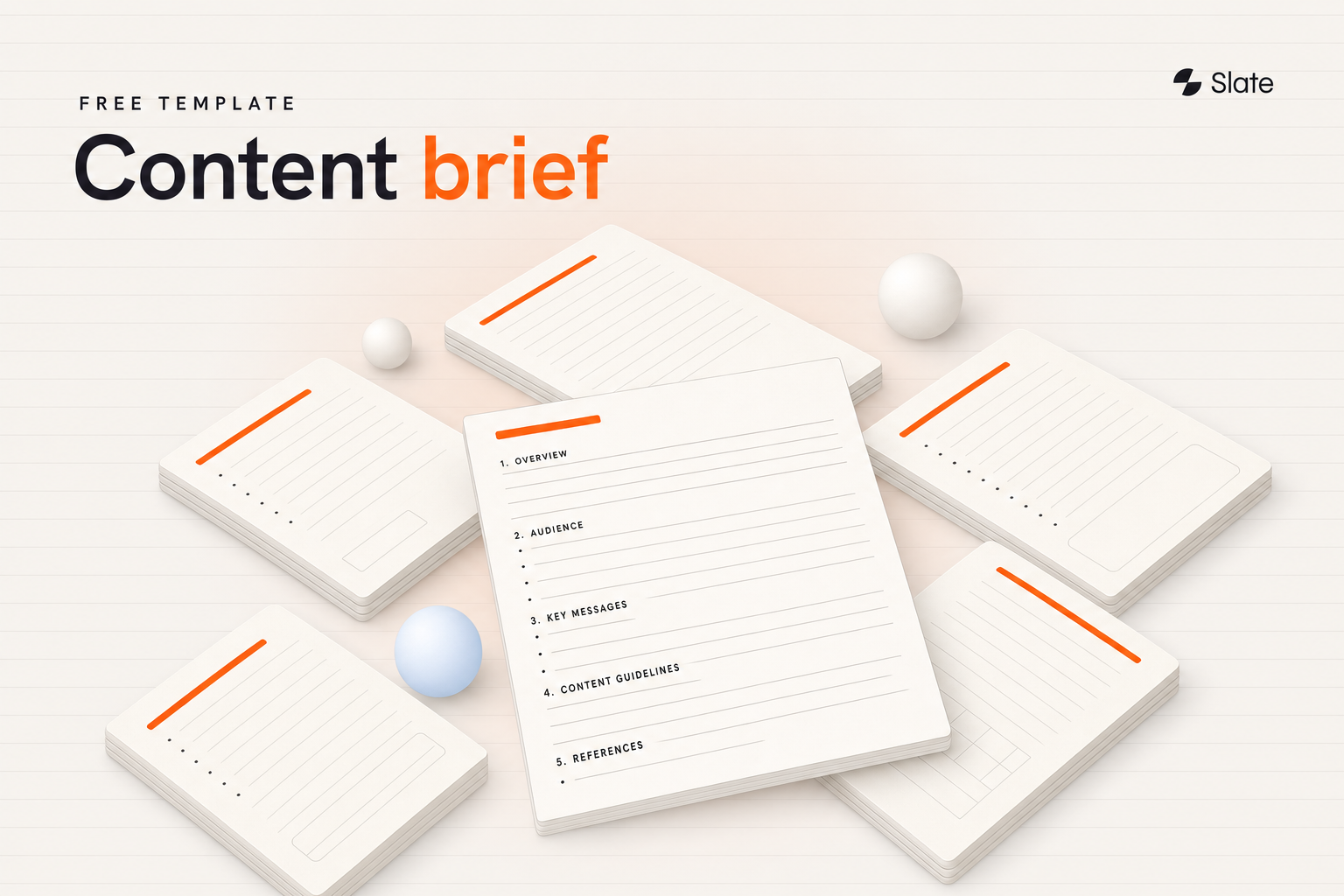
Yes - here is a free content brief template you can copy right now. It includes audience, search intent, content goal, primary keyword, outline, key messaging, tone of voice, internal and external links, CTA, word count, deadline, and approval owner. Paste it into any tool and start filling.
This is the simple core version. It covers everything a writer needs for a standard assignment without becoming bloated. For team-wide use, add the governance fields covered later.
``` CONTENT BRIEF
Title / working headline: Primary keyword: Secondary keywords: Primary search intent: (informational / commercial / transactional / navigational)
Target audience + awareness stage: Content goal (business / search / content / CTA): Key messaging:
Recommended outline (H2 / H3): Must-cover questions (PAA):
Tone of voice & brand voice notes: Word count:
Internal links to include: External source standards: Call to action (CTA):
Deadline: Owner: Reviewer: Approver: Refresh trigger: ```
Choose the format that matches your workflow:
Format | Best for |
| Google Docs | Real-time collaboration |
| Notion | Content ops databases |
| Word / .docx | Offline / client handoff |
| Markdown | AI-assisted workflows |
| Reference / printing |
If you want a generator that pre-fills structure and intent for you, explore Slate's free content brief template tooling for repeatable production.
How to use this content brief template
To write a content brief, define the audience and goal first, then document the target keyword, search intent, key questions to answer, recommended structure, brand voice, source requirements, CTA, and review process - so the writer has clear direction before a single word is drafted.
Work through it in order. The sequence matters because each step constrains the next:
- Define audience and goal: Decide who this is for and what it must accomplish before anything else.
- Set the primary keyword: Confirm search intent so the angle matches what searchers actually want.
- Document must-cover questions: List the entities and PAA-style questions the piece has to answer.
- Draft the recommended outline: Sketch the H2/H3 structure so the writer isn't guessing.
- Set voice, links, and sources: Add brand voice notes, internal links, source standards, and the CTA.
- Assign owner, reviewer, deadline: Make accountability explicit so approvals don't stall.
The best templates don't just speed up production; they improve alignment and reduce rewrites. For a deeper walkthrough on how to write a content brief, Slate breaks the process into a repeatable agent workflow.
What each field means (section-by-section breakdown)
A content brief should include the target audience, search intent, content goal, primary keyword, outline, key messaging, tone of voice, internal links, external sources, CTA, word count, deadline, and approval requirements. Below, each cluster gets a "why it matters" reason and a concrete example.
Audience and awareness stage
Required. This field defines who you're writing for and how much they already know.
Field | Why it matters | Example |
| Target audience | Shapes vocabulary, depth, and examples | SEO managers at 50–200 employee B2B SaaS |
| Awareness stage | Determines how much you explain vs. assume | Solution-aware, comparing template options |
| Pain point | Anchors the angle | Inconsistent briefs causing rewrites |
Good input: "Mid-funnel content marketers who already use briefs but want a usable format." Weak input: "Marketers."
Content goal (business / search / content / CTA)
Required. Most weak templates collapse "goal" into one line. Separate the four so nothing gets lost: the business goal (pipeline, awareness), the search goal (rank for X), the content goal (educate, compare), and the CTA goal (book a demo, download). Each one steers a different writing decision.
Primary keyword and search intent
Required. Search intent is the field most templates skip - and it's the one that prevents the wrong format entirely. A keyword without intent is a trap.
Good input: "Primary keyword: content brief template (free). Intent: commercial investigation - reader wants a usable template plus guidance." Weak input: "Keyword: content brief." That tells a writer nothing about whether to build a guide, a listicle, or a product page.
Outline and questions to answer (PAA)
Required. Give the writer a recommended H2/H3 structure plus the must-cover questions the piece has to answer. This is where you encode the People Also Ask coverage. Listing questions explicitly - "What should a content brief include?" - can make the draft easier to extract for snippets and AI answers.
Tone of voice and brand voice
Required. Don't describe voice abstractly. Use four guardrails: sound like, avoid sounding like, reading level, and acceptable phrasing. For example: "Sound like a senior strategist talking to a peer. Avoid sounding like a textbook. Reading level: grade 9. Avoid hype words." This is what keeps AI-assisted drafts from drifting into generic copy.
Internal links, external sources, and source standards
Optional to required. Specify which internal links to include and what counts as an acceptable external source - original research, primary data, or recognized authorities, not random listicles. Setting this standard upfront prevents weak, unverifiable claims. See Slate's guidance on content brief format for how this fits a wider ops process.
CTA, word count, and deliverable specs
Required. Give the CTA its own field - it's too important to bury inside the goal. State the exact action, the placement, and the word count range. Vague specs produce vague endings.
Owner, reviewer, approver, and deadline
Required. This is the governance layer most templates miss. Name the owner, the SME reviewer, the editor, and the final approver, with draft-due, review, and publish dates. When accountability is explicit, approvals stop stalling in someone's inbox.
Filled-in content brief example
Here's the template filled out for a realistic B2B SaaS blog post, with short commentary on why each input works.
``` CONTENT BRIEF - FILLED EXAMPLE
Title / working headline: How to Reduce Content Revision Cycles in 2026 Primary keyword: content revision process Secondary keywords: content review workflow, editing cycles, content approval Primary search intent: Informational - reader wants a workflow fix, not a tool sale
Target audience + awareness stage: Content ops managers at 50–200 employee SaaS; solution-aware, frustrated by slow approvals Content goal: Business - establish authority on content operations Search - rank for "content revision process" Content - explain a repeatable review workflow CTA - drive demo bookings for ops tooling Key messaging: Revisions drop when briefs define intent and questions upfront
Recommended outline: H2 Why revision cycles balloon H2 The 4-stage review workflow H2 How to assign owners and approvers H2 FAQs Must-cover questions: What causes excessive revisions? Who owns approval? How many review rounds are normal?
Tone of voice: Senior, practical, peer-to-peer. Avoid hype. Grade 9. Word count: 1,600–1,900
Internal links: /content-operations-best-practices, /content-workflow-tools External source standards: Original studies or recognized ops authorities only CTA: Book a demo (mid-article + close)
Deadline: Draft Jul 1, SME review Jul 3, edit Jul 5, publish Jul 8 Owner: Content strategist Reviewer: Ops SME Approver: Content lead Refresh trigger: Ranking drop or workflow change; review every 6 months ```
Why the audience line works: It pairs a specific company profile with an awareness stage and an emotional state, so the writer knows exactly how much to explain. Why the intent line works: Naming it "informational" stops the writer from turning a workflow guide into a sales page. Why the source standard works: It blocks weak citations before they enter the draft.
Briefs that spell out search intent and must-cover questions usually reduce back-and-forth because the writer is not guessing at angle or scope.
For more on connecting briefs to execution, see Slate's content brief example resources.
Simple vs. detailed content brief - which should you use?
Match the brief to the stakes. A 700-word blog update doesn't need a governance chain; a pillar page or landing page does. The decision rule is simple: the higher the visibility and the more hands involved, the more structure you add.
Element | Simple brief | Team / scalable brief | SEO brief |
| Audience + goal | Yes | Yes | Yes |
| Outline | Light | Full | Full + entities |
| Search intent | Optional | Yes | Required |
| Source standards | No | Yes | Yes |
| Owner / approver | Owner only | Full chain | Full chain |
| SERP analysis | No | Optional | Required |
| Refresh trigger | No | Yes | Yes |
Use the simple brief for one-off blog posts. Use the team brief for high-traffic or multi-stakeholder pieces. Use the SEO brief for anything where ranking is the primary goal. The aim is a template that works for a single article today and a scalable workflow tomorrow.
Content brief vs. creative brief vs. writer brief
A content brief guides the creation of a specific content asset, such as a blog post or landing page. A creative brief is broader and often covers campaign direction, messaging, audience, visuals, and brand requirements across multiple deliverables.
A content brief defines what the content must achieve and cover. A writer brief is a more execution-focused version that adds writing instructions, structural guidance, references, and formatting notes for the assigned writer.
Content brief variants for different content types
Most variants share the same core template - only a few fields change. Here's what shifts by content type.
Blog post content brief
Emphasize the outline, must-cover questions, and internal links. Keep CTA soft. Word count usually ranges from short updates to long-form guides. See Slate's blog content brief template guidance for blog-specific structure.
Landing page content brief
Shift focus to conversion. Lead with the messaging hierarchy, the single primary CTA, and objection handling. Outline matters less; persuasion sequence matters more. Word count is tighter and every section earns its place.
Content refresh brief
Add a refresh trigger, the intent shift since publication, and consolidation notes if you're merging pages. This is the lifecycle field most teams forget - and the one that keeps existing content competitive in 2026. A roundup of content refresh tools can help you operationalize this step.
SEO content brief
Add SERP analysis, entity coverage, and internal linking intent. Document what currently ranks and the gap you'll fill. Slate's SEO content brief template builds these inputs into a repeatable workflow.
How to create content briefs for SEO and AI discovery (2026)
In 2026, a content brief should also prepare content for AI-powered discovery. Add an answer-first summary, must-cover questions, entity and topic coverage, source quality standards, and brand voice guardrails so content is easier to cite, summarize, and extract across AI search platforms.
The reason is structural. AI systems tend to favor clear, attributable, well-structured passages over sheer length. When a brief specifies an answer-first block and explicit questions, the resulting content is built to be extracted, not just read. For teams prioritizing this shift, the best generative engine optimization tools offer a useful starting point.
Add these modern fields:
- Answer-first summary: A 40–60 word extractable definition near the top.
- Evidence and source requirements: What qualifies as a citable source.
- Prohibited claims: Statements the writer must not make without proof.
- Citation readiness: Clear definitions, data, and structure that AI can quote.
Most content brief templates still cover only basics like keywords and an outline - very few add approval workflow or refresh triggers, even though those determine how content gets published and maintained. In 2026, a content brief should work for both human reviewers and AI-assisted workflows. Slate's perspective on a content brief for SEO explains how these inputs feed scalable systems.
Common content brief mistakes (and how to avoid them)
Most briefing failures trace back to a handful of repeatable gaps. Across content and SEO teams, the fields most often missing from weak briefs are a clear audience definition, search intent, and a specific goal - exactly the ones that drive rewrites when they're vague.
- Vague audience or goal: Why it hurts - the writer guesses. Fix - name the segment, stage, and outcome.
- No search intent field: Why it hurts - wrong format from the start. Fix - label intent explicitly.
- Missing source standards: Why it hurts - weak, unverifiable claims slip in. Fix - define acceptable sources.
- Over-detailing short-form: Why it hurts - wastes time and slows the writer. Fix - match depth to stakes.
- No owner or approver: Why it hurts - approvals stall. Fix - assign the full chain upfront.
- Treating it as a one-time handoff: Why it hurts - briefs go stale. Fix - build them into a system with refresh rules.
In practice, rewrites usually start with the same omission: the brief never made the audience, intent, or goal specific enough to guide the draft.
How to scale content briefs across a team
A single template is a starting point. Scaling means turning it into a repeatable workflow that holds up across dozens of pieces and multiple stakeholders without slowing anyone down. The right content automation tools can make this consistency far easier to sustain.
Governance doesn't have to mean bureaucracy. The goal is just clarity on five things: ownership, review, approval, version control, and refresh cadence. When those are baked into the template, consistency stops depending on who happened to write the brief.
The real challenge is keeping briefs consistent across SEO, content, PMM, SMEs, and editorial - groups that each want different things. Shared fields and a fixed structure give them a common language. Voice guardrails and source standards also keep AI-assisted drafts from collapsing into generic output. Search visibility is easier to scale when briefs capture intent, evidence, structure, and approval requirements up front. Build a reusable content brief checklist and document what should a content brief include so the standard travels with every assignment.
Standardized fields also make team handoffs cleaner. Reviewers know where to find goals, requirements, and open questions, which makes approvals more predictable.
Turn your brief into a repeatable content system
A brief is only the first step in a longer loop: brief, draft, review, publish, refresh. The teams that win organic and AI visibility treat that loop as a system, not a series of one-off documents. When briefs feed structured workflows, content stays consistent, citation-ready, and easy to maintain at scale.
Slate connects that lifecycle - from brief to drafting, review, publishing, and refresh - so quality and search alignment hold as volume grows. Explore how Slate supports content brief template free workflows for SEO and content teams.
Pricing: See Slate for current pricing.
Ready to see it in action? Book a demo.
Frequently asked questions
What is a content brief template?
A content brief template is a structured, reusable document that tells a writer what a piece of content needs to achieve, who it is for, what to cover, how it should sound, and what SEO or business requirements it must meet. It standardizes goals, audience, structure, tone, and requirements before drafting starts.
What should a content brief include?
A content brief should include the target audience and awareness stage, search intent, content goal, primary keyword, recommended outline, key messaging, tone of voice, internal and external links, source standards, CTA, word count, deadline, and approval owners. These fields remove ambiguity and reduce revision cycles.
How do you write a content brief?
Define the audience and goal first, then confirm the primary keyword and search intent. Document the must-cover questions, build a recommended outline, set brand voice and source standards, add the CTA, and assign owner, reviewer, and deadline so the writer has clear direction.
Is there a free content brief template?
Yes. This page includes a free, copy-ready content brief template you can paste into Google Docs, Notion, Word, or Markdown, then export or save it as PDF if needed. It covers audience, search intent, goal, keyword, outline, messaging, tone, links, CTA, word count, and approval workflow.
What is the difference between a content brief and a creative brief?
A content brief is asset-specific - it guides the creation of one piece, like a blog post or landing page. A creative brief is broader and usually campaign-level, covering messaging, audience, visuals, and brand requirements across multiple deliverables and formats.
What is the difference between a content brief and a writer brief?
A content brief defines what the content must achieve and cover. A writer brief is more execution-focused, adding writing instructions, structural guidance, references, and formatting notes tailored to the assigned writer so the draft matches expectations.
Who should create the content brief?
Ownership usually sits with the content strategist, SEO lead, or editor. Input often comes from product marketing, subject-matter experts, and reviewers, especially for technical or high-stakes pieces. One owner keeps the brief consistent while others contribute context.
How long should a content brief be?
Long enough to remove ambiguity, short enough to stay usable. A simple blog post may need a one-page brief, while a pillar page or landing page benefits from more detail. Match length to content type and workflow complexity rather than a fixed word count.