You want keyword research automation to cut the manual work: exports, deduplication, filtering, metric checks, and repeated regrouping.
Key Takeaways
- Automated keyword research reduces repetitive collection and analysis work, but strategic judgment still governs page, intent, and business decisions.
- Five minutes means a first-pass prioritized queue after connected inputs and rules, not a finished content strategy.
- The workflow is seed, Search Console data, expansion, enrichment, clustering, scoring, and routing into action.
- Cluster by shared search results, intent, and entity coverage before assigning a keyword group to a page.
- AI search adds prompt visibility, brand mentions, citations, and answer gaps to keyword prioritization.
- Automation creates value when opportunities become briefs, content updates, publishing actions, outreach, measurement, and refresh workflows.
What Is Automated Keyword Research?
Automated keyword research uses connected data sources, rules, and AI-assisted analysis to collect keyword ideas, enrich them with SEO metrics, group related queries, and prioritize opportunities. The goal is to reduce repetitive work so marketers can focus on page decisions, content quality, and business fit.
The harder work is deciding which opportunity deserves a page, which existing URL should be refreshed, and which cluster should be ignored.
A practical automation pipeline collects terms, enriches them, deduplicates records, classifies intent, clusters opportunities, scores priority, and routes work. Search Console is the best starting point because it shows the demand your site already reaches.
External keyword and competitor sources then help expand beyond demand the site already touches.
Why Manual Keyword Research Breaks Down
Manual keyword research usually fails after the export, during handoff. A spreadsheet can hold useful data, but it can't preserve every judgment, refresh every signal, or push approved work into production unless the workflow around it is designed for that.
The recurring problems are familiar:
- Exports go stale after download because rankings, clicks, impressions, and SERP conditions keep moving.
- Filtering rules stay in someone’s head instead of becoming reusable system logic.
- Clusters are rebuilt from scratch instead of maintained as living page opportunities.
- No one owns the handoff between keyword approval and page publication.
- Research restarts after market changes instead of detecting change through recurring monitoring.
Workflow failure: The insight has to travel through disconnected tools before anyone can act on it. Each handoff creates a place where context can disappear, ownership can blur, or a good opportunity can sit in a backlog without a next step.
How To Automate Keyword Research In 5 Minutes
To automate keyword research in five minutes, start with a defined seed topic, connect performance and SEO data sources, apply business filters, and generate a prioritized list of keyword clusters. The five-minute result is a first-pass opportunity queue. Review intent, page ownership, and business relevance before publishing.
Search Console access, a keyword data source, competitor inputs, a content inventory, and written business rules must already be connected.
Setup is the work that makes the five-minute run credible. The run itself is the repeatable execution layer.
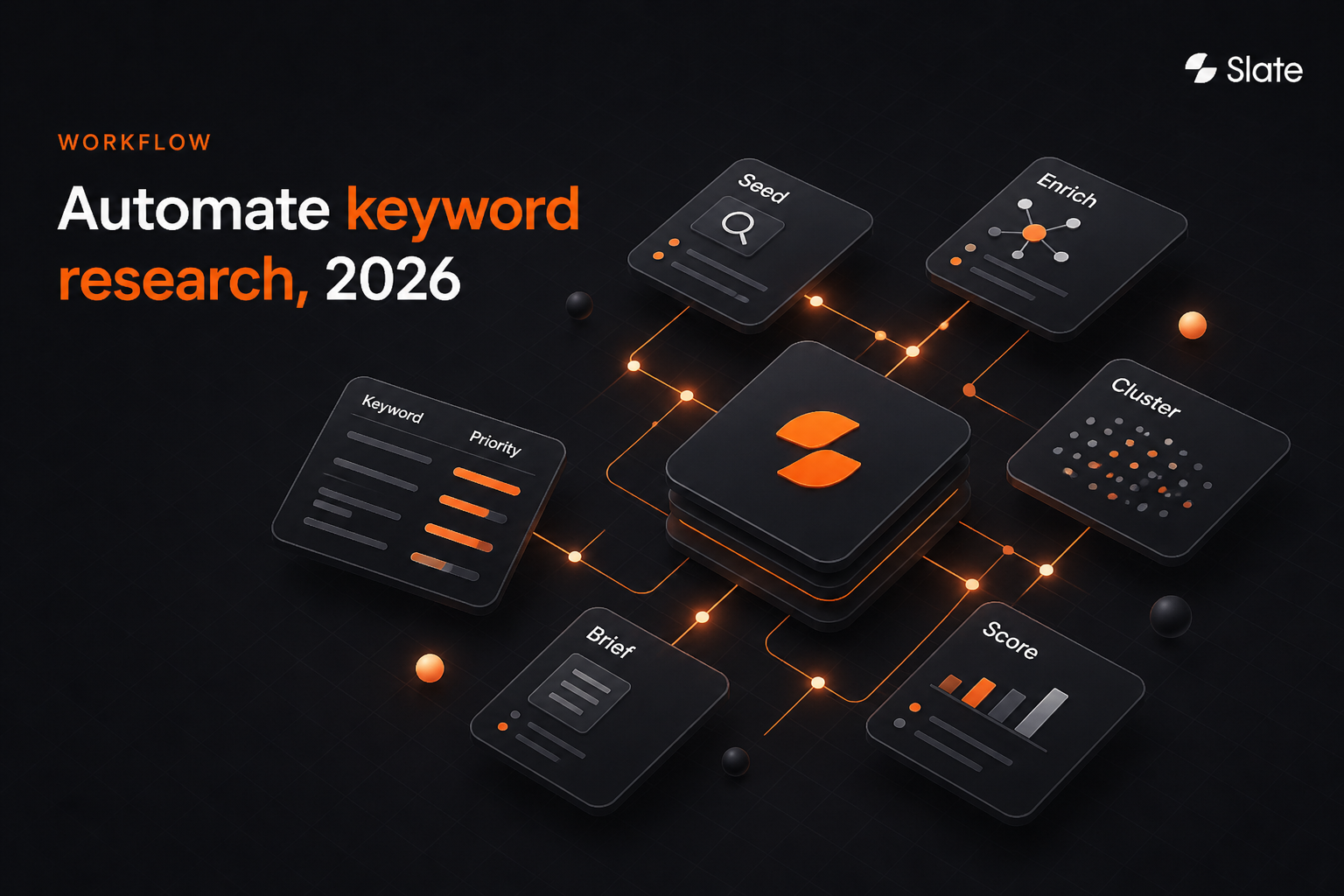
Workflow map: Seed → Enrich → Cluster → Score → Brief → Publish → Measure → Refresh.
- Start with one seed topic or business goal.
- Pull existing Search Console performance data.
- Expand with semantic, competitor, and long-tail keyword ideas.
- Enrich each record with intent, difficulty, trend, SERP, and business signals.
- Cluster keywords into page-level opportunities.
- Score each cluster and route it to create, update, consolidate, or monitor.
Step 1 - Start With One Seed Topic Or Business Goal
A seed constrains the run. If the starting point is too broad, the automation will return organized noise that can't be acted on.
A good seed gives the workflow enough direction to find related demand while keeping the output tied to a business objective.
Useful seed sources include:
- Site taxonomy and product pages
- Service pages and solution pages
- Search Console queries with existing impressions
- Sales and support language
- Competitor coverage gaps
- Internal site search
- Paid-search query reports
- AI-platform prompts such as “best tools for X” or “X versus Y for enterprise”
For GEO workflows, the prompt set sits beside the keyword set. A buyer may ask for recommendations, comparisons, tradeoffs, or implementation advice.
Step 2 - Pull Your Existing Performance Data First
Start with the demand your site already touches. Search Console’s Performance data includes clicks, impressions, CTR, and average position, and it can be grouped by dimensions such as query, page, country, device, date, and search appearance.
The API also supports Performance-report access through a query method with query and page dimensions.
That makes Search Console useful for finding:
- High-impression queries with weak CTR
- Queries ranking below the strongest results
- Pages associated with multiple related queries
- Query groups where more than one URL may be competing
- Country, device, or date patterns that change prioritization
Search Console gives a partial view of market demand because it doesn't show every query. Google leaves anonymized queries, those issued by no more than a few dozen users over two to three months, out of query tables, and the interface exports at most 1,000 rows. Its branded-query filter, added in March 2025, helps separate brand demand from net-new opportunity. Use it first for existing traction, then expand with external data for net-new demand.
Step 3 - Expand With Semantic, Competitor, And Long-Tail Ideas
Once the workflow has first-party performance data, expand the seed into related terms, long-tail questions, and competitor-covered topics. AI can help with phrasing variants and semantic coverage, but live keyword data should remain the source of truth for metrics.
Search volume, keyword difficulty, and ranking data require connected data sources with measurable fields. Use AI to suggest variants, classify patterns, summarize intent, and identify missing subtopics.
Long-tail queries don't always need separate pages. Many become supporting sections, comparison modules, FAQs, glossary blocks, or programmatic templates.
The automation should preserve those options instead of forcing every query into a new URL.
Step 4 - Enrich With Intent, Difficulty, Trend, And Business-Fit Signals
Enrichment turns a raw keyword into a decision-ready record. Each row or cluster should carry performance, SERP, intent, competitor, and business context.
Without those fields, a high-volume term can look attractive even when it has weak fit or no plausible page owner.
Step 5 - Cluster Keywords Into Page-Level Opportunities
A cluster is a candidate page. The workflow should group terms by shared search results, shared intent, and entity coverage before relying on wording similarity.
Similar language can hide different intent, while different wording can point to the same page opportunity.
Use three tests before approving a cluster:
- SERP overlap: Do the same types of pages appear for the queries?
- Intent match: Are users trying to solve the same problem?
- Entity coverage: Would one page naturally cover the same people, products, features, comparisons, or concepts?
AI can help propose clusters, but the URL decision should remain reviewable. The risk is approving a new page before checking whether an existing one should own the cluster.
Step 6 - Score Each Cluster And Choose The Next Action
Scoring works when the team owns the weights. A category launch may prioritize business relevance and content readiness.
A mature SEO program may emphasize ranking gaps, demand trend, and cannibalization risk.
Every approved cluster should exit with one of four actions:
- Create: Build a new page when no existing URL can own the intent.
- Update: Improve the page that already matches the cluster.
- Consolidate: Merge or redirect competing pages serving the same intent.
- Monitor: Hold the opportunity until demand, fit, or evidence improves.
Decision rule: A keyword with volume but no business fit isn't an opportunity.
What Your Automated Output Should Contain
A raw keyword list is incomplete automation. The output should look like an opportunity queue that a content, SEO, or growth team can review and route without rebuilding the analysis from scratch.
Every approved cluster should include:
- Primary topic
- Supporting keywords
- Search intent
- Audience stage
- Existing URL or recommended new URL
- Page type
- Cannibalization-risk flag
- Required entities and subtopics
- Competitor or SERP format pattern
- AI-answer prompt-coverage status
- Owner
- Due date
- Publishing route
- Measurement baseline
- Refresh date
Instead of asking, “Which keywords did the tool find?” the team asks, “Which opportunity has the clearest owner, strongest business fit, and most direct path to publication?”
The Keyword Data Fields To Track
The minimum viable data model should support filtering, clustering, scoring, routing, and measurement. If a field doesn't help make one of those decisions, it belongs outside the core workflow.
Three normalization rules keep the system usable. Choose a primary provider for volume and difficulty, store secondary values separately, and avoid silent averaging.
Use deduplication keys so recurring runs don't reintroduce known terms as new records. Apply exclusion rules for brand terms, irrelevant modifiers, out-of-market geographies, and job-seeker queries.
How To Automate Keyword Clustering Without Creating Cannibalization
AI can cluster keywords by semantic similarity, shared intent, and overlapping search results. Automated clusters should still be reviewed before they become pages. Similar wording doesn't always mean the same search intent, and one cluster may contain queries that require different formats, audiences, or stages of the buyer journey.
Map Every Cluster To Your Existing Content Inventory First
No new URL should be approved until the workflow checks whether an existing page can own the cluster. That check should compare current ranking URLs from Search Console, title and H1 similarity, and entity overlap across the inventory.
This step protects authority. Without it, teams create near-duplicate pages that split signals, confuse internal linking, and make refresh decisions harder later.
How To Automate Competitor Keyword Gap Analysis
Competitor gap automation is useful only when it is filtered through business fit. An unfiltered gap report is simply someone else’s strategy copied into your backlog.
Find Gaps In Topic Coverage, Not Just Missing Keywords
Start with terms or clusters where competitors have visibility and your site doesn't. Then apply business filters before anything reaches the queue.
The goal is to identify topic areas where the market is rewarding coverage that your site should credibly own.
If the opportunity doesn't map to a product, buyer pain, audience stage, or strategic narrative, it shouldn't outrank better-fit work.
Compare Page Formats, Entities, And Subtopics
A keyword gap tells you what is missing. SERP and page analysis help explain what the winning assets include.
Look at format, entities, subtopics, screenshots, comparison angles, evidence types, and the structure of top-performing pages.
This prevents a common mistake: producing a page that targets the right query but uses the wrong format. A guide, template, comparison page, directory, and product-led landing page aren't interchangeable.
How Keyword Research Changes For AI Search And GEO In 2026
For AI search, the prompt becomes a second unit of research next to the keyword. Build a prompt set from each seed topic, such as “best content automation platforms for B2B SaaS” or “compare tools for SEO content refresh at scale,” and track whether AI answers mention the brand, cite your pages, and describe you accurately.
Feed those signals into the score: a topic where competitors keep appearing and the brand is absent can outrank a higher-volume keyword. Route coverage gaps to content, citation gaps to outreach, and accuracy gaps to refresh work. Slate's guide to generative engine optimization and AI search metrics cover prompt sets and measurement in depth.
What To Automate Vs. What Still Needs Human Review
Automation should make the first pass faster and more consistent. It shouldn't silently decide the site architecture, rewrite positioning, or approve a page that affects the buyer journey.
You can automate keyword expansion, data collection, metric enrichment, duplicate removal, intent classification, preliminary clustering, competitor-gap detection, scoring, and reporting. Human review is still needed for strategic priorities, brand positioning, content quality, ambiguous intent, and deciding whether to create, update, merge, or retire a page.
Three Ways To Build It: Platform, No-Code, Or API
There are three practical build paths: an end-to-end platform, a no-code workflow, or a custom API-based system. The right choice depends less on technical preference and more on how far the output needs to travel after research.
The Google Sheets Route
The spreadsheet route works when the team needs transparency and a familiar review layer. Use separate tabs for raw data, filtered data, enriched data, clusters, approvals, and rules.
Keep scoring weights and exclusions in the rules tab so decisions are visible.
Sheets can support the data model, but it doesn't solve routing, publishing, ownership, or measurement on its own. The same structure can be adapted for YouTube query planning when video topics need raw, filtered, clustered, and approved stages.
When An API Is Worth The Complexity
APIs make sense when volume, multi-site operations, or proprietary scoring rules exceed what a spreadsheet can handle. A custom workflow can preserve deduplication across runs, retry failed jobs, control rate limits, and combine SEO data with internal business signals.
The tradeoff is ownership. Someone must maintain authentication, error handling, logging, scheduling, and cost controls.
When To Skip The Build Entirely
Skip the build when execution is the main bottleneck. If keyword data, clustering, scoring, content creation, publishing, and measurement already exist in one system, adding a connector layer can create unnecessary overhead.
Ask whether the build reduces handoffs or creates a new one.
Tools To Automate Keyword Research In 2026
Keyword research automation tools should be evaluated by job: collect, enrich, cluster, score, route to production, publish, measure, and refresh. Most tools cover only part of that loop, so the workflow design is as important as the software choice.
1. Slate - End-To-End Keyword Research, Content Production, And AI Search Visibility
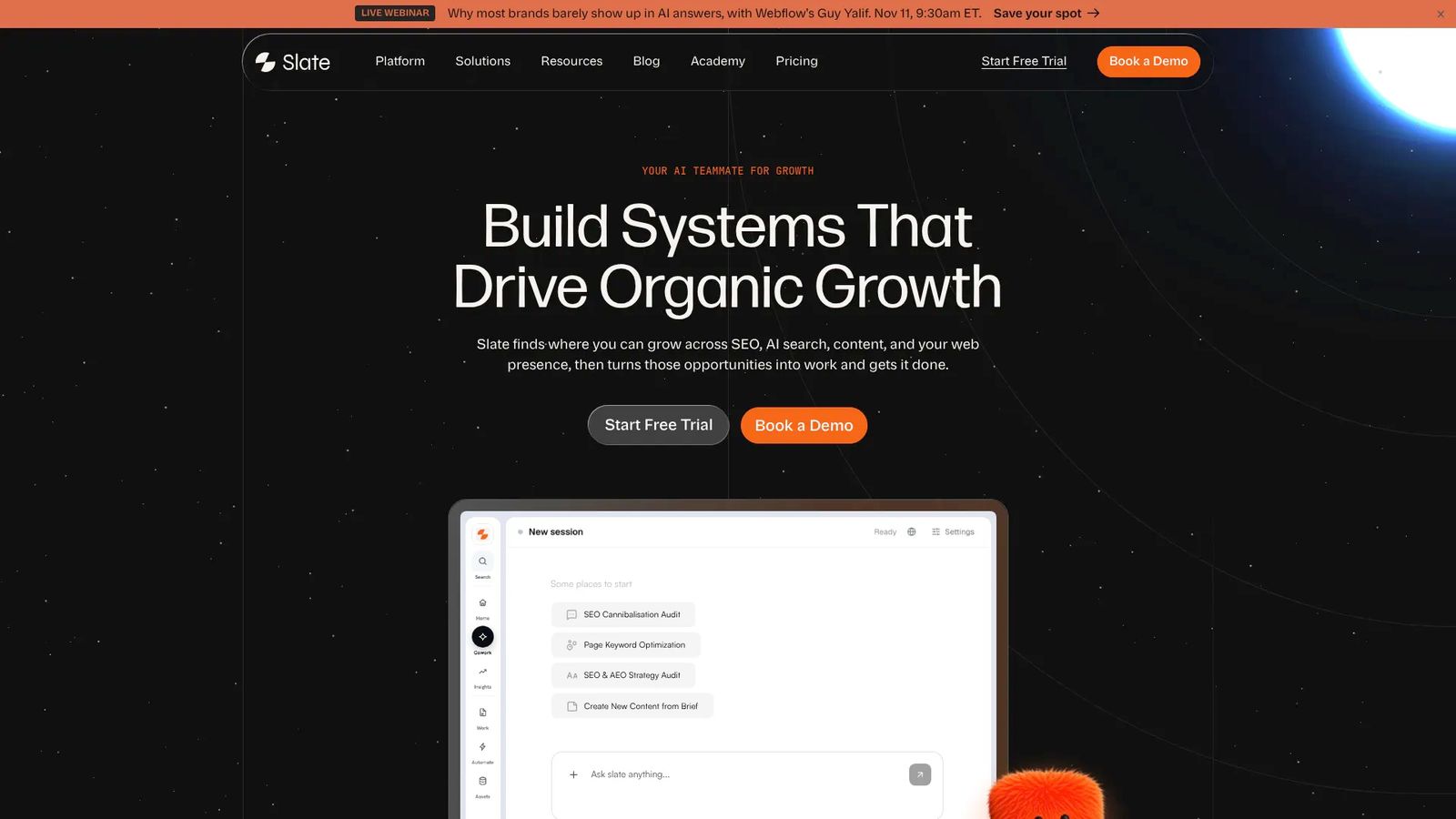
Slate is built for the full loop: opportunity discovery, enrichment, prioritization, content mapping, creation or updates, publishing, measurement, and refresh. It is the strongest fit when keyword research needs to become operational work instead of a static sheet.
Slate combines Cowork, Opportunities, Workflows, Sheets, SuperBlocks, Pages, and Outreach. Opportunities covers keyword gaps, AI visibility topic changes, suggested prompts, third-party outreach targets, and content decay.
Semrush data is built in. Slate also publishes to Webflow, Sanity, and WordPress.
For AI search, Slate’s AI Search Analytics, also called AI Tracker, tracks ChatGPT, Google AI Mode, Google AI Overviews, and Perplexity on every plan. Claude and Gemini are add-on answer packs.
Slate focuses on content workflows; video, visual brand campaigns, and creative-review workflows sit outside that use case.
Best for: SEO leaders, content-operations teams, and organic-growth marketers adapting their systems for AI-driven discovery.
Pricing: Growth $499/month, including 1 user; Scale $999/month; Agency $2,000/month; Enterprise custom. Annual billing saves 20%. Slate starts at $499/month and includes a 14-day free trial.
2. Ahrefs - Keyword Data And Gap Analysis
Ahrefs can be part of a keyword research stack when a team needs an external SEO data source. Use it as one input in a governed workflow instead of the final operating system.
Keywords Explorer and Content Gap cover keyword ideas and competitor gaps, and Parent Topic groups related terms. Plans run from Starter ($29/month) through Lite ($129), Standard ($249), and Advanced ($449) to Enterprise ($1,499/month, billed annually). API limits vary by plan, with uncapped access on Enterprise.
3. Semrush - Keyword Gap And Organic Results Data
Semrush's Keyword Magic Tool and Keyword Gap cover expansion and competitor gaps, with grouping and intent filters. Teams using Semrush directly should still design the handoff from data collection to page ownership, content routing, publishing, and measurement.
The SEO plan starts at $139/month, and Semrush has been part of Adobe since the acquisition closed in April 2026.
4. Google Search Console - First-Party Query Data
Google Search Console is the starting point for existing traction.
It's free, but it gives a partial view of demand: anonymized queries are left out of query tables, and the interface exports at most 1,000 rows, so larger sites should use the API or a bulk export.
5. Make, Zapier, And n8n - Connector Layers For No-Code Builds
Connector tools can move records among spreadsheets, research tools, AI tools, task systems, and CMS workflows. They are useful when the team wants no-code or low-code routing.
Make has a free plan with 1,000 credits a month and paid plans from $9/month. Zapier is free for 100 tasks a month, with Professional from $19.99/month billed annually. n8n is free to self-host, with cloud plans from €24/month for 2,500 executions. Test error handling before relying on any of them in production.
6. Google Sheets - The Data Model Layer
Google Sheets is useful for reviewing raw, filtered, enriched, clustered, and approved records. It is often the easiest place to make scoring rules visible.
It's free with a Google account. Search Console data reaches a sheet by manual export or through the Search Analytics API, so scheduled refreshes need a script or connector.
Turning A Five-Minute Run Into A Recurring Autonomous System
Run automated keyword monitoring on a recurring cadence, then trigger deeper analysis when rankings, clicks, CTR, demand, competitors, product positioning, or AI-search visibility changes. The operating goal is a maintained opportunity queue that updates when the market changes.
A recurring system detects change without waiting for a quarterly research reset. It should preserve baselines, compare each run against prior records, and route meaningful changes into review.
Trigger deeper analysis when:
- Priority pages lose clicks or position
- CTR changes without a clear position change
- A competitor enters a tracked cluster
- Seasonal demand starts moving
- Product positioning or ICP changes
- AI-answer brand mentions decline
- A cluster becomes stale or unowned
- A high-fit opportunity has no next action
Use templates across sites and markets, but keep language, geography, exclusions, business rules, and approvals separate. Shared workflow structure scales the process; shared judgment rules create noise.
How To Measure Whether Keyword Automation Is Working
A healthy automation system produces better throughput, clearer ownership, and measurable outcomes tied to approved opportunities.
Tier 1: Workflow health
- Opportunity-to-action rate
- Brief-to-publish rate
- Share of opportunities with named owners
- Stale or unowned cluster count
- Number of approved clusters without a next action
Tier 2: Search outcomes
- Clicks for priority clusters
- Impressions for approved topics
- CTR changes on updated pages
- Average position movement
- Pages moved from update status to improved status
- Completed consolidations
- Reduced instances of competing pages
Tier 3: AI-search outcomes
- Prompt-answer presence
- Brand mentions
- Citations
- Share of voice against tracked competitors
- Sentiment and accuracy of brand descriptions
Set the baseline when a cluster is approved, before publication. Otherwise, the team loses the before-state that explains whether the work changed anything.
Five Mistakes That Break Automated Keyword Research
- Letting AI generate metrics: AI can expand, classify, and summarize, but search volume, difficulty, and rankings require live data sources with provenance.
- Clustering by wording: Similar phrasing can hide different intent, while different wording can describe the same page opportunity.
- Stopping at collection: A prioritized list that never becomes a brief, task, outreach action, or page update is still a spreadsheet.
- Ignoring the inventory: Creating URLs without checking existing coverage produces avoidable cannibalization and fragmented page ownership.
- Treating research as static: Demand, competitors, rankings, and AI answers can change between planning cycles, so the queue needs maintenance.
Automate The Decision Loop
Automation should preserve context from discovery through enrichment, clustering, scoring, content mapping, production, publishing, measurement, and refresh.
Five minutes can produce a prioritized first-pass queue after setup. The durable advantage comes from the recurring system that keeps that queue current and routes the right work to the right owner.
Frequently Asked Questions
Can AI fully automate keyword research?
AI can assist with expansion, classification, clustering, summarization, and first-pass scoring. It shouldn't be trusted to invent keyword metrics or make final strategy decisions. Humans still need to validate business relevance, brand positioning, ambiguous intent, evidence quality, and whether a page should be created, updated, consolidated, monitored, or retired.
How do I automate keyword research in Google Sheets?
Use separate tabs for raw keywords, filtered records, enriched data, clusters, approved opportunities, and rules. The rules tab should hold exclusions, scoring weights, and business-fit criteria. Connect data sources where possible and schedule refreshes carefully. Sheets can support the model, but ownership, publishing, and measurement usually require additional workflow systems.
Do I need an API to automate keyword research?
You don't need an API for every keyword automation workflow. APIs become useful when the team manages high volume, multiple sites, multiple markets, or proprietary scoring logic. They also help with scheduled jobs, deduplication across runs, retry handling, and rate-limit control. Smaller teams can often start with platforms or no-code workflows.
How often should automated keyword research run?
Run monitoring on a recurring cadence and trigger deeper analysis when important signals change. Useful triggers include ranking movement, click loss, CTR changes, new competitor visibility, seasonal demand, product changes, and AI-search visibility changes. The review cadence should match the volatility and business value of the topic area.
How do I automate keyword clustering?
Start with SERP overlap, then compare intent and entity coverage. Semantic similarity can help suggest groups, but it shouldn't be the only approval signal. Once a cluster is proposed, map it to the content inventory before assigning a URL. Human review should approve the final page-level decision.
How do I prevent keyword cannibalization when automating?
Map every cluster to existing content before creating a new page. If a matching page already ranks and satisfies intent, update it. If multiple pages compete for the same cluster, consolidate them. Create a new URL only when no existing page can own the intent and the business fit is strong.
What is the difference between keyword research automation and a keyword generator?
A keyword generator produces ideas. Keyword research automation creates a governed workflow for collection, enrichment, deduplication, clustering, scoring, routing, measurement, and refresh. The difference is the endpoint. A generator ends with a list. Automation should end with an approved action, owner, page target, baseline, and refresh date.
Can I automate keyword research across multiple sites or markets?
Yes, but the rules shouldn't be identical everywhere. Reuse workflow templates for collection, enrichment, clustering, scoring, and routing, then separate language, market, exclusion, business-fit, and approval settings. A shared process creates scale, while market-specific rules protect relevance and reduce cross-market noise.