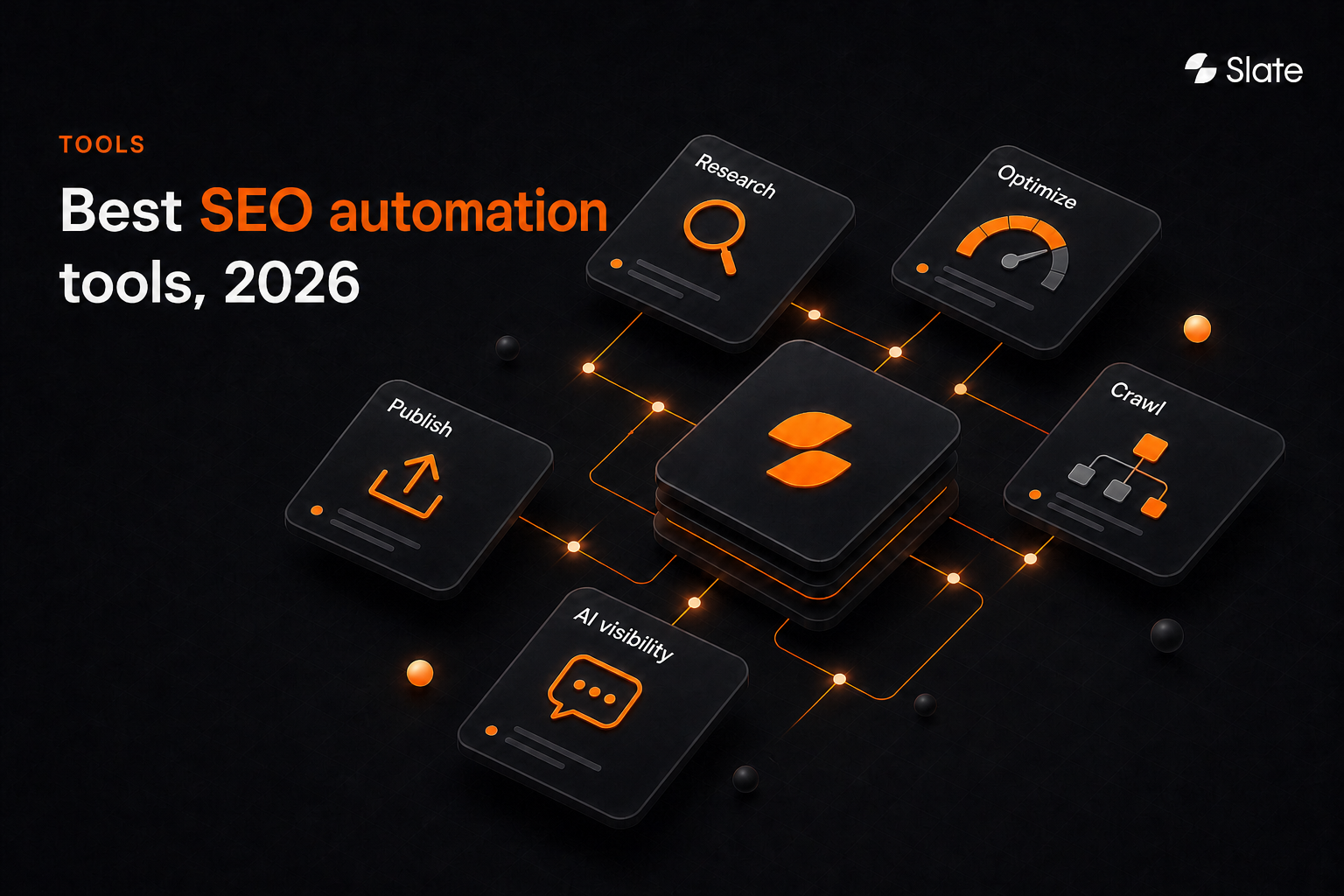
The SEO tasks best suited for automation are repetitive, high-volume, data-heavy, and governed by clear rules, with low risk if the output is wrong and an easy path to reverse it. Rank tracking, crawl-error monitoring, reporting, keyword clustering, backlink monitoring, and content decay detection are the strongest starting candidates.
Most SEO teams can spot the work. The harder part is getting from “something changed” to “the right person completed the right change.” A crawler can find broken links, a rank tracker can flag movement, and Google Search Console can show query changes, but none of that creates an operating system by itself.
Use automation for repeatable, verifiable work: Detect issues, assemble evidence, route tasks, prepare drafts, validate changes, and measure outcomes. Keep humans accountable for strategy, expertise, factual accuracy, brand positioning, relationship decisions, and high-impact publishing.
Key Takeaways
SEO automation should protect expert judgment from repetitive administration so teams can act faster, with clearer evidence and better controls.
- The best automation candidates are repetitive, data-heavy, rules-based, and reversible: Rank monitoring, crawl alerts, reporting, keyword clustering, and content decay detection lead the list.
- Automation has three tiers: Rules-based workflows, AI-assisted recommendations, and agent-driven execution with approval gates.
- Human review is a workflow stage. Design the approval point before launch.
- Never fully automate strategy, expert claims, compliance-sensitive content, relationship-driven outreach, or sitewide technical changes.
- AI search visibility belongs in SEO monitoring alongside traditional rank tracking.
- Start with monitoring and reporting, then content operations, then publishing.
- Measure time-to-action and quality acceptance rate, not only hours saved.
What Is SEO Automation? And What It Isn’t
SEO automation uses software, integrations, scripts, or AI systems to execute repeatable SEO tasks with minimal manual input: Data collection, monitoring, analysis, drafting, routing, and validation. It reduces operational load. Search engines still control ranking decisions.
Rules-based automation is deterministic. It runs on fixed conditions: Scheduled crawls, alert thresholds, exports, validation checks, and dashboard refreshes. If a priority URL returns a 404, the workflow can create a ticket, attach crawl evidence, and route it to the site owner.
AI-assisted automation is probabilistic. It helps classify, summarize, cluster, draft, and recommend, but the output still needs evaluation. A model can group keywords by semantic similarity or draft metadata variations, but an editor should approve intent, claims, and customer-facing copy.
Agent-driven automation coordinates multiple steps toward an outcome. The agent should have scoped permissions, defined inputs, auditability, approval gates, and rollback paths. For example, an agent can detect a decaying page, assemble a refresh brief, draft revisions, route them for review, and prepare a CMS draft without publishing blindly.
Which SEO Tasks Are Best Suited For Automation?
Score the task before selecting a tool. If the task happens often, touches many URLs, follows clear rules, and can be reversed, it’s a strong candidate.
Use six criteria:
- Frequency: Does this recur weekly, monthly, or every time content is published?
- Volume: Does it touch dozens, hundreds, or thousands of URLs?
- Rule clarity: Can the decision logic be written plainly?
- Risk: What breaks if the output is wrong?
- Reversibility: Can the change be rolled back quickly?
- Business value: Does it affect visibility, conversions, content velocity, or reporting credibility?
Rank tracking scores well because it’s frequent, data-heavy, and mostly reversible. The workflow can alert humans before action is taken. Link outreach is different. Prospect discovery and enrichment can be automated, but relationship judgment, messaging, and send decisions should remain human-led.
Treat alerts as detection. Automate data assembly and routing, then let an accountable owner decide what the signal means.
Automate, AI-Assist, Or Keep Human-Led: The Decision Matrix
A task can move from AI-assisted to more automated only after validation, rollback testing, and ownership are clear. Accountability-driven tasks should remain human-led even when tools become more capable.
A practical human checkpoint rule is simple: Require approval whenever a workflow changes customer-facing copy, makes a factual or product claim, modifies a template, affects a high-value URL, or changes a technical directive.
Google's generative AI content guidance supports the same principle: AI-assisted content has to add value and follow spam policies, and since an October 2026 update Google says it's critical to manually fact-check AI-generated content before publishing.
The 21 SEO Tasks You Should Be Automating And How
The SEO loop runs through detection, prioritization, creation, approval, publishing, measurement, and refresh. The 21 tasks below fit into that loop. Each task includes the same four workflow fields: Trigger, how to automate it, human review, and what to measure.
Monitoring And Reporting
Monitoring and reporting are usually the safest place to start. They’re frequent, measurable, and comparatively low-risk because the first output is usually an alert, dashboard, or recommendation instead of a live site change.
1. Rank Tracking And Ranking-Change Alerts
Trigger: Daily or weekly movement beyond a defined threshold for priority keywords.
How to automate it: Filter noise, group changes by URL, and surface meaningful changes across commercial and strategic keyword sets.
Human review: Confirm seasonality, SERP layout changes, and business relevance before assigning work.
What to measure: Share of voice, tracked keyword visibility, and time-to-detection.
2. Organic Traffic And Conversion Anomaly Detection
Trigger: Significant deviation in clicks, sessions, or conversions against a trailing baseline.
How to automate it: Flag affected URL groups, timeframes, and conversion paths using Google Analytics and performance monitoring data.
Human review: Separate tracking issues, seasonality, site changes, competitive movement, and search volatility.
What to measure: Mean time-to-detection and false-positive rate.
3. Google Search Console Query And CTR Monitoring
Trigger: Scheduled weekly pull.
How to automate it: Surface impression growth with flat clicks, positions 5 to 15, and CTR decline.
Human review: Validate search intent before title, meta description, or on-page changes.
What to measure: CTR delta and click recovery. Google Search Console is first-party Google data; third-party rank tools use different measurement approaches.
4. Recurring SEO Dashboard And Report Generation
Trigger: Weekly or monthly schedule.
How to automate it: Combine Search Console, Google Analytics, rank tracking, and agreed definitions into a recurring SEO dashboard.
Human review: Interpret causality and decide the next action. An alert is not a diagnosis.
What to measure: Reporting time, stakeholder decision turnaround, and action assignment rate.
5. Competitor Ranking And SERP-Feature Monitoring
Trigger: Competitor movement or SERP composition change.
How to automate it: Log ranking changes, SERP-feature changes, and affected URLs for the tracked topic set.
Human review: Decide whether the change warrants a response or should simply be monitored.
What to measure: Competitive gap closure and SERP-feature capture rate.
6. Backlink Gain, Loss, And Link-Quality Monitoring
Trigger: New or lost referring domain on a priority URL.
How to automate it: Categorize links by relevance and flag losses on commercially important pages.
Human review: Make reclamation, outreach, or disavow decisions manually.
What to measure: Referring-domain net change and link-loss recovery rate.
Technical SEO Automation
Technical SEO automation needs to go beyond finding issues. Crawlers already do that. The value appears when automation scores severity, routes ownership, validates repairs, and keeps engineering backlogs focused.
7. Crawl-Error Monitoring And Severity Triage
Trigger: Scheduled crawl or coverage change.
How to automate it: Score issues by page value, severity, recurrence, and affected template, then route them to the right owner.
Human review: Prioritize work against sprint capacity.
What to measure: Crawl health and time from detection to resolution.
8. Broken Internal And External Link Detection
Trigger: Scheduled crawl.
How to automate it: Identify broken links, suggest replacement targets from the existing URL inventory, and batch clear updates.
Human review: Required when no relevant replacement exists.
What to measure: Broken-link count, crawl depth, and resolved issues.
9. Redirect Chain And Loop Monitoring
Trigger: Scheduled crawl or post-deployment check.
How to automate it: Flag chains over one hop, loops, and redirects that resolve to 404s.
Human review: Mandatory for redirect-rule changes.
What to measure: Chain count and crawl efficiency. Automate detection, not redirect-rule implementation.
10. XML Sitemap And Indexability Checks
Trigger: Scheduled and post-publish checks.
How to automate it: Validate status code, canonical state, noindex status, and alignment between sitemap URLs and live inventory.
Human review: Investigate submitted-versus-indexed discrepancies.
What to measure: Indexed-to-submitted ratio and orphan-page count.
11. Duplicate And Near-Duplicate Content Detection
Trigger: Scheduled crawl or pre-publish check.
How to automate it: Surface high-similarity pairs and flag potential cannibalization against ranking data.
Human review: Decide whether to merge, differentiate, redirect, or retain.
What to measure: Duplicate clusters and cannibalization instances.
12. Structured Data Validation
Trigger: Post-publish and scheduled checks.
How to automate it: Validate required and recommended properties, errors, warnings, and potential rich-result eligibility loss.
Human review: Select schema types for new templates and approve generated markup.
What to measure: Valid-item count and rich-result impressions.
13. Page Speed And Core Web Vitals Monitoring
Trigger: Field-data threshold breach or post-deployment check.
How to automate it: Group failing URLs by template to distinguish systemic issues from page-level exceptions.
Human review: Estimate engineering effort and prioritize work.
What to measure: Passing URL percentage and template-level pass rate.
Keyword And Content Operations
The highest-value automation identifies what deserves work, assembles decision-ready inputs, and prepares reviewers to create or approve stronger content.
14. Keyword Collection And Metric Enrichment
Trigger: New topic brief, competitor movement, or planning cycle.
How to automate it: Collect keyword ideas and enrich them with volume, difficulty, CPC, and SERP-feature data from connected sources.
Human review: Required at prioritization, after basic collection.
What to measure: Addressable keyword-universe coverage.
15. Keyword Clustering
Trigger: New keyword export above a defined threshold.
How to automate it: Group terms through SERP overlap and semantic similarity.
Human review: Validate cluster boundaries because they influence page count and content architecture.
What to measure: Cluster count, keywords per page, and reduced overlap.
16. Search Intent Classification
Trigger: Post-clustering.
How to automate it: Classify clusters as informational, commercial, transactional, or navigational using SERP composition as evidence.
Human review: Mandatory because wrong intent creates the wrong page type.
What to measure: Intent-match rate and engagement by intent type.
17. Keyword-To-URL Mapping And Cannibalization Checks
Trigger: Approved cluster or scheduled audit.
How to automate it: Match clusters to existing URLs, flag unmapped opportunities, and identify competing pages.
Human review: Make merge, differentiation, redirect, or retention decisions.
What to measure: Unmapped opportunities and resolved cannibalization.
18. Content Decay Detection
Trigger: Sustained decline in clicks, impressions, position, or CTR over a trailing window.
How to automate it: Isolate declining URLs, account for seasonality, and rank by recoverable value.
Human review: Confirm business value before assigning refresh work.
What to measure: Decaying URL count and click recovery after refresh.
19. Content Refresh Brief Generation
Trigger: Approved decay or optimization opportunity.
How to automate it: Assemble current page content, competitor coverage, missing subtopics, queries, and internal-link candidates.
Human review: Validate audience, claims, expertise, and positioning.
What to measure: Brief-to-publish cycle time and acceptance rate.
20. Internal-Link Opportunity Discovery
Trigger: New page or scheduled site-wide scan.
How to automate it: Find relevant source pages and propose placement and anchor text.
Human review: Approve strategic anchors and links to priority pages.
What to measure: Internal links to priority pages, orphan-page count, and crawl depth.
21. Metadata, On-Page, And Post-Publish QA
Trigger: Pre-publish and post-publish.
How to automate it: Check title and meta uniqueness, heading hierarchy, alt text, canonical tag, indexability, and internal-link rendering.
Human review: Approve scaled customer-facing copy changes.
What to measure: QA pass rate and post-publish defect count.
The Task Most SEO Automation Guides Miss: AI Search Visibility Monitoring
AI search visibility should sit beside rank tracking. Buyers now encounter answers, citations, summaries, and recommendations across AI experiences, so teams need a repeatable way to monitor how their brand appears.
Track AI search visibility by monitoring a defined set of buyer-relevant prompts across AI platforms, recording whether your brand is mentioned, which sources are cited, how your brand is described, and where competitors appear but you do not. Those citation gaps become content and outreach priorities.
Monitor these fields:
- Brand mention rate across a fixed prompt set.
- Domains cited where the brand is absent.
- Accuracy of brand descriptions.
- Competitor citation share on the same prompts.
- Prompt topics with no clear authoritative source.
- Movement after content publication and earned mentions.
The workflow is direct: Define prompt set, detect a gap, analyze the cited source type, route to content creation or outreach, and re-measure during the next tracking cycle.
Google's guide to generative AI features in Search still connects visibility to crawlability, quality, and publicly accessible content. That makes AI search monitoring an extension of SEO operations alongside technical and content fundamentals.
SEO Automation Tools By Workflow Stage
Tool selection depends on the workflow stage. A fragmented stack can still work, but the manual handoff between research, reporting, content, approval, publishing, and measurement is often where momentum disappears.
Slate is an end-to-end platform for content, SEO, and AI search optimization. It fits the full loop: Opportunity discovery, optimization, creation, approval, CMS publishing, measurement, outreach, and refresh.
Slate includes Cowork, Opportunities, Workflows, Sheets, SuperBlocks, Pages and Outreach. Opportunities covers keyword gaps, AI visibility topic changes, suggested prompts, third-party outreach targets and content decay. Semrush data is built in, and CMS publishing supports Webflow, Sanity and WordPress.
Slate’s AI Search Analytics, also called AI Tracker, tracks ChatGPT, Google AI Mode, Google AI Overviews and Perplexity on every plan. Claude and Gemini are add-on answer packs.
Best for: SEO leaders, content operations teams, organic-growth marketers, and agencies that want a connected operating loop instead of disconnected point tools.
Limitations: Slate is not positioned as a generic proofing system for non-content creative assets such as video or visual campaigns.
Pricing: Growth $499/month; Scale $999/month; Agency $2,000/month; Enterprise custom. Annual billing saves 20%. A 14-day free trial is available.
G2 rating: 4.9/5
Tool Categories By Workflow Stage
Most teams still need more than one system of record. The key is to define which tool owns each stage and which workflow moves work forward.
Treat third-party SEO tools as decision inputs. They can surface modeled estimates, gaps, alerts, and recommendations, but they do not control search-engine ranking systems or guarantee performance.
How To Build An SEO Automation Workflow In Seven Steps
A useful SEO automation workflow starts small and gets stricter as risk increases. Monitoring can move faster than publishing because the first creates evidence, while the second changes what users and search systems see.
- Pick one bottleneck: Start with reporting or crawl monitoring because feedback is fast and risk is lower than content generation.
- Define the trigger: Write the trigger and desired output in one sentence before selecting tools.
- Connect trusted data: Use Search Console for queries, clicks, and impressions; analytics for sessions and conversions; third-party tools for competitive and link inputs.
- Write rules: Define thresholds, exclusions, seasonality windows, and page-value tiers.
- Insert approval: Name the owner, review stage, and acceptance criteria.
- Choose destination: Route to a ticket, CMS draft, alert, spreadsheet row, or controlled publishing step.
- Review monthly: Track acceptance rate, false positives, defects, and operational outcomes.
Automate monitoring and reporting before publishing. Build trust with low-risk workflows first, then expand into AI-assisted content operations after the team understands how often the workflow is right, wrong, or incomplete.
Automation Guardrails And Quality Assurance
The main failure mode of SEO automation is repeated wrong action across many URLs before anyone notices. Guardrails separate systems that scale from liabilities that scale.
Pre-launch controls should include:
- Minimum necessary permissions.
- Approval for customer-facing changes.
- Volume caps during early deployment.
- Documented rollback paths.
- Protected URL and template exclusions.
- Brand voice and style rules.
- Factual verification for claims, statistics, and product details.
- A named workflow owner.
Post-publish QA should include:
- Source and claim verification.
- Search-intent alignment.
- Duplicate-content and cannibalization checks.
- Brand voice review.
- Compliance or legal review where needed.
- Template rendering checks.
- Indexability, canonical, and internal-link validation.
- Performance review at 30 and 60 days.
Data integrity comes first because automations inherit input inconsistency. Standardize protocols, trailing slashes, parameters, attribution windows, sampling assumptions, and time zones. Establish one source of truth per metric before the workflow runs at scale.
What SEO Tasks Should Not Be Fully Automated?
SEO tasks that depend on expertise, judgment, relationships, or accountability should not be fully automated. These include setting strategy, validating search intent for high-value pages, approving expert claims, defining brand positioning, publishing to top revenue URLs, making sitewide technical changes, and building genuine relationships for digital PR and link outreach.
Keep these human-led:
- Strategy: Automation can rank inputs, but people weigh positioning, product roadmap, sales cycles, and risk.
- Original expertise: The differentiating layer comes from what the team knows.
- Sensitive claims: Legal, financial, medical, compliance, and product claims need accountable review.
- High-impact publishing: Top revenue pages, templates, and legally exposed pages deserve final approval.
- Major technical changes: Redirects, canonicals, robots directives, noindex rules, and templates should not change without review.
- Relationship outreach: Automate research and enrichment, while people handle genuine relationship judgment.
- Ambiguous traffic diagnosis: Context is required to separate tracking breaks, seasonality, competitive changes, and search-system changes.
How To Measure SEO Automation ROI
Hours saved alone is a weak ROI metric because it does not show whether the saved work had value. Measure whether automation shortened the distance between signal and action, and whether the output survived review with acceptable quality.
Operational metrics:
- Time to action: Signal detection to completed change.
- Quality acceptance rate: Outputs approved without substantive edits.
- Coverage: URLs monitored, keywords tracked, prompts tracked, and pages refreshed.
- Throughput: Briefs produced, pages optimized, and issues resolved.
- False-positive rate: Alerts that required no action.
- QA defect rate: Post-publish issues per automated change set.
- Hours reclaimed: Useful only alongside quality metrics.
Outcome metrics:
- Clicks, impressions, and CTR on touched URLs versus a comparable control group.
- Ranking movement at 30, 60, and 90 days.
- Organic conversions or qualified pipeline.
- Indexation and crawl-health trends.
- AI citation share and brand mention rate for tracked prompts.
- Content decay rate across the library.
SEO outcomes are multi-causal. Use control groups where possible, document changes and timing, and communicate confidence instead of certainty.
Where To Start: A 90-Day SEO Automation Rollout
Small teams should not begin with bulk publishing. Start where the risk is low, the feedback is fast, and the team can validate whether the workflow is reliable.
Teams that automate phase-three work without phase-one data discipline risk making fast decisions on inconsistent inputs. The goal is a repeatable process that runs consistently without being rebuilt every week.
Automate The Loop, Not Just The Task
Meaningful SEO automation connects the full workflow instead of isolating steps. A standalone alert helps. A standalone brief helps. But the operational advantage appears when the signal becomes reviewed work, the work becomes a completed improvement, and the result becomes the next prioritization input.
People still own strategy, expertise, claims, and relationships. Automation should make those decisions better informed, faster to execute, and easier to govern.
Slate is built for teams that want to automate the full organic-growth loop across traditional search and AI search: Find the opportunity, create the work, publish the improvement, measure the result, and keep refreshing what performs.
Frequently Asked Questions
What SEO tasks can be automated?
Repetitive, data-heavy, rules-based SEO tasks are the best fit. Common examples include rank tracking, crawl-error monitoring, keyword clustering, backlink monitoring, recurring reporting, broken-link detection, internal-link suggestions, content-decay alerts, metadata QA, and AI citation tracking. Strategy, factual accuracy, and brand decisions still need review.
Which SEO tasks should not be automated?
Do not fully automate SEO strategy, expert claims, compliance-sensitive content, brand positioning, high-impact publishing, sitewide redirects, canonicals, robots directives, or relationship-driven outreach. Tools can assemble evidence and prepare recommendations, but accountable humans should approve decisions that affect users, revenue, compliance, or site architecture.
Can AI automate SEO?
AI can speed up research, classification, monitoring, recommendations, drafting, reporting, and QA preparation. It should not replace SEO judgment, factual review, or publishing accountability. The safest model is AI-assisted execution with explicit approval gates for claims, customer-facing copy, templates, and high-value pages.
What are the best SEO automation tools?
The best SEO automation tools depend on the workflow stage. Teams usually need first-party performance data, crawling, keyword and backlink research, reporting, workflow orchestration, publishing, approval controls, and AI visibility monitoring. Connected platforms are useful when the handoffs between those stages create operational drag.
How do you automate SEO reporting?
Automate SEO reporting by connecting trusted sources, standardizing metric definitions, setting alert thresholds, scheduling dashboard delivery, and routing notable changes to an owner. The system can assemble data and draft a narrative, but humans should interpret causality and decide the next action.
Can SEO be fully automated?
SEO operations can be heavily automated, but strategy, expertise, factual verification, and accountability remain human responsibilities. Technical compliance also does not guarantee crawling, indexing, rankings, traffic, or conversions. Automation improves coverage, consistency, and time-to-action; it does not control search-engine outcomes.
How do you automate content refreshes for SEO?
Automate content refreshes with a detect, diagnose, brief, review, publish, and measure workflow. The system flags declining pages, assembles query and competitor evidence, prepares a refresh brief, routes it for expert review, supports publication, and checks performance after 30 and 60 days.
How do you track brand visibility in AI search?
Track brand visibility in AI search with a fixed set of buyer-relevant prompts. Monitor brand mentions, cited sources, answer accuracy, sentiment, and competitor presence over time. When competitors are cited and your brand is absent, turn the gap into a content, citation, or outreach priority.